2.3
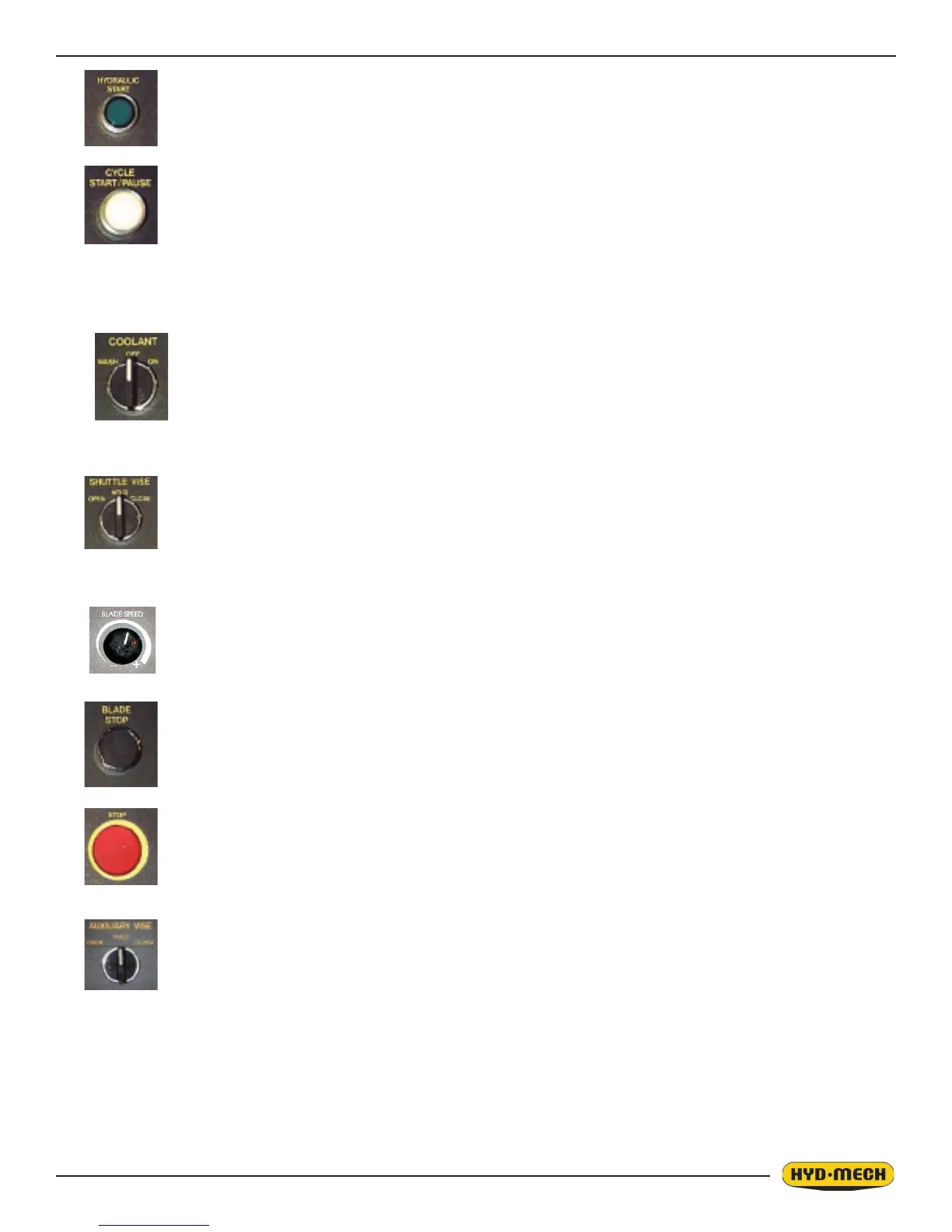
COOLANT - This switch has three positions, ON, OFF, and AUTO. In the ON position, the coolant
system will operate when there is power to the machine, this allows using the wash
gun to clean the machine. In the OFF position, the coolant system is inactive. In the
AUTO position the coolant system will only run when the head is descending. This
minimizes coolant carry over on the stock.
BLADE SPEED - This dial will increase or decrease the speed at any time while the blade is run-
ning.
BLADE STOP BUTTON - Stops the blade. If the blade is stopped during a cycle, the cycle will
continue but will not let the head descend until the blade is started.
STOP - This mushroom button stops the blade and hydraulic motors. Both vises will hold their po-
sition but, pressure will begin to fall off. Long pieces of work should always be supported
so they will not become loose over time and fall while the machine is shut down.
AUXILLARY VISE - This switch has three positions, OPEN, HOLD and CLOSE. With the switch
held in the OPEN position the vise will open all the way or until the switch
is released. With the switch in the HOLD position, the vise will stay where it
is and will not move freely although it will not resist a large force indenitely
without creeping. In CLOSE, the vise will close all the way, or until it encoun-
ters enough resistance to stop it.
SHUTTLE VISE - This switch has three positions, OPEN, HOLD and CLOSE. With the switch
held in the OPEN position the vise will open all the way or until the switch
is released. With the switch in the HOLD position, the vise will stay where it
is and will not move freely although it will not resist a large force indenitely
without creeping. In CLOSE, the vise will close all the way, or until it encounters
enough resistance to stop it.
CENTER ROW
HYDRAULIC START - To start the hydraulic system, the switches for the head and both vises
must be in the “NEUTRAL” position. The “HYDRAULIC START” button
must be depressed and held in momentarily until the PLC display be-
comes active.
CYCLE START / PAUSE - This button starts the cutting cycles and will stay illuminated white until
the cycles are completed. The PLC control system will prompt you
to start the blade if it is not running. The machine will then begin the
automatic cycle until completed when it will shut itself off. The current
cycle can be PAUSED by pressing this button at any time during a
cycle and restarted by pressing it again.
BOTTOM ROW
EMERGENCY



 To Next Page