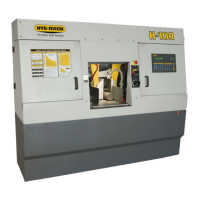
3.21
CONSISTENT INACCURACY
(Make sure blade kerf value is correct)
- Change “Actual Pos.” parameter to 1. This will make the PLC show actual shuttle travel in AUTO
With no material in the machine:
- Program JOB 1 for 2 pieces of 5” length, JOB 2 for 2 pieces of 10” length, and JOB 3 for 2 pieces of a length, as
one shuttle will allow.
- Enter JOBS 1, 2 and 3 into QUEUE.
- Record measurement on the display each time the shuttle vise reaches the target length and closes. It should
equal the required length plus the programmed kerf value. Check that this measurement is +/-.002” for each
length. If the overshoot /undershoot is very inconsistent, it could be related to an incorrect shuttle cushion period.
This may be caused by “Decel. Dist.” parameter being set too low, defective fast or reverse output relays on the
PLC, or the hydraulic cushion valve (located at the hydraulic manifold) may be faulty.
LINEAR INACCURACY
(Not valid for machines with linear encoder)
1. Load machine with a piece of stock for test cutting
I. Open parameters screen
II. Initiate length calibration
III. Re-enter new ACT LTH (Actual Length) value
IV. Re-cut test lengths and check if accuracy is satisfactory.
NOTE:
Linear inaccuracy may be corrected in two ways, by using the length calibration as described or by adjusting the LTH
CONST as follows;
- -Load machine with a piece of stock for test cutting
- Program the PLC to cut two pieces each of 1”, 12” and a length equal to a shuttle and a half of the machine being
checked.
- -Make the cuts and measure as a accurately as possible (vernier caliper)
- -Using the formula provided below, calculate the new parameter “LTH CONST”
Formula for determining new parameter “LTH CONST”
Measured length divided by Programmed length X Existing constant = New “LTH CONST”
INCONSISTENT INACCURACY
1. With the machine in MANUAL mode, move the shuttle all the way forward and clear (zero) the length display.
Move the shuttle in reverse, in slow speed, all the way to the end of it’s travel. Return the shuttle forward to the
home position, also in slow. The display should read 0.000” +/- .005”. Do this test several times to be sure the
read-out is repeatable.
DIAGNOSIS;
1. Following the same procedure, run the shuttle alternating between fast and slow speed going back and coming
forward. Again the display should be able to read 0.000” +/-.005” when returning to the home position.
If the display does not read as specied:
- Check the encoder pinion gear to be sure it can run smoothly down the rack and that the gear and rack teeth
engage over the entire travel of the shuttle.
- Check that the pinion gear is tight on the encoder shaft.
- Check the encoder cable connections; a loose connection could easily cause this concern.
- Remove the encoder from the machine and check that the shaft can rotate freely. There should be no binding or
rough spots felt when spinning the shaft. Plug the encoder cable into the encoder, clear the length display, and
rotate the shaft exactly (or as close as possible) one revolution. The display should read approximately 3.142”
(positive or negative). Repeat this 3 or 4 times, spinning the shaft several times between tries.



 To Next Page