3.27
Example;
Cut length of 11.998”, Programmed length of 12”, Existing “LTH CONST” parameter of 0.001256.
11.988 ÷ 12.000 X 0.001256 = 0.001255
The new “LTH CONST” value of 0.001255 should be entered as the “LTH CONST” parameter and test cuts repeated.
Adjust the parameter again if necessary.
General rule:
• Lowering the “LTH CONST” value = Longer shuttle travel = Longer parts.
• Increasing the “LTH CONST” value = Shorter shuttle travel = Shorter parts.
HEAD HEIGHT CALIBRATION PROCEDURE
NOTE: On “M” machines remove the head up limit switch target to prevent damage of the head up limit switch during
calibration.
Head calibration may be achieved in two ways: by inputting “ACTUAL HGT” (actual height) or “HGT CONST” (height con-
stant) parameter.
To determine “Actual HGT” value, the “HGT CLB” (height calibration) procedure must be executed.
1. Enter the PLC parameter screen as per Length Calibration Procedure above.
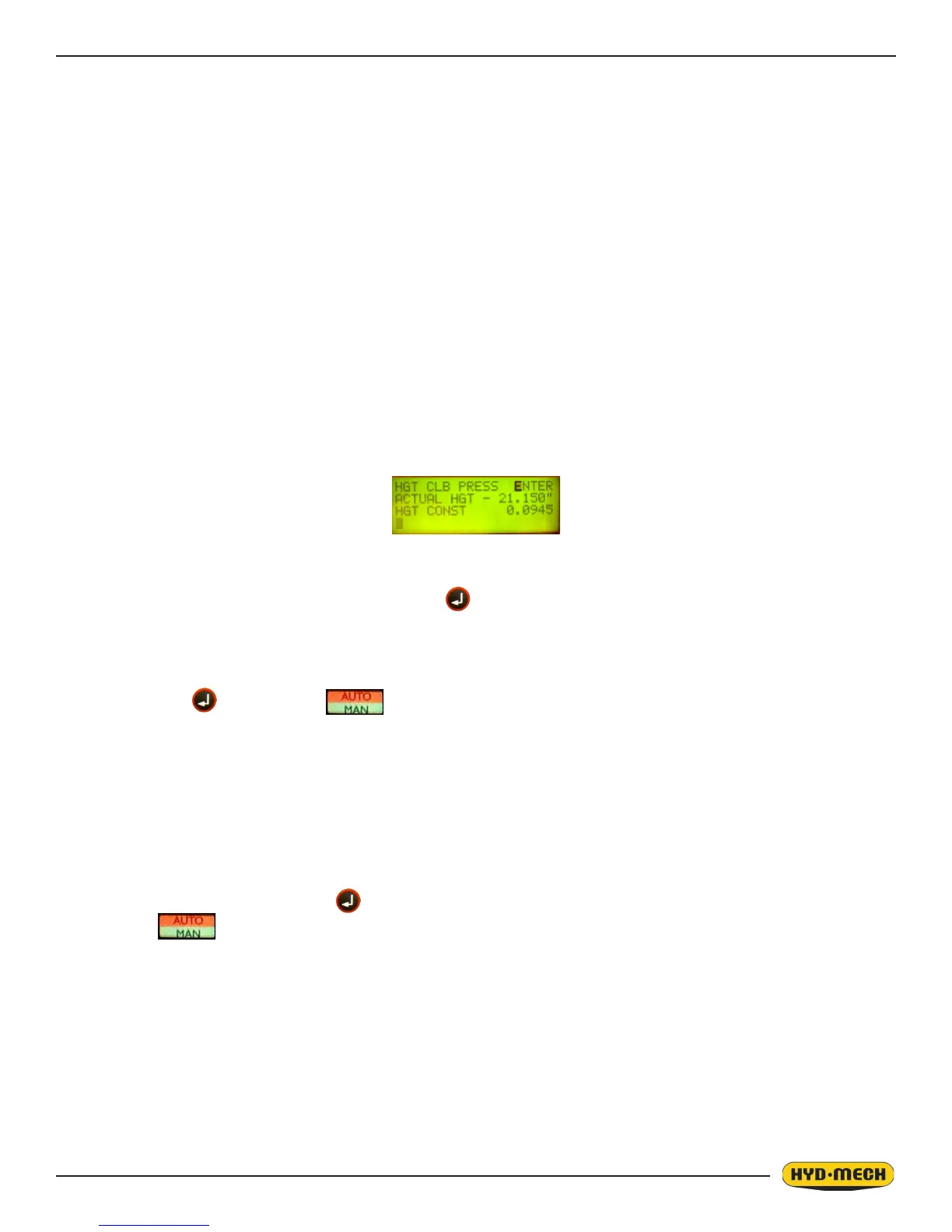
2. Using the arrow cursor keys scroll down until the screen displays:
3. With the cursor on the word “ENTER”, press the key. The cycle start button will begin to ash, the “ENTER”
will change to “ON” (indicating self calibration mode) and the head will move to it’s down limit and then will move
up to it’s full upper limit.
4. Measure the distance from the vise horizontal wear strip to the blade teeth tips, and enter this value in the AC-
TUAL HGT parameter. Measurement must be made along the front vise datum jaw. Input this measurement value
& press the key. Press the key to nish the procedure & exit the parameters screen.
NOTE:
To determine if the encoder channels are connected, observe the actual height value parameter for the sign during head
up movement while in calibration mode. If the actual height value shows as a negative number, the channels must be
reversed and the calibration procedure repeated.
To determine “HGH CONST” value, use this formula;
ACTUAL FEED RATE ÷ Displayed FEED RATE x HGT CONST = new HGT CONST.
5. Input new HGT CONST & press .
6. Press key to exit the parameters screen.



 To Next Page