EDS 3000 IO-Link 15
Status: 2022-07-14 HYDAC ELECTRONIC GMBH Part no.: 669897
Note:
It is only possible to set the switch point (SP) if it is higher than the respective
switch-back point (RP).
14.1.2 Window mode - Window function setting (Fno / Fnc)
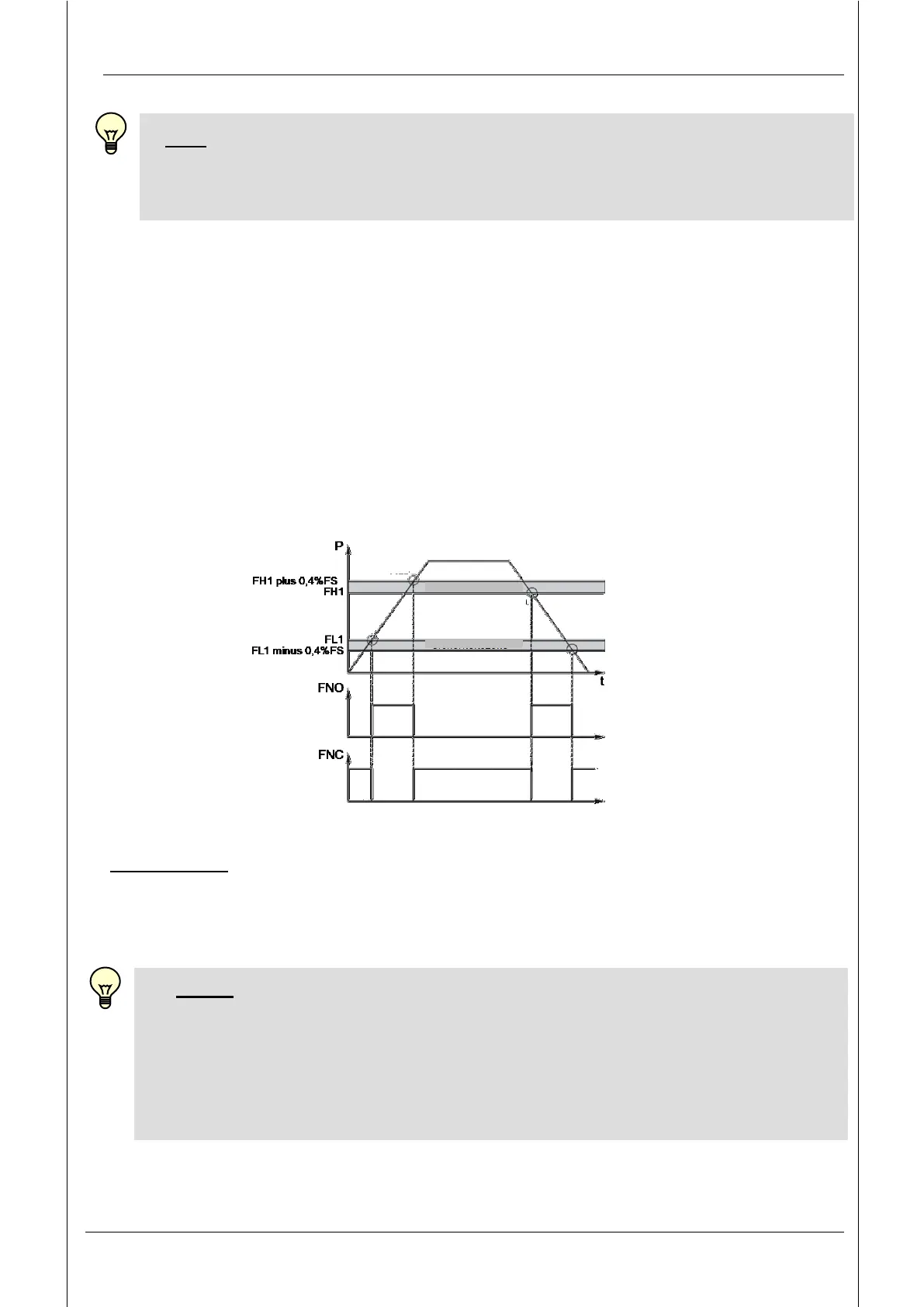
The window function enables a range to be monitored. An upper and a lower switch
point which defines the range can be assigned to each switching output.
The relevant output will then switch when the pressure enters this range. When the level
leaves this range, i.e. when the switch-back point has been exceeded or fallen below,
the output switches back.
The lower switch-back value is just below the lower switching value. The upper switch-
back value is just above the upper switching value. The range between the switching
value and the switch-back value forms a safety margin which prevents unwanted
switching operations from being triggered.
Example for switching output 1 (N/C and N/O function):
Abbreviations: "FH1", "FH2" = upper switch value 1 / upper switch value 2
"FL1", "FL2" = lower switch value 1 / lower switch value 2
"FNO" = N/O when window function is active
"FNC" = N/C when window function is active
Notes:
It is only possible to set the switch point (SP) if it is higher than the respective
switch-back point (RP).
The window function only works properly (switching on and off) if all switch
values (including the safety margin) are greater than 0 bar + offset value and
below the upper measuring range limit + offset value.


 To Next Page