5. Operating Status
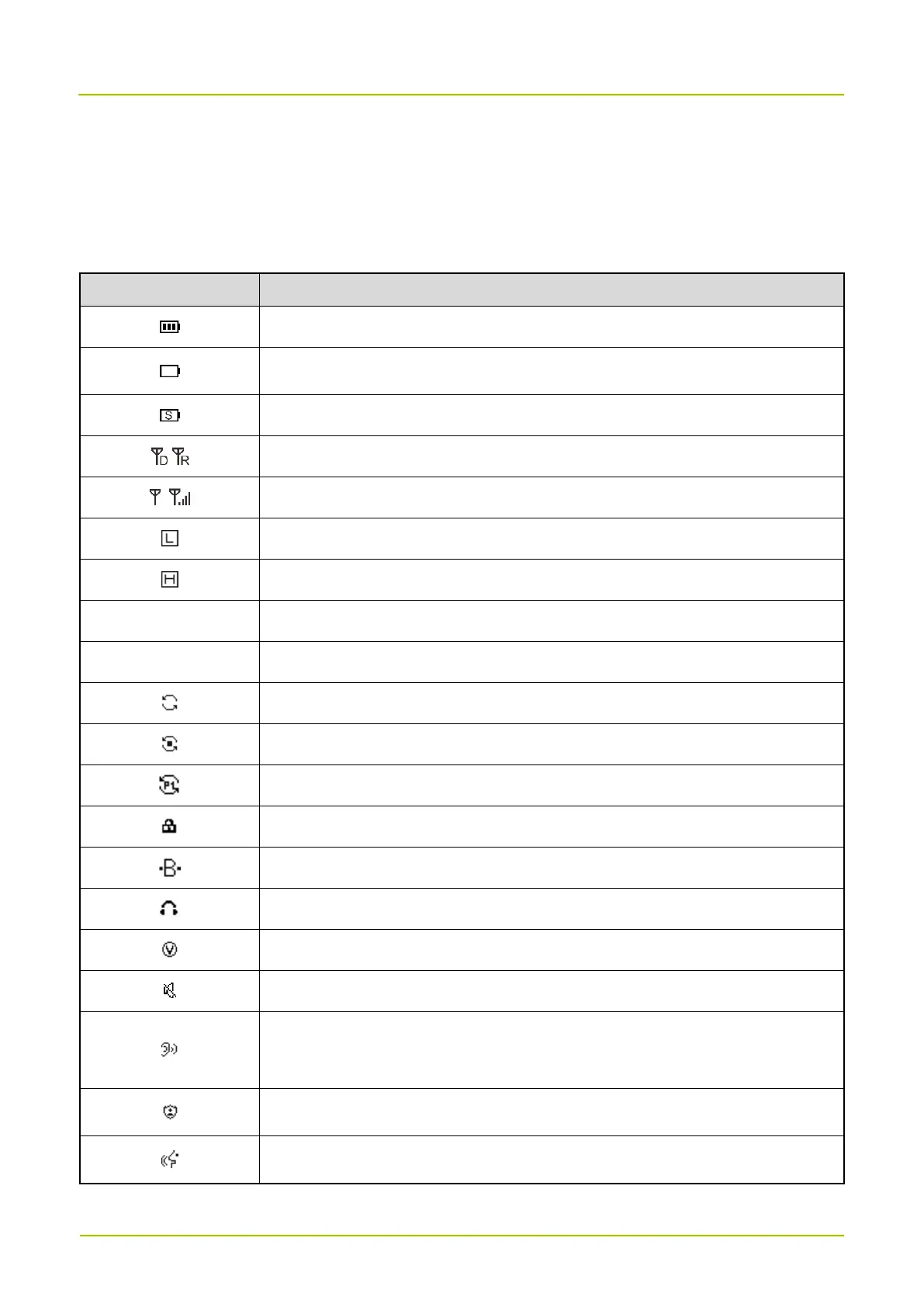
You can learn about the radio status through the LCD icons and LED indicator.
5.1 LCD Icons
More bars indicate more remaining battery power.
The battery is running out.
The radio operates in Battery Saver mode.
The radio is standing by or transmitting. (D: Direct mode, R: Repeater mode)
More bars indicate stronger signal.
The radio operates in Low Power mode.
The radio operates in High Power mode.
The radio operates in Digital mode.
The radio operates in Analog mode.
The radio stays on an active channel.
The radio stays on priority channel 1.
The radio is connected to the Hytera Radio app.
The radio is connected to the earpiece.
Analog mode: Monitor is enabled.
Digital mode: Monitor Group with Same Frequency is enabled.
Secure Call or Scrambler is enabled.


 To Next Page