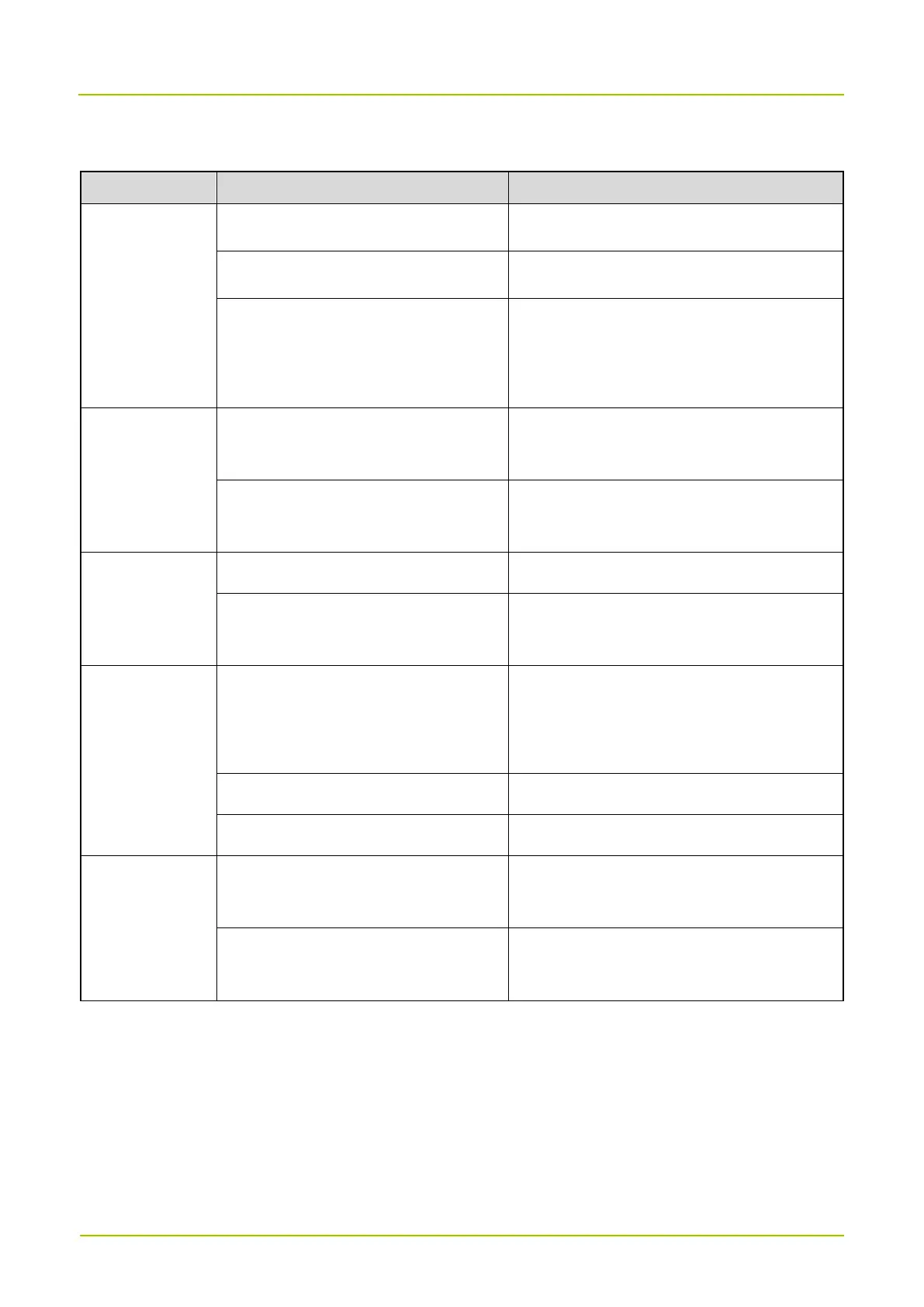
8. Troubleshooting
The radio cannot
be turned on.
The battery may be installed improperly.
Remove and reattach the battery.
The battery power may have run out.
Recharge or replace the battery.
The battery may suffer from poor contact
caused by dirtied or damaged battery
contacts.
Clean the battery contacts.
The keys may fail to function
temporarily.
Contact your dealer or technicians of the
Company for maintenance.
The LED
indicator is
abnormal.
The indication may be abnormal.
The LED indicators may be damaged.
Contact your dealer or technicians of the
Company for maintenance.
During receiving,
the voice is weak,
discontinuous, or
totally inactive.
Make sure that the radio is within the
signal coverage.
Make sure that the antenna is installed.
The speaker may be blocked or damaged.
Clean the surface of the speaker.
The battery fails
to be charged.
The power adapter plug may be inserted
into the socket improperly.
Reinsert the power adapter to the socket.
The USB Type-C cable may be poorly
connected.
Reconnect the USB Type-C cable.
If the above solutions cannot fix your problems, or you may have some other queries, please contact us or your local
dealer for more technical support.


 To Next Page