LITHIUM SERIES® II Electric Torque Tool Operations Manual
16
CHANGE TO RUNDOWN
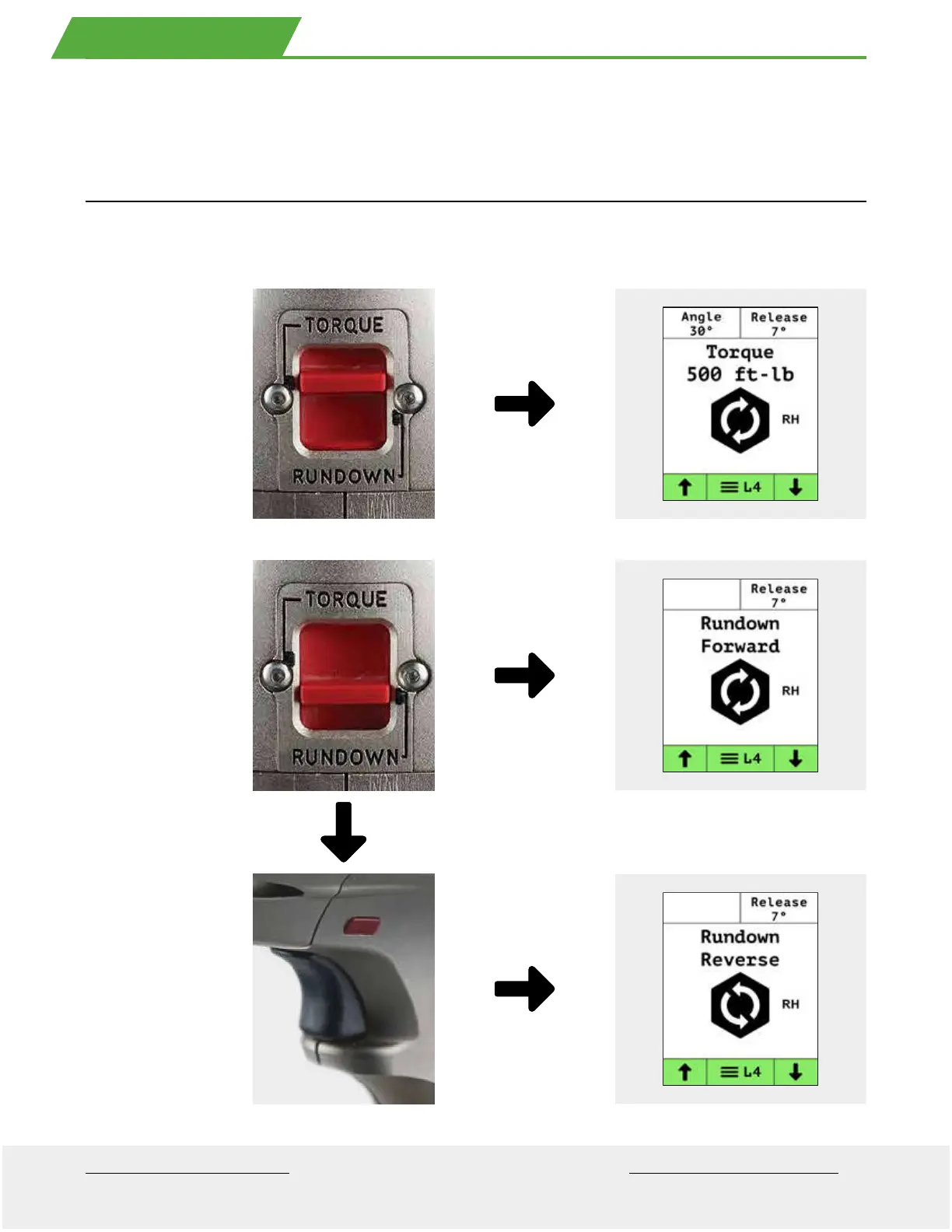
Push the speed switch toward the rear o the tool to switch to the rundown position. At this speed the tool applies torque
at the minimum capability o the tool or approximately 5% the maximum capability o the tool.
Push Switch
orward
or slow speed
(Torque).
Push Switch
to the rear
or ast speed
Rundown
to run down nuts.
With Speed Switch
in Rundown select
Loosen on the
direction switch
to run of nuts.
The LITHIUM SERIES® II tool provides two speeds; torque and rundown. The rundown speed increases the speed to the
maximum output o the tool allowing the user to quickly run down the nut to prepare or a torqueing operation.
12 . CH ANGE SP EED



 To Next Page
 Loading...