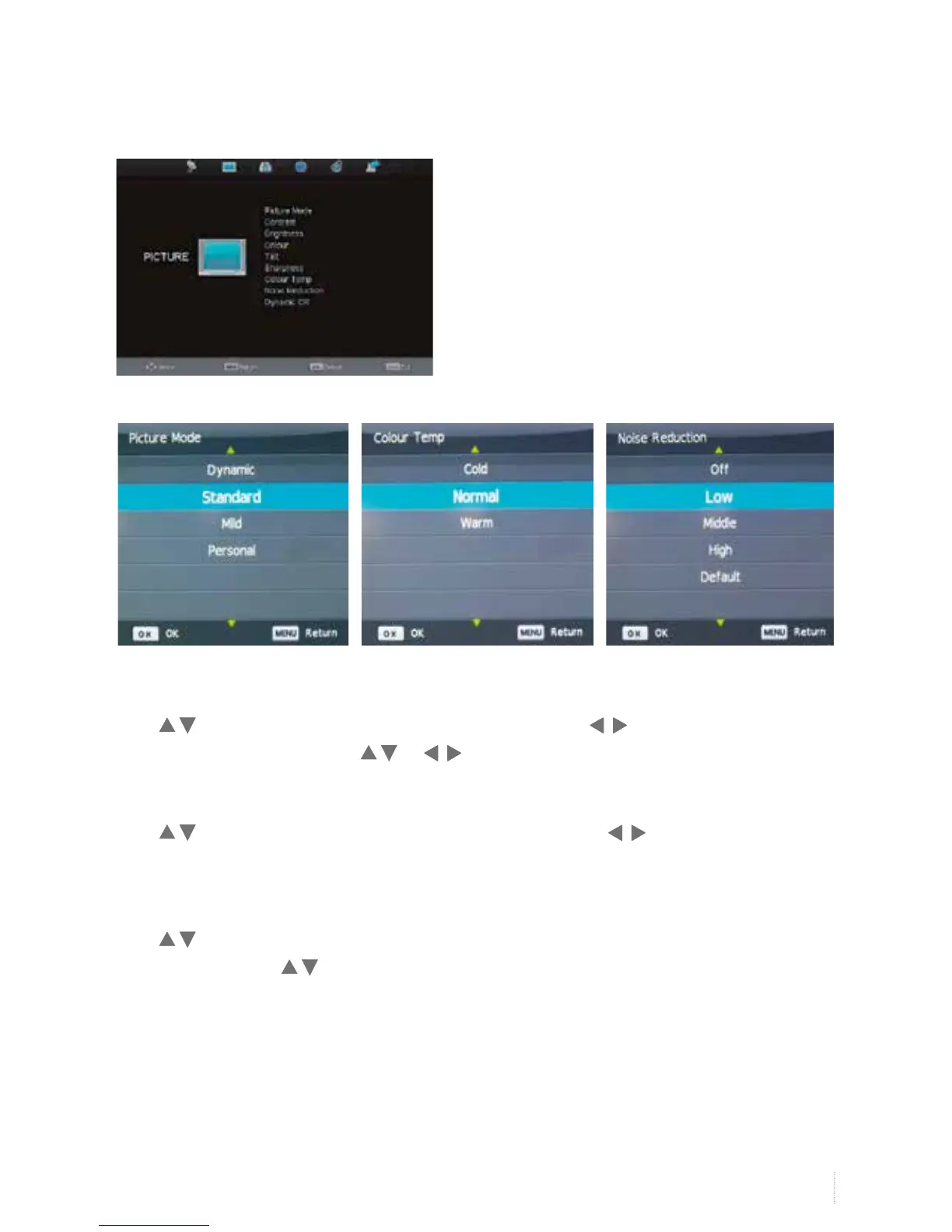
Picture Mode
Press to select Picture Mode, and then OK button to enter. Press button to select dynamic/
standard/ personal mode and press or to adjust value.
Colour Temp
Press to select Colour Temp, and then OK button to ener and press button to slect cool/
normal/ warm mode.
Noise Reduction
Press to select Noise Reduction mode, and then OK to enter submenu. You can select off/low/middle/
high/default by pressing button.
Picture Menu


 To Next Page