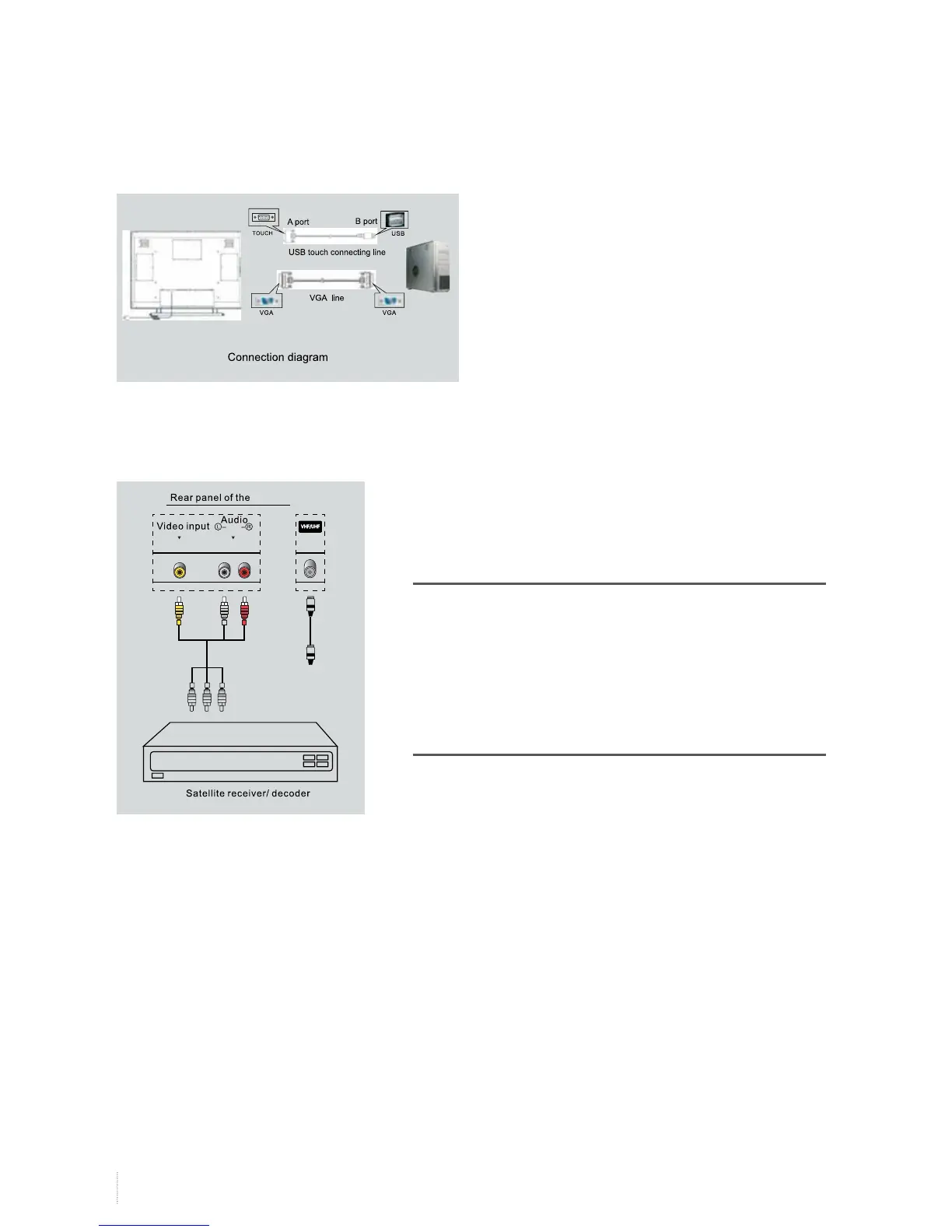
Connecting antenna or monitor broadcast networks
Each USB touch connecting cable must be connected
to interactive touch A port first. Then connect
interactive touch B port. If not follow this active, then
Connecting satellite receiver or decoder
To receive the monitor programs of satellite network broadcast,
you must connect a satellite receiver with the LED monitor.
At the same time, you also need to connect a decoder so as to
receive the encoded signals.
Use coaxial cable and connect it to:
• Output socket of the decoder
• Input socket of the monitor antenna
If you want to connect the monitor with satellite receiver (or
decoder) and video camera, follow below steps:
• Connect the satellite receiver (or decorder) with video camera
first
• Then connect the video camera with the LED monitor, or
connect the satellite receiver (or decoder) with the LED
monitor directly.
Installation
monito
r


 To Next Page