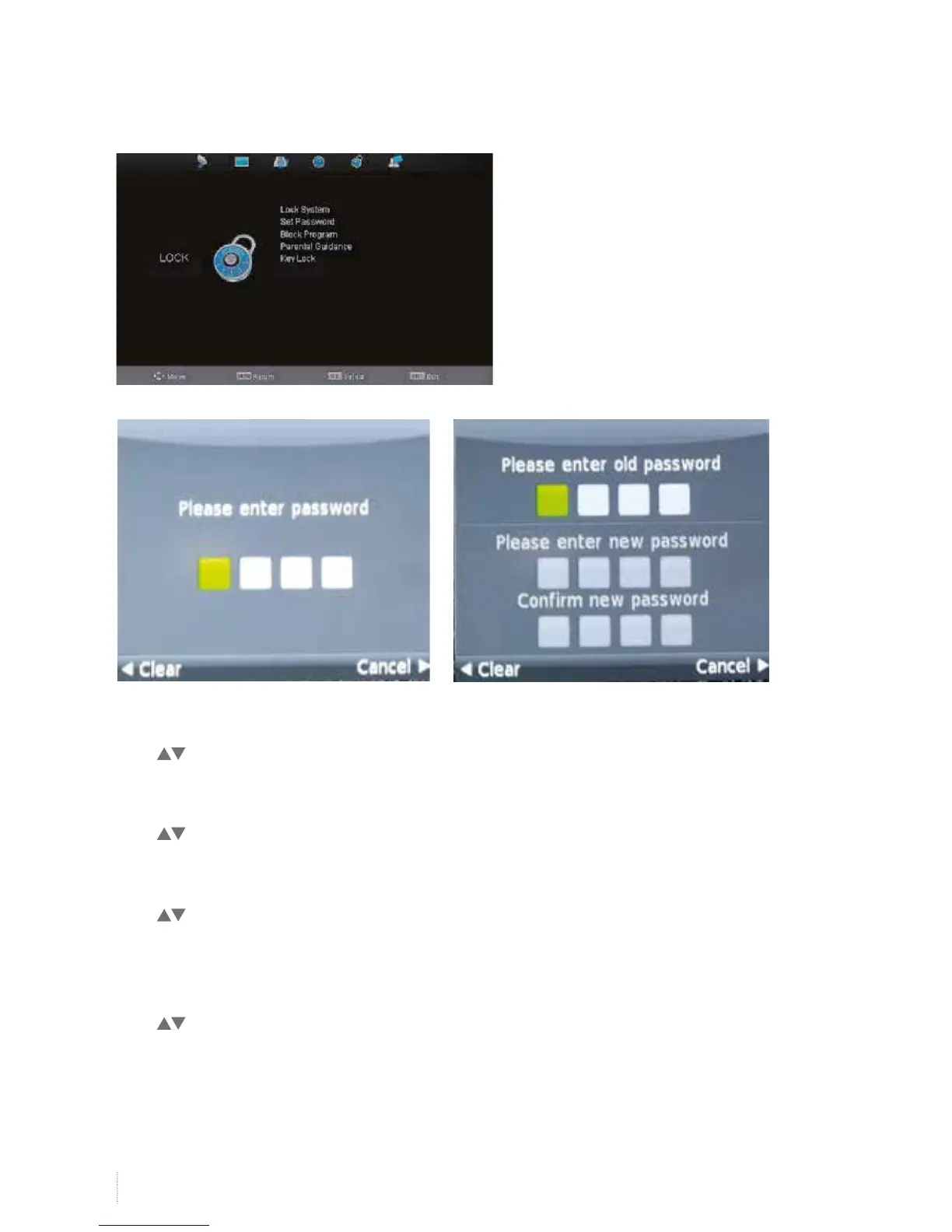
Lock System
Press to select Lock System, and then OK button to select on/off to open and close the lock function.
Set Password
Press to select Set Password,and then OK button to input old password 0000° and set new password.
Block Program
Press to select Block Program, and then OK button to enter the submenu and then green button to
choose lock/ unlock mode.
Parental Guidance
Press to select Parental Guidance, and then OK button to select off/4/5/6/7/8 etc.
Lock Menu


 To Next Page