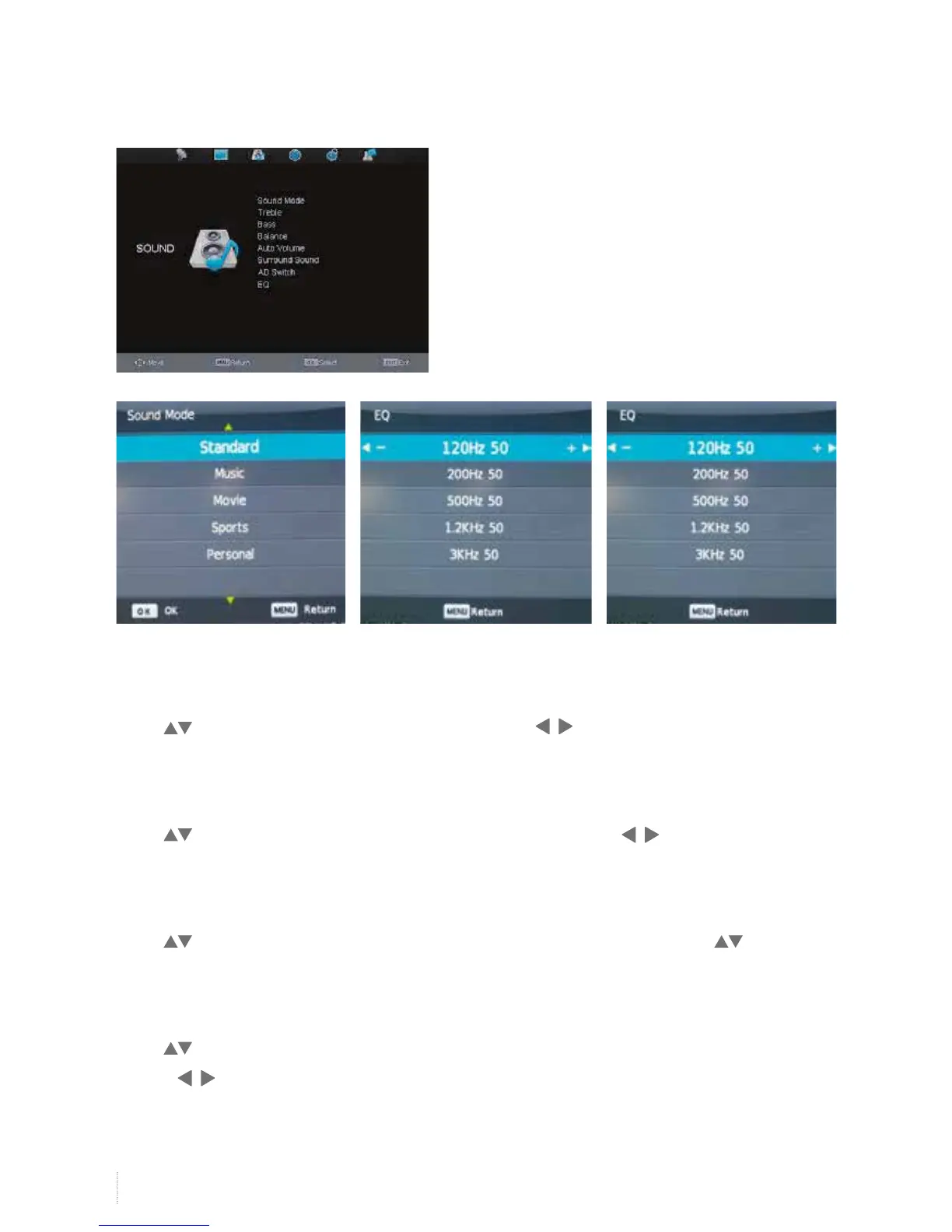
Sound Mode
Press to select Sound Mode, and then OK button, press button to select standard/music/
movie/sports/personal mode.
Balance
Press to select Balance, and then OK button to enter submenu, press button to adjust balance
value.
Surround Sound
Press to select Surround Sound, and then OK button to enter submenu, then press button to
select off/surround mode.
AD Switch
Press to select AD Switch, and then OK button to select on/off, and you can adjust AD volume value by
pressing button when AD switch is set to on.
Sound Menu


 To Next Page