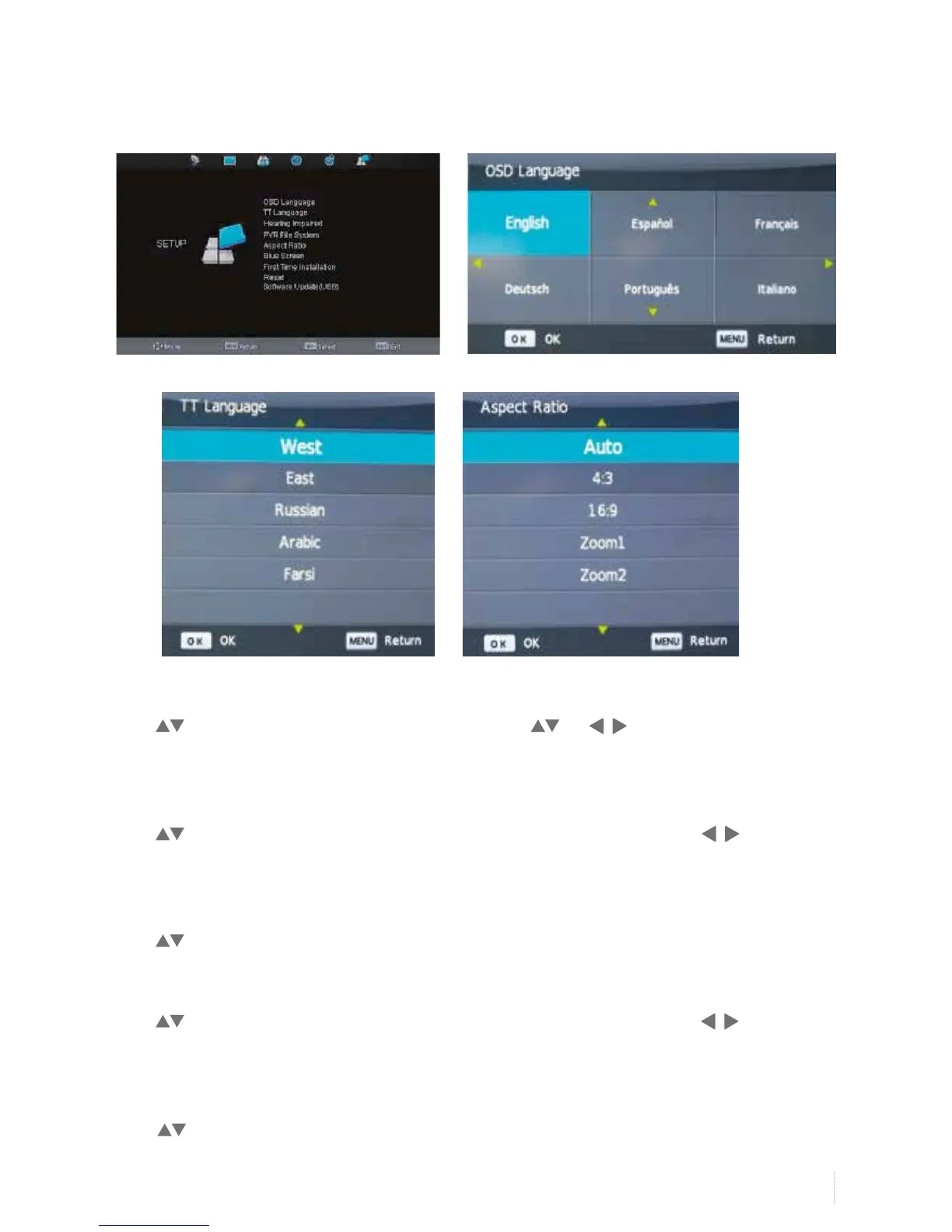
OSD Language
Press to select OSD Language, and then OK button. Press or button to choose language
choices.
TT Language
Press to select TT Language, and then OK button to enter submenu, and then press to select
West/East/ Russian/Arabic/Farsi.
Hearing Impaired
Press to select Hearing impaired, and then OK button to select on/off.
Aspect Ratio
Press to select Aspect Ratio, and then OK button to enter submenu, and then press to select
Auto/4:3/16:9/ Zoom1/Zoom2.
Blue Screen
Press to select Blue screen and OK button to select on/off.
Setup Menu


 To Next Page