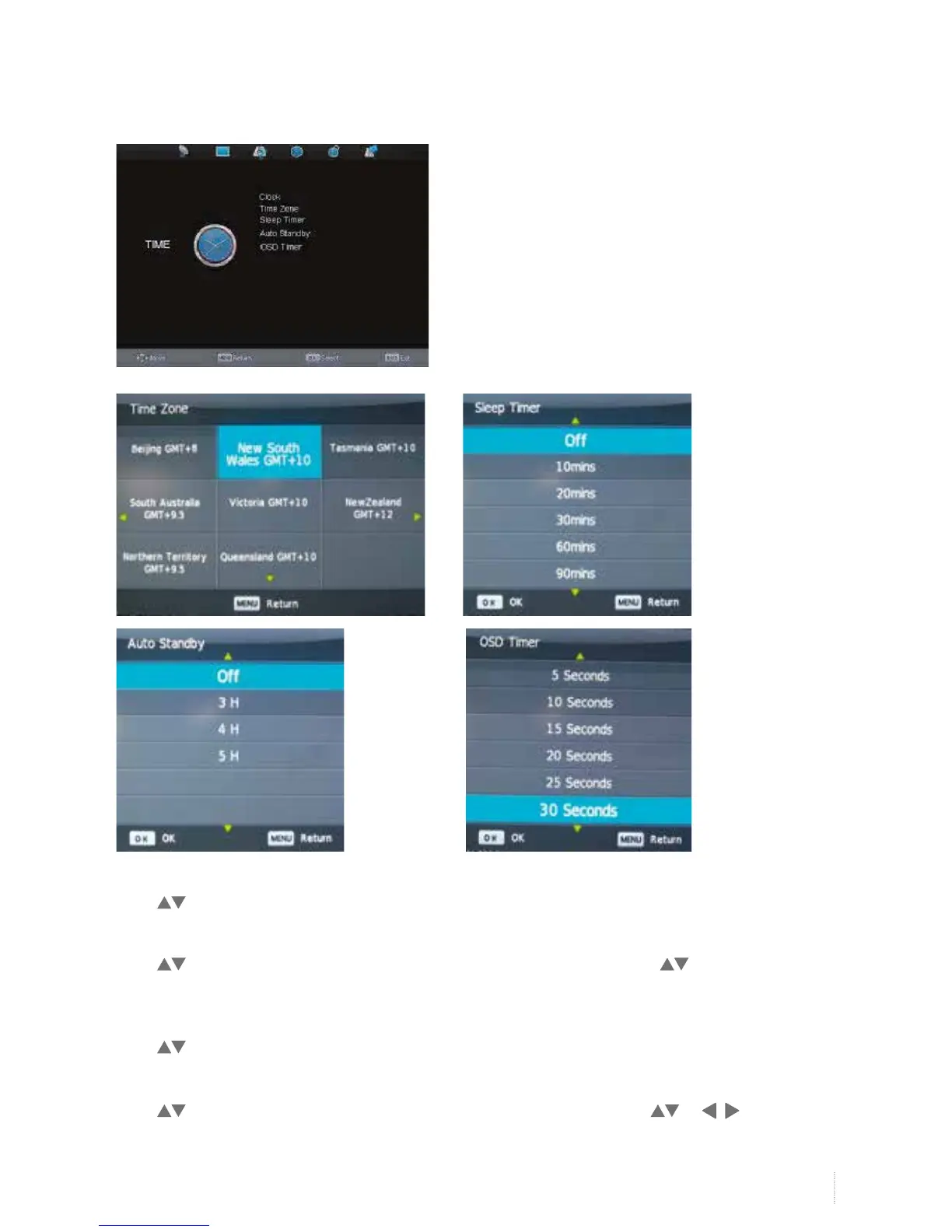
Clock
Press to select Clock, and then OK button to set.
Sleep Timer
Press to select Sleep Timer, and then OK button to enter submenu, and press to select the sleep
timer type.
Auto Standby
Press to select Auto Standby and then OK button to set and select off/3h/4h/5h etc.
Time Zone
Press to select Time Zone, and then OK button to enter submenu, and press or to adjust the
time zone.
Time Menu


 To Next Page