DX8
Dual Balance Charger/Discharger/DC Power
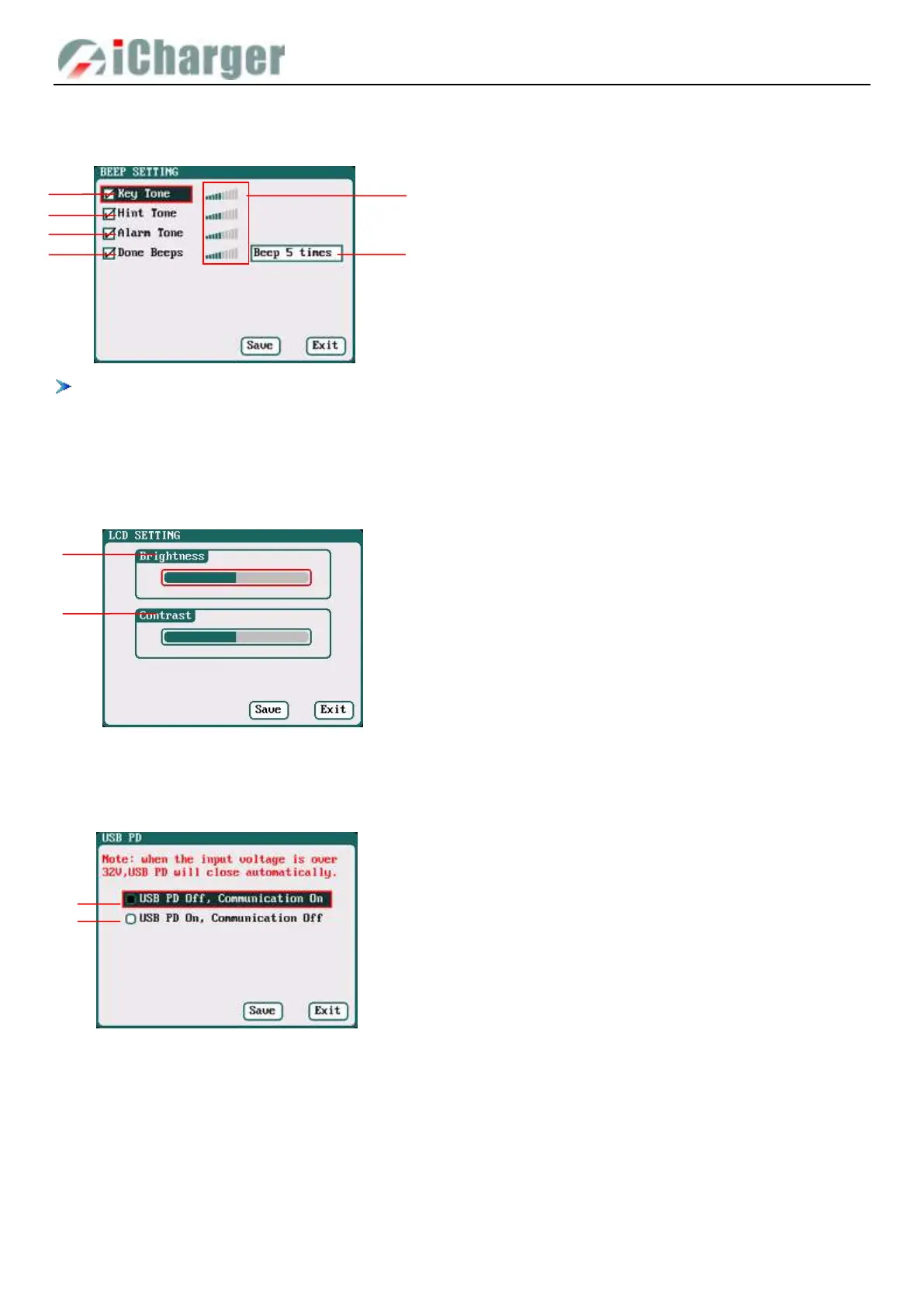
Beep Tone Setup
Select SYSTEM MENU→Beep Tone to enter the setup interface.
Tick the appropriate tone, and then go to Volume adjustment bar to adjust the volume; If the beep tone is not ticked the
corresponding volume adjustment shows inactive; Done Beeps have many styles available, as shown in sequence
number 5 above.
LCD Setup
Select SYSTEM MENU→LCD Screen to enter the setup interface.
USB PD Setup
Select
SYSTEM MENU→
USB PD to enter the setup interface.
Output Power Setup
Select SYSTEM MENU→Output Power to enter the setup interface.
1. Key Tone 2.Hint Tone
3. Alarm Tone 4.Done Beeps
5. Volume adjustment display
Beep 5times (default)
Beep 30second
Beep 3minutes
Beep always
6. Program Done Beep Tones Selection
1. Brightness adjustment
2. Contrast adjustment
1. USB PD Off, Communication On
2. USB PD On, Communication off



 To Next Page