DX8
Dual Balance Charger/Discharger/DC Power
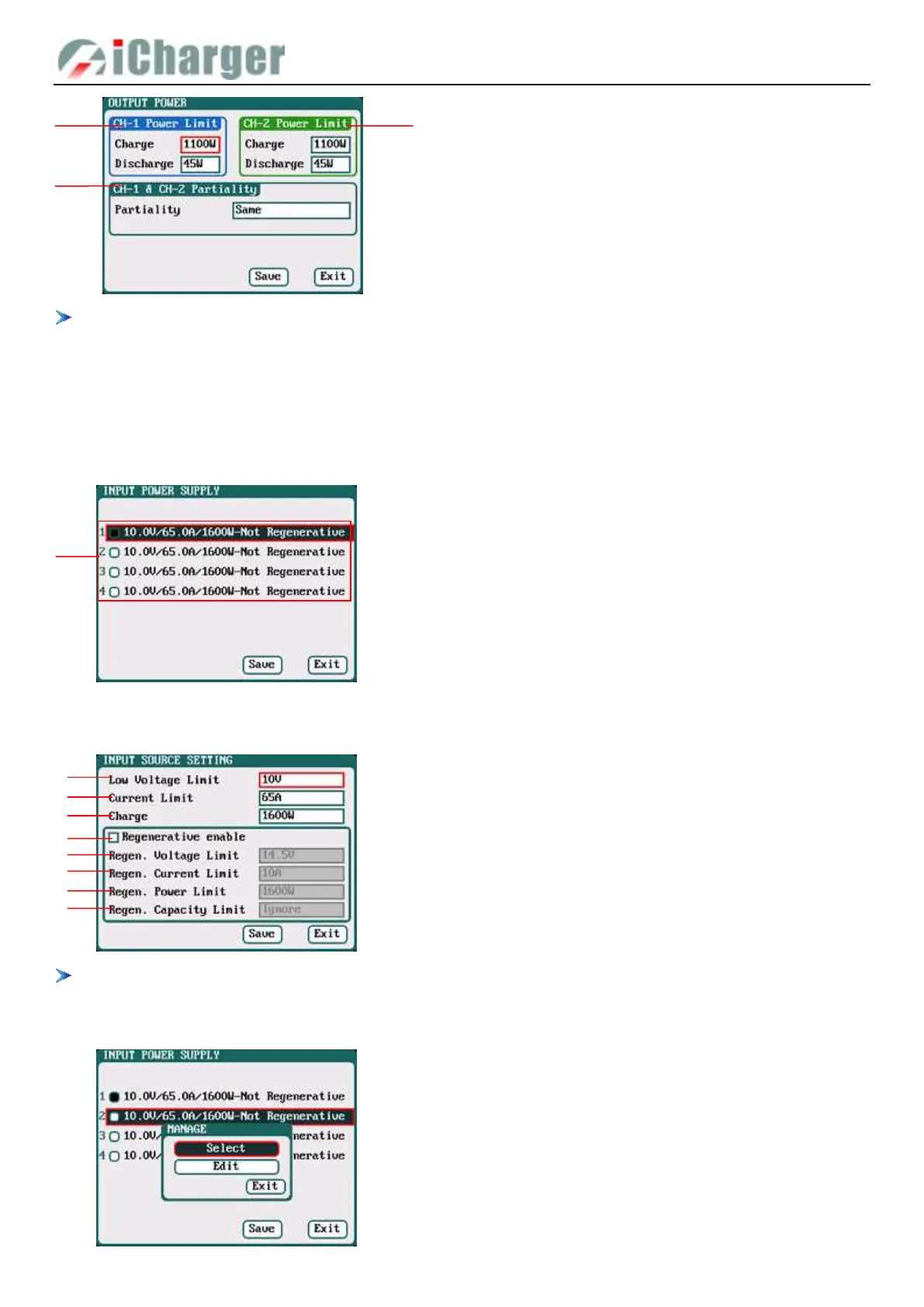
The maximum power limit for regenerative discharge is equal to the maximum power limit for charge. When the input
or output power of charger is limited, it will trigger the CH-1/CH-2 Channel Partiality. When Partiality switches to
Same, charger assigns the output power equally to two channels, switch to CH-1 or CH-2, the charger will give priority
to the selected channel output, while the output power of other channel may be reduced to 50W (discharge for 5W).
Input Limit Setup
Select SYSTEM MENU→Input Limit to enter the setup interface.
After selecting input source, enter the relevant power supply setting to set the parameters, after setting click “Save” to save
and return to the previous interface.
After ticking Regenerative enable, if run the regenerative discharge to input, the electrical discharged will be re-charged
as the battery of input power.
When the input source unselected, pop up the MANAGE interface, as below:
1. Four options of Input Sources
1.Low Voltage Limit: 9V-48V; default: 9V
2.Current Limit: 1A- 65A; default: 65A
3.Charge Power Limit: 5W-1600W; default: 1600W
4.Regenerative enable
5.Regen. Voltage Limit: 9V-48V; default: 14.5V
6.Regen. Current Limit: 1A-65A; default: 10A
7.Regen. Power Limit: 5W-1600W; default: 1600W
8.Regen. Capacity Limit: Ignore (default),100-999900mAh
1/2. CH-1/CH-2 Output Power Setup
Charge: Maximum Power Limit for charge
5W-1100W; default: 1100W
Discharge: Maximum Power Limit for discharge
5W-45W; default: 45W
3. Partiality: Same (default), CH-1, CH-2



 To Next Page