DX8
Dual Balance Charger/Discharger/DC Power
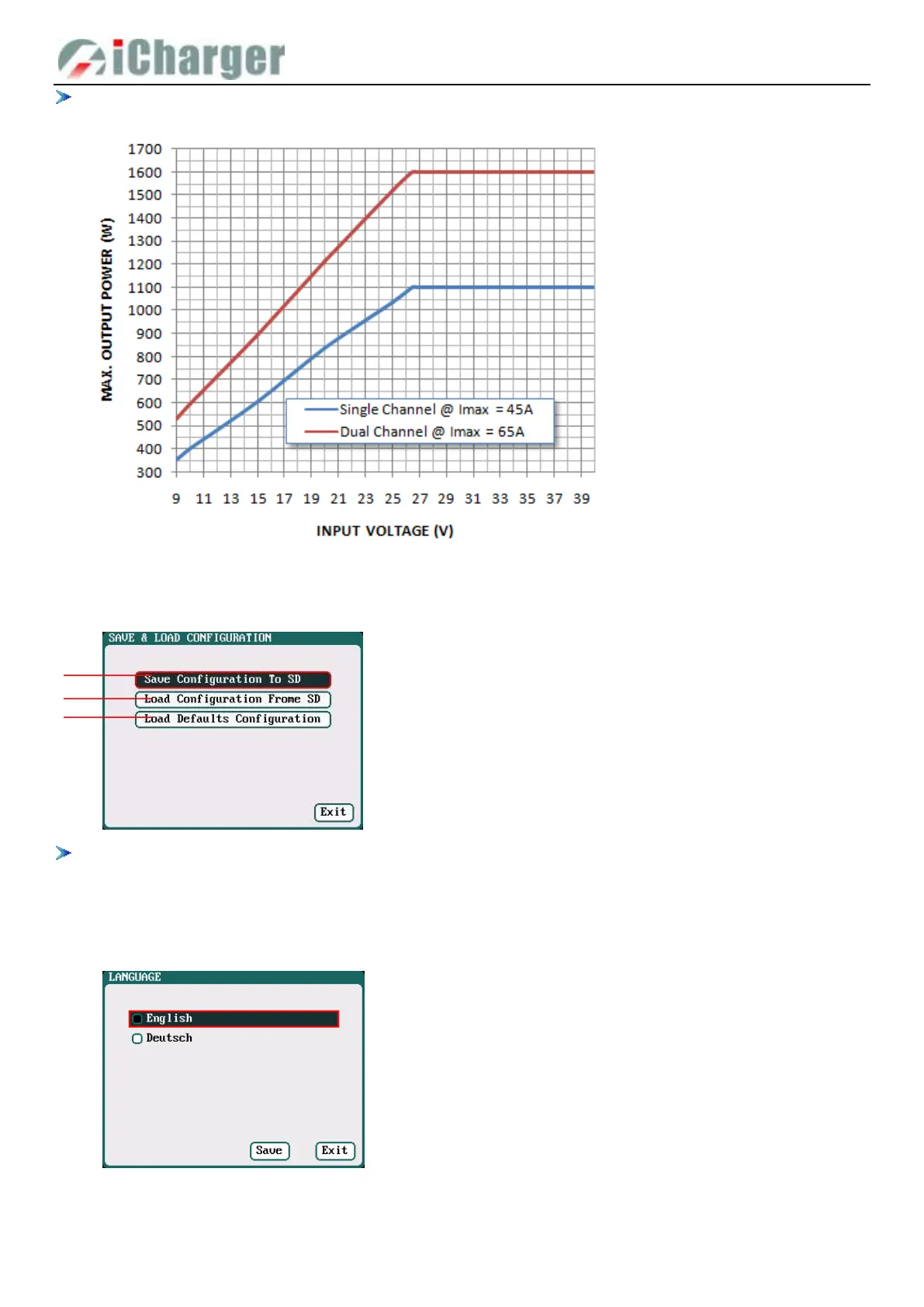
The maximum possible output power of charging is restricted by the input voltage and input current: Wmax ≈ Imax *
Vin* 95%,The curve is as below.
Save & Load Configuration Setup
Select Save & Load Config on SYSTEM MENU and enter the setup interface.
1. Users can Save Configuration To SD card and re-load via the SD card if needed.
2. After loading the configuration files, in addition to Calibration Select, it will cover all settings within the charger.
Language Setup
Select SYSTEM MENU→Language to enter the setup interface, there is English or German for the user to choose.
1. Save Configuration to SD card
2. Load Configuration from SD card
3. Load Defaults Configuration



 To Next Page