DX8
Dual Balance Charger/Discharger/DC Power
Calibration
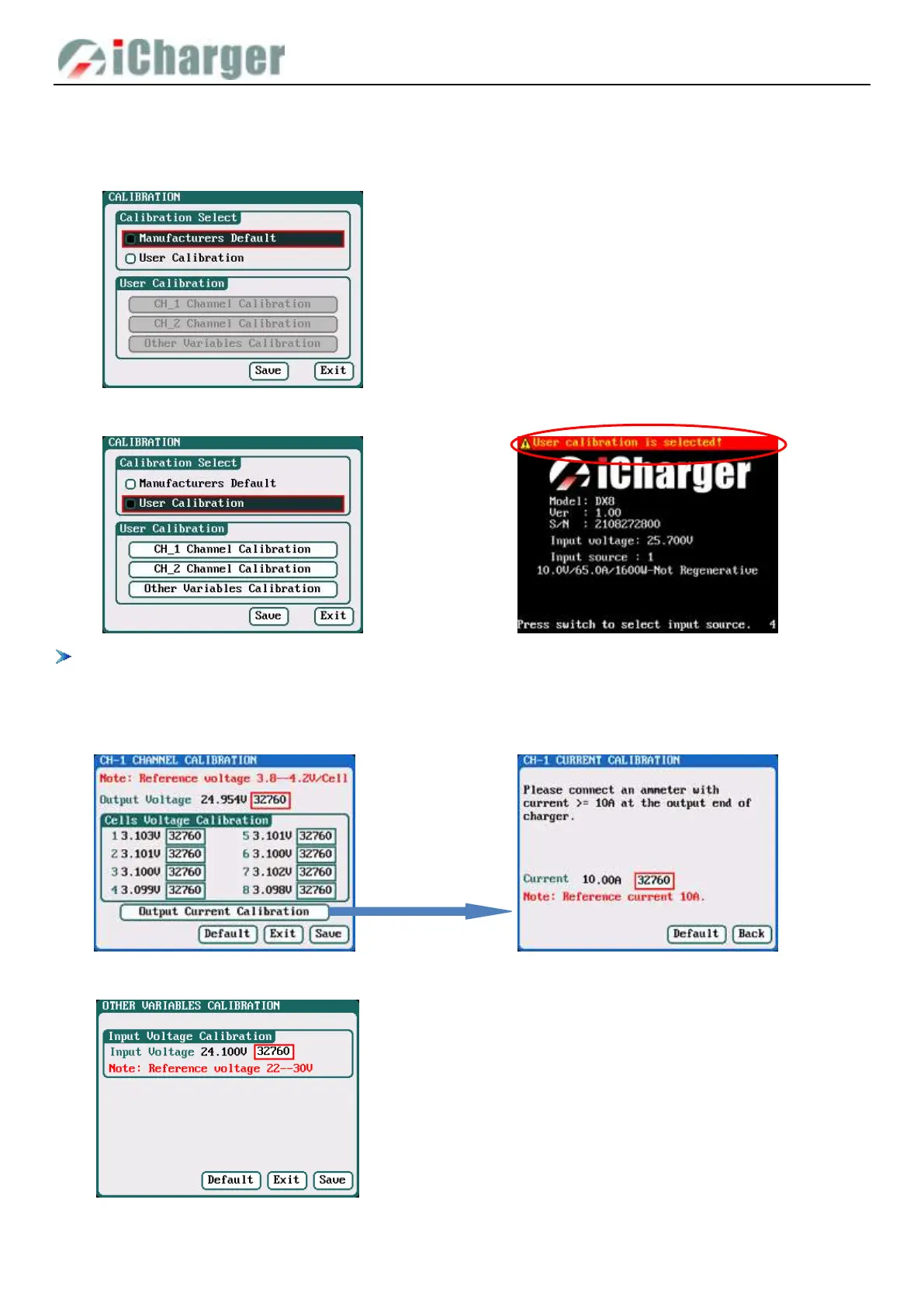
Select SYSTEM MENU→Charger Setup→Calibration to enter the setup interface. User Calibration may result in large data
deviation, affecting normal use; so User Calibration is not suggested.
If the user select User Calibration, the User Calibration option changes to active status
If the user selects User Calibration, the corresponding message will appear in the interface after booting the charger, as
shown in the up picture above.
Select CH-1/2 Channel Calibration to enter the channel calibration interface, Select Other Variables Calibration to enter
the other variable calibration.
Channel Calibration Output Current Calibration
Other Variables Calibration



 To Next Page