17
4
MEMORY OPERATION
n
Clearing the memory contents
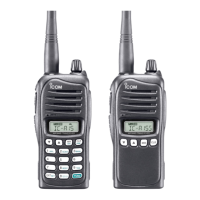
(Available with the IC-A15 only)
Unwanted memory channels can be cleared.
q Select the desired memory channel to be cleared. (p. 12)
• Select the desired bank if desired. (p. 12)
w Push
[FUNC]
then push and hold [CLR] for 1 sec.
• “-- -- -- -- -- -- ” appears briefly, then the next selectable chan-
nel appears.



 To Next Page