26
7
DSC OPERATION
■ Making a Distress call (Continued)
D Canceling a Distress call
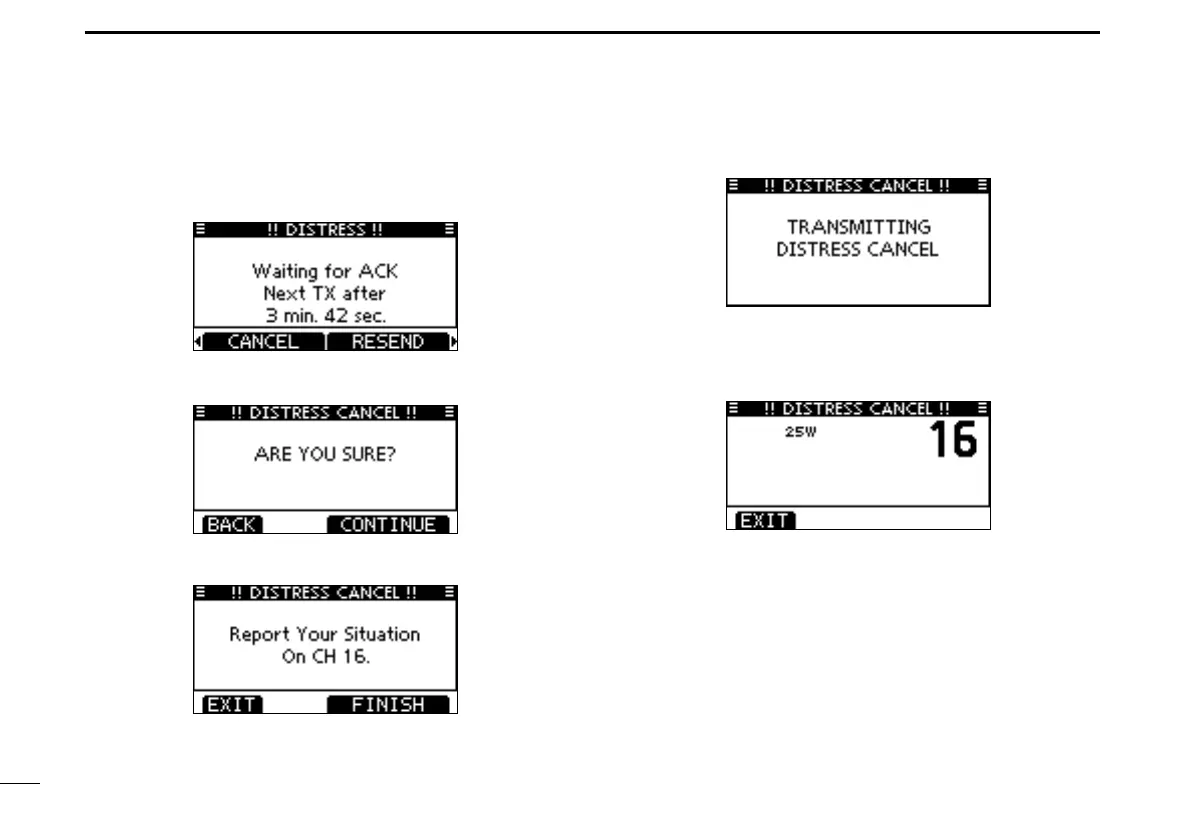
While waiting for an acknowledgment call, push [CAN- q
CEL].
Push [CONTINUE]. w
•Push[BACK]toreturntowaitingforanacknowledgementcall.
Push [FINISH]. e
•Push[EXIT]toreturntowaitingforanacknowledgementcall.
The Distress cancel call is transmitted. r
Channel 16 is automatically selected. t
•Reportyoursituationusingthemicrophone.
•Afterthereport, push[EXIT]toreturntothenormaloperating
mode.



 To Next Page