32
7
DSC OPERATION
■ Making DSC calls (Continued)
Making a D Group call
The Group call function allows you to make a DSC signal to
only a specific group.
Enter “GROUP CALL” in the DSC CALLS menu. q
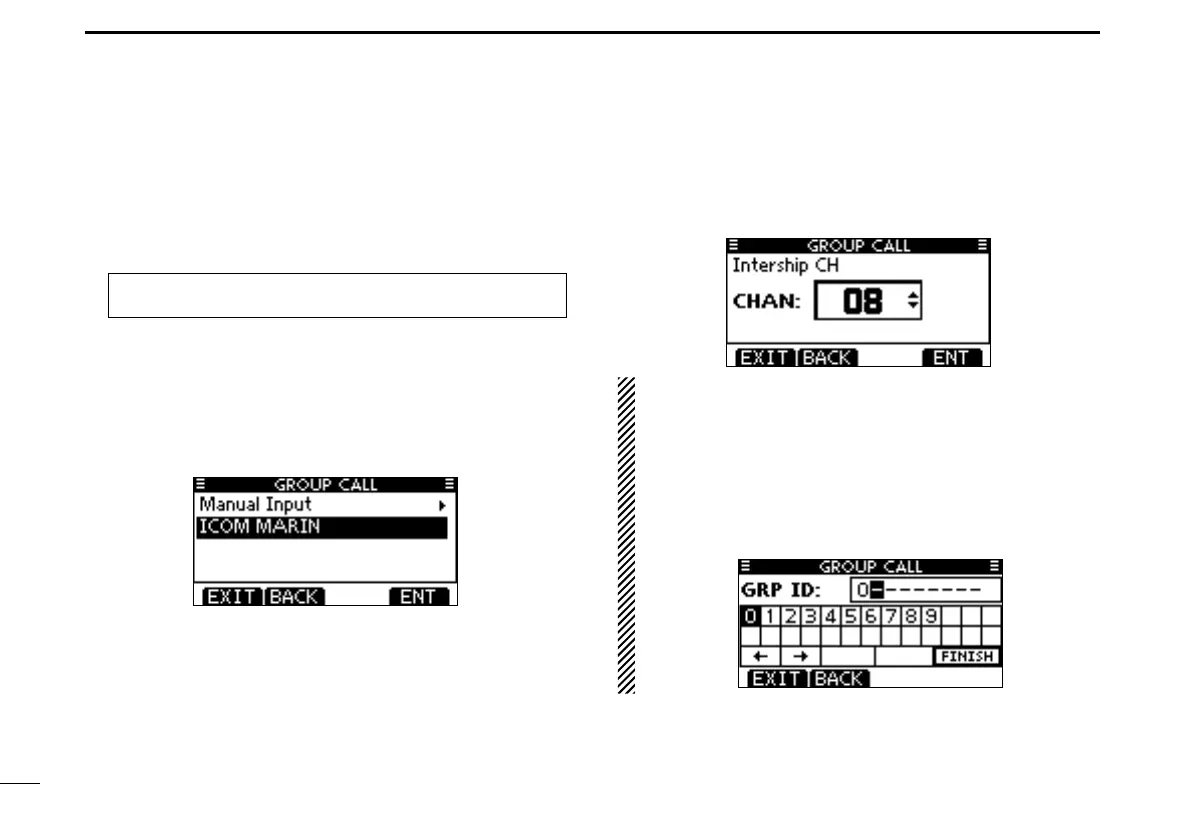
Select a desired preset group address or “Manual Input,” w
using Dial or [Y]/[Z], then push Dial or [ENT].
•TheIDcodefortheGroupcallcanbeenteredrst.(p.20)
•When“ManualInput”isselected,enterthe8digitIDcodeforthe
group you wish to call.
•Push[EXIT]toreturntothenormaloperatingmode.
•Push[BACK]toreturntothepreviousscreen.
Select a desired intership channel using Dial or [ e Y]/[Z],
then push [ENT].
•Intershipchannelsarealreadypresetintothetransceiverinthe
recommended order.
About Manual Entry:
Enter a desired group ID in the following way:
•SelectadesirednumberusingDial,or[Ω]/[≈].
•Push[ENT]orDialtosetit.
•Tomovethecursor,selecteitherarrow,“←” or “→,” then push
[ENT] or Dial.
•Therstdigitisspeciedas‘0,’andtheseconddigitisotherthan
‘0’ for a Group ID.
•Thersttwodigitsare‘0’foranyCoaststationID.
MENU ➪ DSC Calls ➪ Group Call
(Push [MENU].)
(Rotate Dial, then push [ENT].)



 To Next Page