39
DSC OPERATION
7
New2001
1
2
3
4
5
6
7
8
9
10
11
12
13
14
15
16
4. Push[▲]or[▼]toscrollthroughthelog.
5. Push[ENT]todisplaythereceivedcall’sinformation.
D Transmitted DSC Log
The transceiver saves up to 30 DSC transmitted calls in
your DSC Log.
1. Display the “DSC Log” screen.
Menu > DSC Log
2. Push[▲]or[▼]toselect“TransmittedCallLog,”and
then push [ENT].
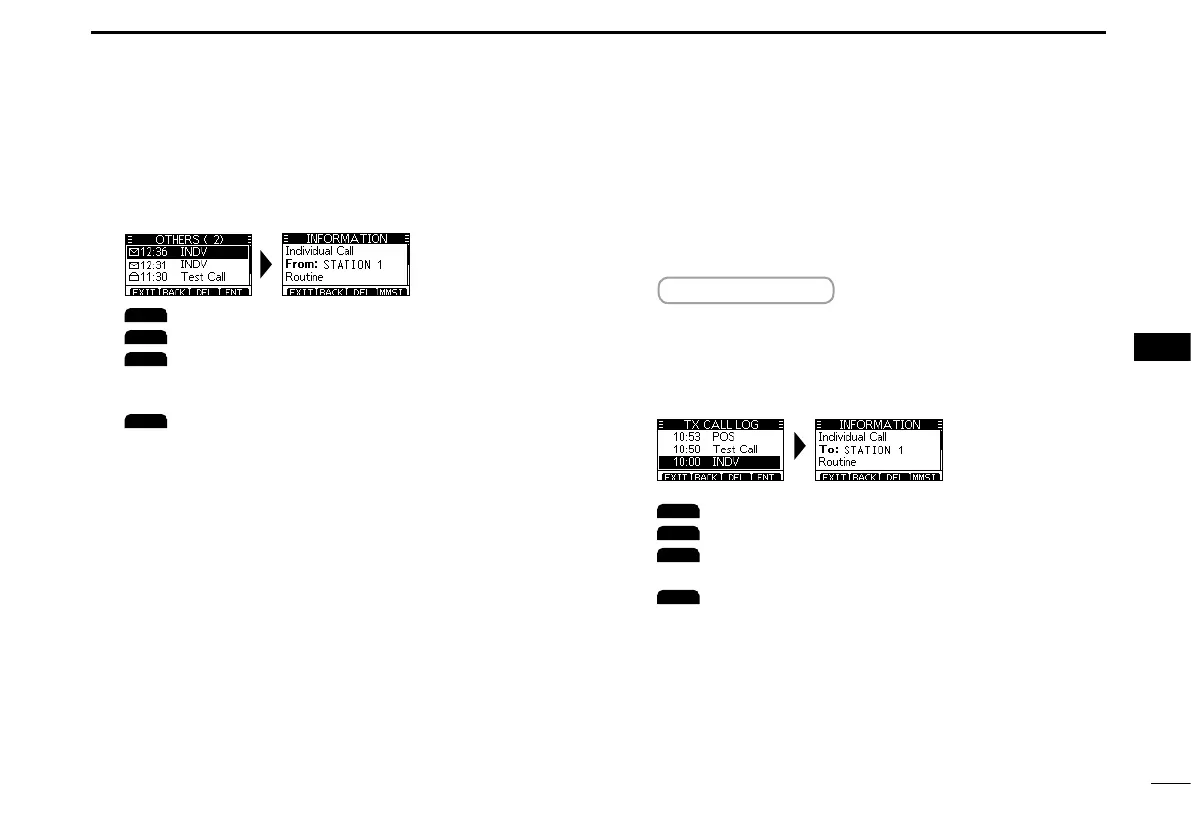
• The“TXCALLLOG”screenisdisplayed.
3. Push[▲]or[▼]toscrollthroughthelog.
4. Push[ENT]todisplaythesentcall’sinformation.
: Returnstotheoperatingscreen.
: Returnstothepreviousscreen.
: Deletestheselectedcalllog.
L Theconrmationscreenisdisplayedbefore
deleting.
: SavestheMMSIasanIndividualID.
: Returnstotheoperatingscreen.
: Returnstothepreviousscreen.
: Deletestheselectedcalllog.
L Conrmationscreenisdisplayedbeforedeleting.
: SavestheMMSIasanIndividualIDoraGroup
ID.



 To Next Page
 Loading...






