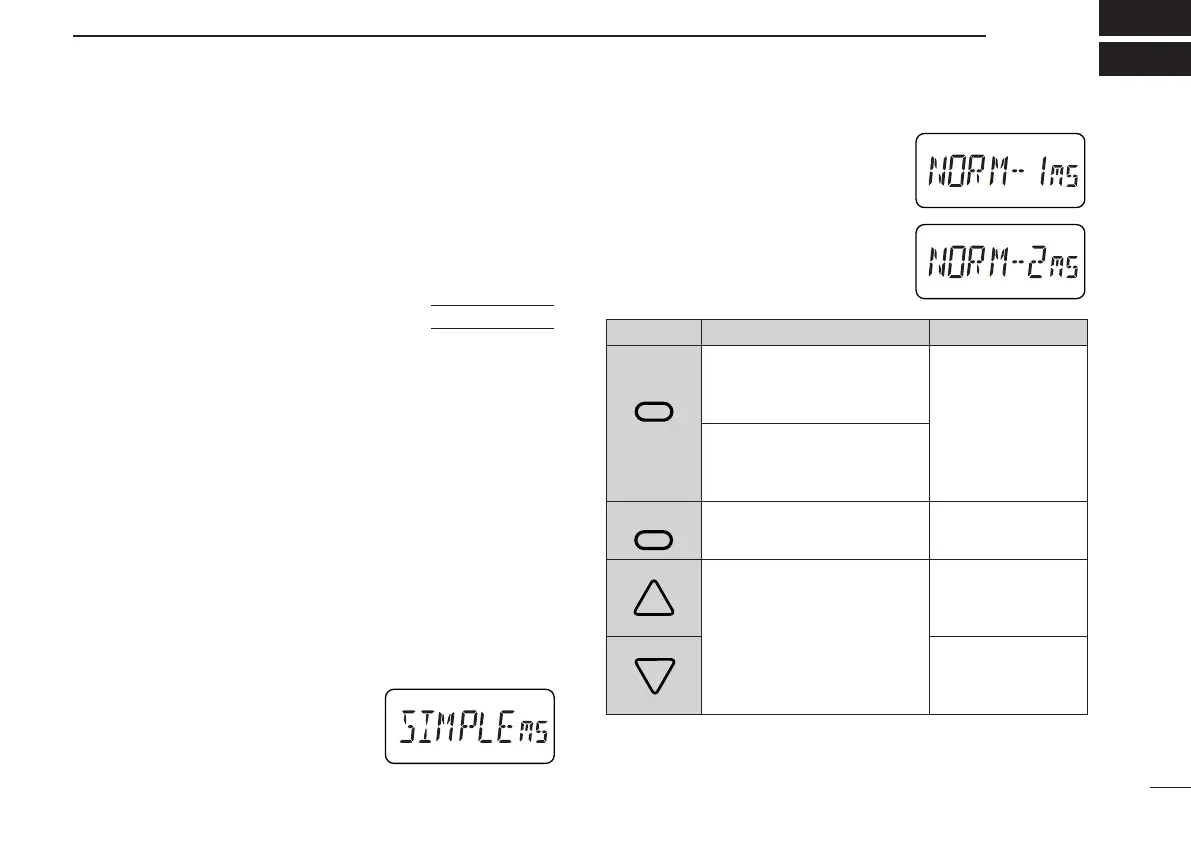
☞ NOTE: VFO mode cannot be se-
lected via the microphone when
SIMPLE mode is selected.
NORMAL 1/NORMAL 2
NORMAL 1:
BAND
Selects a band.
No function in memory mode.
NORMAL 2:
MONITOR
Toggles squelch between
open and closed.
VFO/MEMORY
Toggles VFO and memory
mode.
Change the frequency or
memory channel when
pushed.
Start previously selected scan
when pushed and held.
• Normal 2 (while squelch is
open):
Adjust volume.
27
10
OTHER FUNCTIONS
■ Help function
When in set mode or initial set mode and no operation is per-
formed for 5 sec., the name of the selected item scrolls
across the function display for convenience.
■ Initial set mode
Initial set mode is accessed at power on and allows you to
set seldom-changed settings. In this way you can “customize”
transceiver operations to suit your preferences.
➀ While pushing [MULTI], push [PWR] to turn power on.
• The transceiver enters initial set mode and an initial set mode
item is displayed.
➁ Push [MULTI(↕)] to select the desired display as described
on the following pages.
➂ Push [MULTI(↔)](or rotate [DIAL]) to select the desired
condition.
➃ Push [VFO] (or [PTT]) to exit initial set mode for regular op-
eration.
D Optional HM-75A functions
Microphone simple mode is used to
change the function assignments for
switches on the optional HM-75A
RE
-
MOTE CONTROL MICROPHONE
as at right.
AT
POWER ON
SWITCH SIMPLE
MONITOR
Toggles squelch be-
tween open and
closed.
CALL
Selects the call
M00
Selects memory
M01
Selects memory
☞ NOTE: During transmit, pushing [A] transmits a 1750 Hz
tone for Europe, France and Italy versions.
IC-T81A/E Manual-(1) 01.12.5 6:56 PM Page 27 (1,1)



 To Next Page