Part 1 - Remote Setup
13
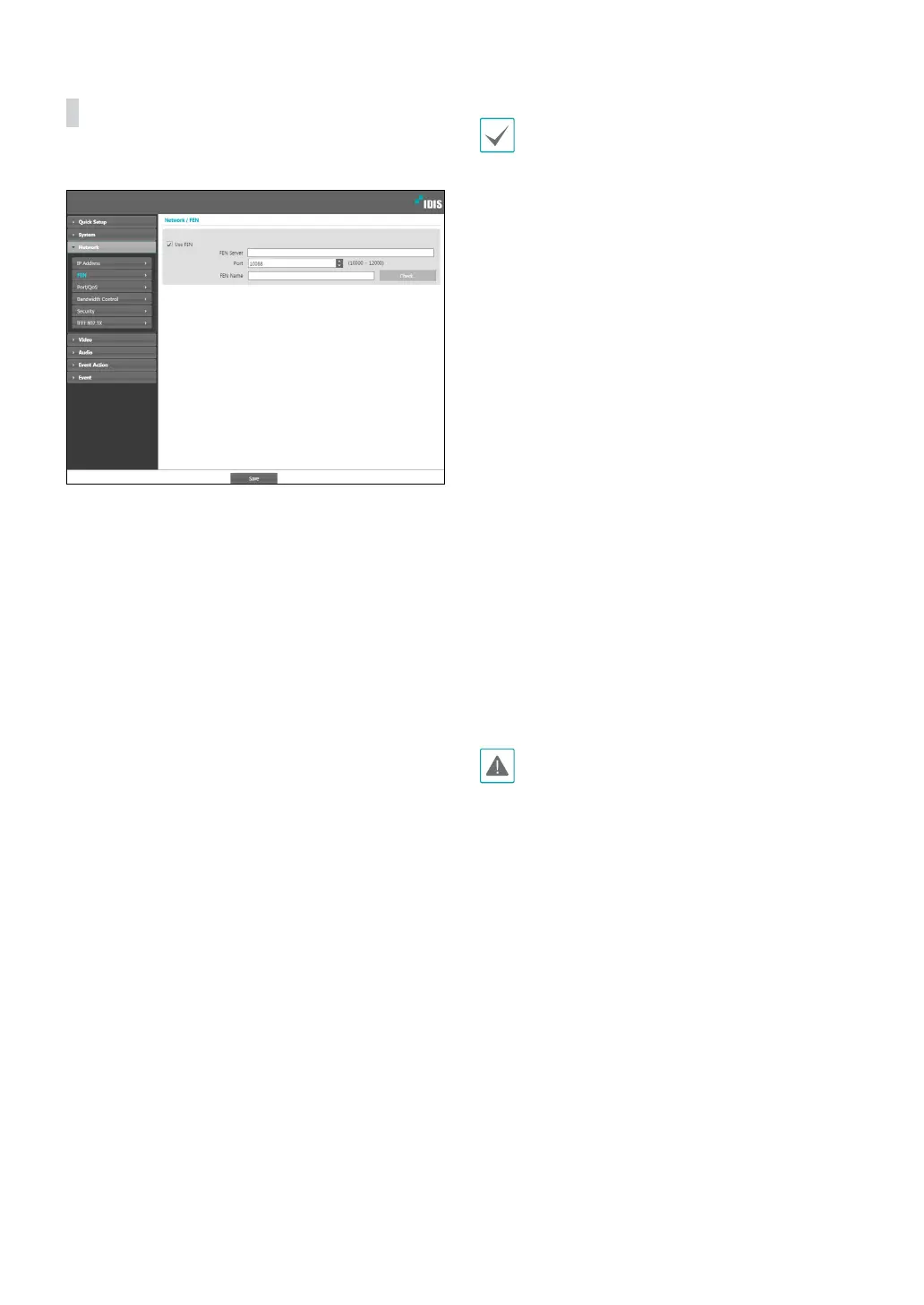
FEN
Select Use FEN to enable the FEN feature.
• FEN Server: Enter the FEN Server’s IP address or
domain name.
• Port: Enter the FEN Server’s port number.
• FEN Name: Enter a camera name you wish to register
to the FEN Server. Click OK to check the name’s
availability.
• Use FEN is a feature that allows you to register a
unique name for a camera that utilizes a dynamic
IP address to the FEN Server and connect to the
camera using the registered name instead of an
IP address, which can change from time to time.
Moreover, you can access the camera without
having to congure NAT (Network Address
Translation) device settings even when the camera
uses a NAT device. In order to use this feature, you
must rst register a FEN name to the FEN Server.
• If network settings have been changed, click Save
at the bottom of the setup window to save the
changes and then setup the FEN.
• Inquire with your network administrator for the FEN
Server’s IP address or domain name. If a DNS server
has been congured under Network setup, you can
enter the FEN Server’s domain name instead of its IP
address for the FEN Server setting.
• FEN Server's default address is fen.idisglobal.
com. DNS server must be congured under network
setup to ensure normal operation.
• You will not be able to save FEN settings unless
you click on the OK button next to the FEN name
eld and check the entered name's availability.
In addition, you will be prompted with an error
message if you do not enter a FEN name or enter
a name already registered to the FEN Server. If the
FEN name contains the #, \, and/or % symbol, it
might not be able to connect to the camera from
the IDIS Web program.
The FEN Server operated by IDIS is a service to its
clients and may go oine without notice for server
update purposes or due to an unexpected failure.



 To Next Page