Part 1 - Remote Setup
21
Day & Night
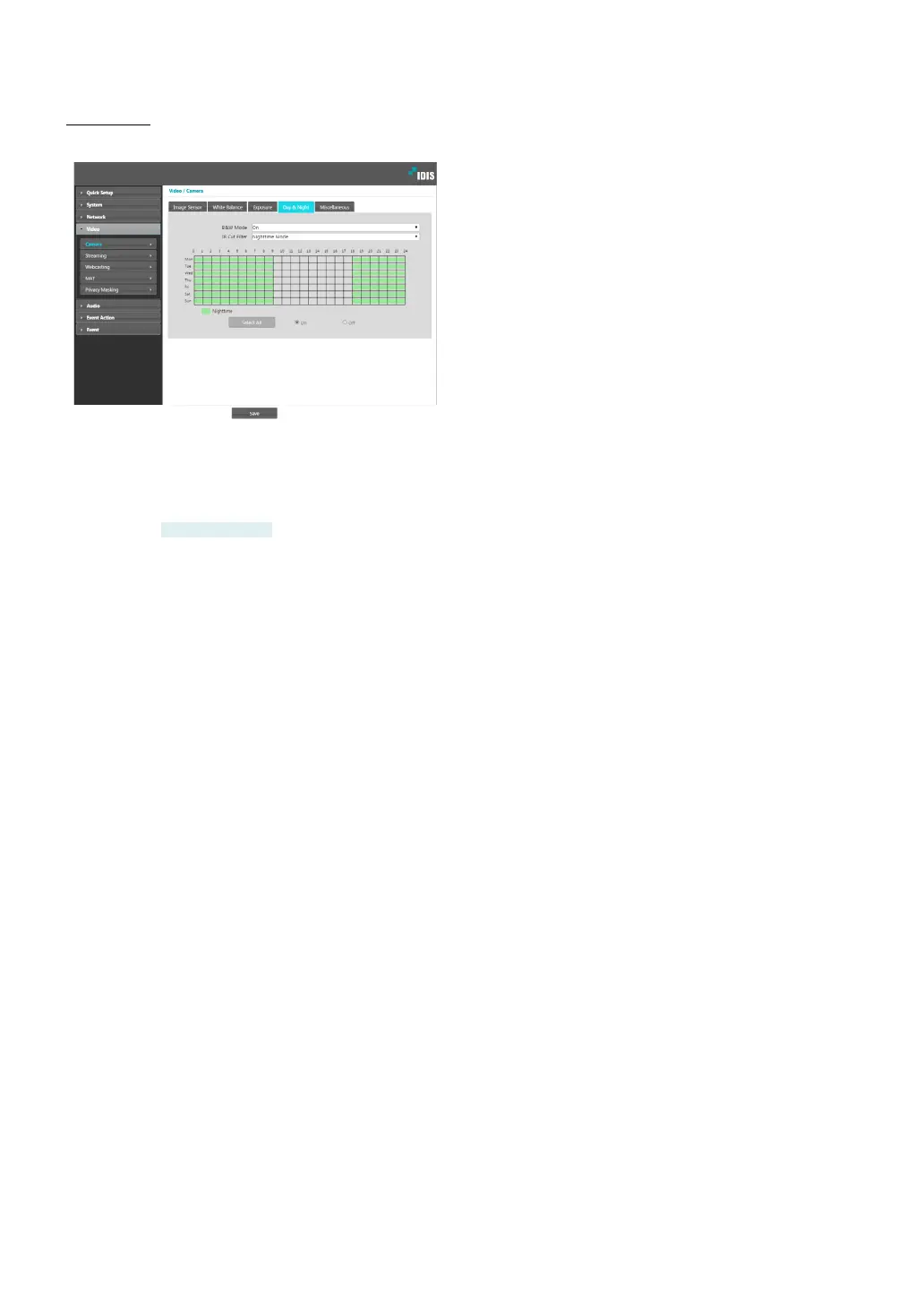
Congure Day & Night settings.
• B&W Mode: Display the images in greyscale for
greater clarity in low-lighting conditions. When
conguring Event > Alarm In, this feature will not
function if Day & Night Mode event action has been
congured.
DC-D3233X only
- On/O: Enable/disable B&W Mode.
- Auto: Allow the system to enable/disable B&W
Mode automatically.
- Schedule: Set up a B&W Mode schedule. B&W
Mode is enabled on days and times designated as
Nighttime and disabled at all other times. Select
On or O at the bottom of the schedule table and
then click or drag on the dates and times to select/
unselect as Nighttime. Select On or O and then
click Select All/Clear All to select/unselect all dates
and times as Nighttime.
• IR Cut Filter: IR Cut Filter blocks out the infrared
spectrum. You can ensure clear images at all times by
blocking out the infrared spectrum in high-lighting
conditions and allowing the infrared spectrum to pass
through in low-lighting conditions. When conguring
Event > Alarm In, this feature will not function if Day
& Night Mode event action has been congured.
- Nighttime Mode/Daytime Mode: Disables or
enables the IR cut lter.
- Auto: Allow the system to enable/disable IR Cut
Filter automatically.
- Schedule: Sets up the IR cut lter schedule. The
IR cut lter is disabled during the date and time
scheduled as Nighttime and enabled during the
rest. Set up or release Nighttime by selecting On or
O in the bottom and clicking or dragging the date
and time area in the table. Selecting On or O and
clicking the Select All/Clear All button sets up or
releases Nighttime for all dates and time.



 To Next Page