RECHARGE THE INTERNAL BATTERIES of the 48 mm AISI316L and TITANIUM HOUSING
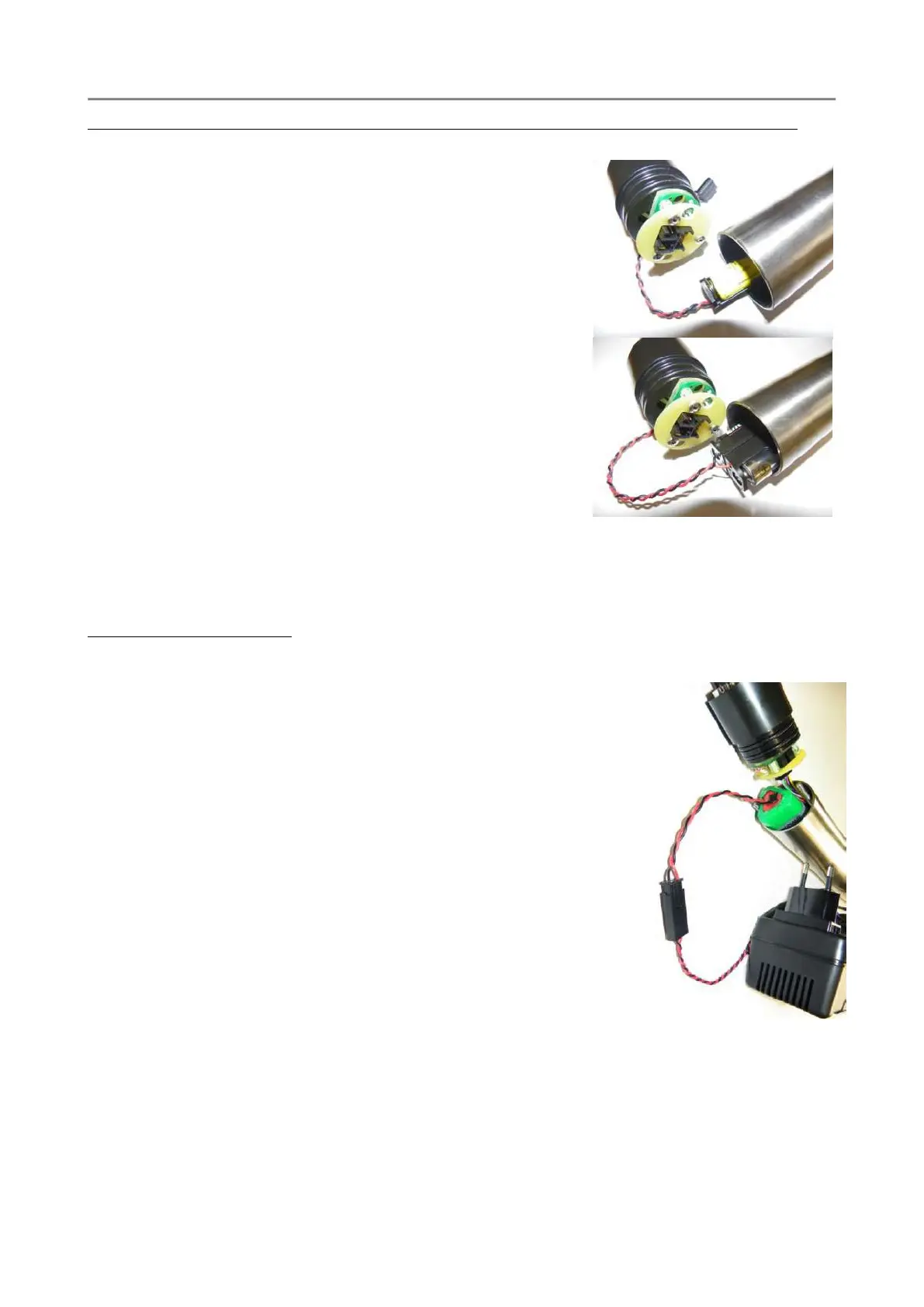
To gain access to the internal battery holder, loosen the two closing screws on the CTD top cover.
Gently pull out the top cover from the CTD housing. During this
operation, remove any water droplets around the top cover to
prevent them from seeping into the housing. The battery holder
contains 3x 1.5V Alkaline type AA cells, assembled in series, to
create a unique 4.5VDC battery pack.
1. Dry the probe and lay it down on a table.
2. Loosen the two closing screws on the probe cover with a
proper screwdriver.
3. When extracting the cover, dry it and pay attention to
any drops of water present on the cover or in the upper
part of the probe body. Anyhow, dry any trace of water
in proximity of the external side of the o-ring.
4. Extract the battery holder from the CTD housing.
5. Remove the dead batteries and install the new ones.
6. Gently push the wires and connectors to the side of the
battery pack and insert the battery holder in the CTD housing.
7. Gently reassemble the CTD top cover. Close the CTD with the two closing screws and
gradually tighten them in sequence such as to close the cover uniformly.
Rechargeable Battery pack
To gain access to the internal rechargeable battery pack, loosen the two closing screws on the CTD
top cover. Gently pull out the top cover from the CTD housing. During
this operation, remove any water droplets around the top cover to
prevent them from seeping into the housing.
1. Dry the probe and lay it down on a table
2. Loosen the two closing screws on the probe cover with a proper
screwdriver.
3. When extracting the cover, dry it and pay attention to any drops
of water present on the cover or in the upper part of the probe
body. Anyhow, dry any trace of water in proximity of the
external side of the o-ring.
4. Disconnect the battery pack connector (4-pin black connector)
from the CTD upper cover.
5. Connect the battery charger to the battery pack and wait until
the battery is fully charged.
6. Connect the battery to the 4-pin black connector of the CTD top
cover.
7. Gently push the wires and connectors to the side of the battery pack.
Gently reassemble the CTD top cover. Close the CTD with the two closing screws and gradually
tighten them in sequence such as to close the cover uniformly.



 To Next Page