ID TECH VP6800 User Manual
Page | 24
c. To clear a field, select Cancel.
d. To exit the menu without making changes, select Cancel again.
2. The VP6800’s screen displays an IP is Set dialog on success.
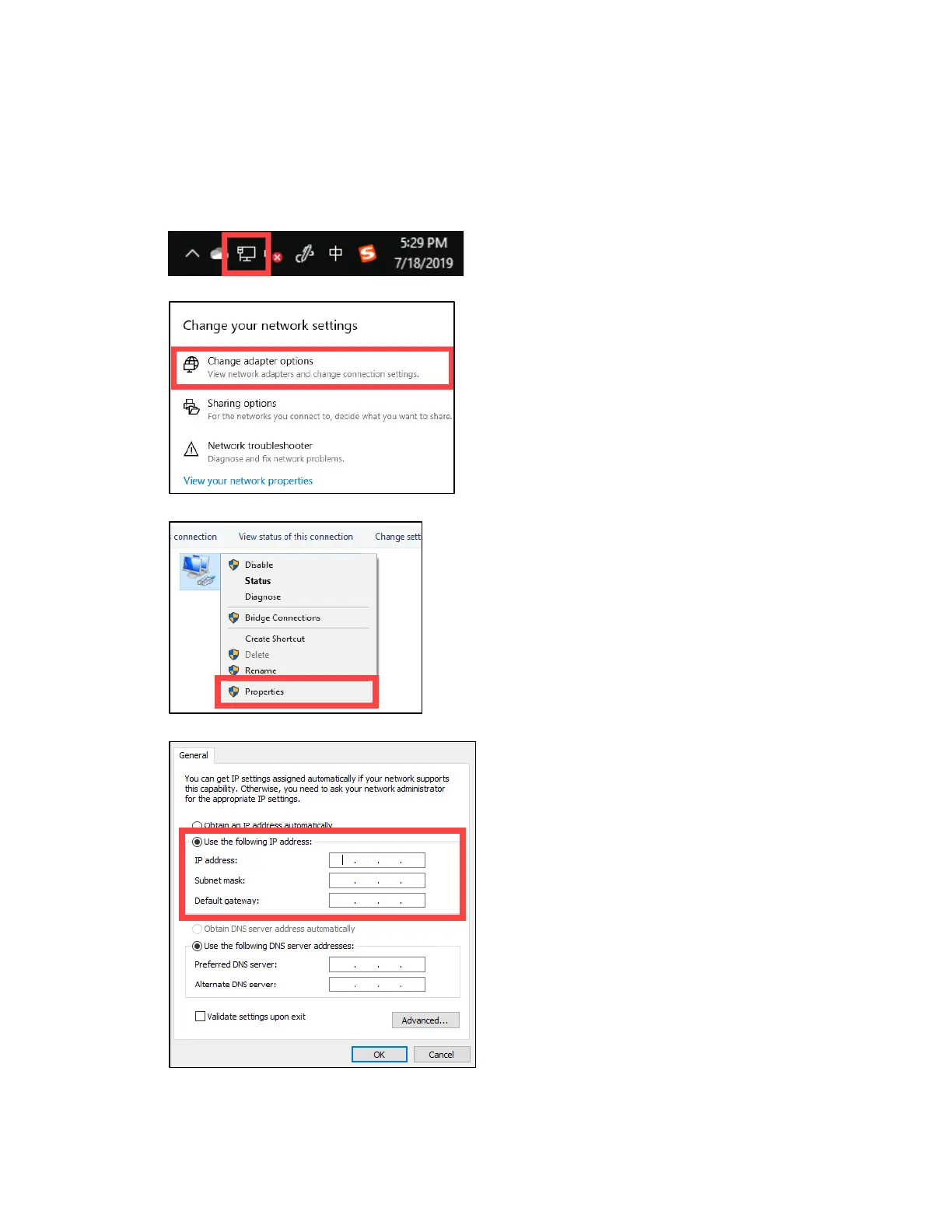
3. Next, on a Windows computer, open Network & Internet Settings by right-clicking the
internet connection icon in the taskbar.
4. Click Change Adapter Options.
5. Right-click on your Network Connection and select Properties.
6. Select Use the following IP address, enter the required IP information, then click OK.
.



 To Next Page