Home
IDTECH
Payment Terminal
VP6800
Page 25 (Configuring Wi-Fi Settings)
IDTECH VP6800 - Configuring Wi-Fi Settings
35 pages
Manual
Save Page as PDF
To Next Page
To Next Page
To Previous Page
To Previous Page
Loading...
ID TECH VP6800 U
ser Manual
Page |
25
8.2.
Configuring W
i
-
Fi Setti
ngs
Follow the st
eps below to c
onfigure Wi
-
Fi set
tings.
1.
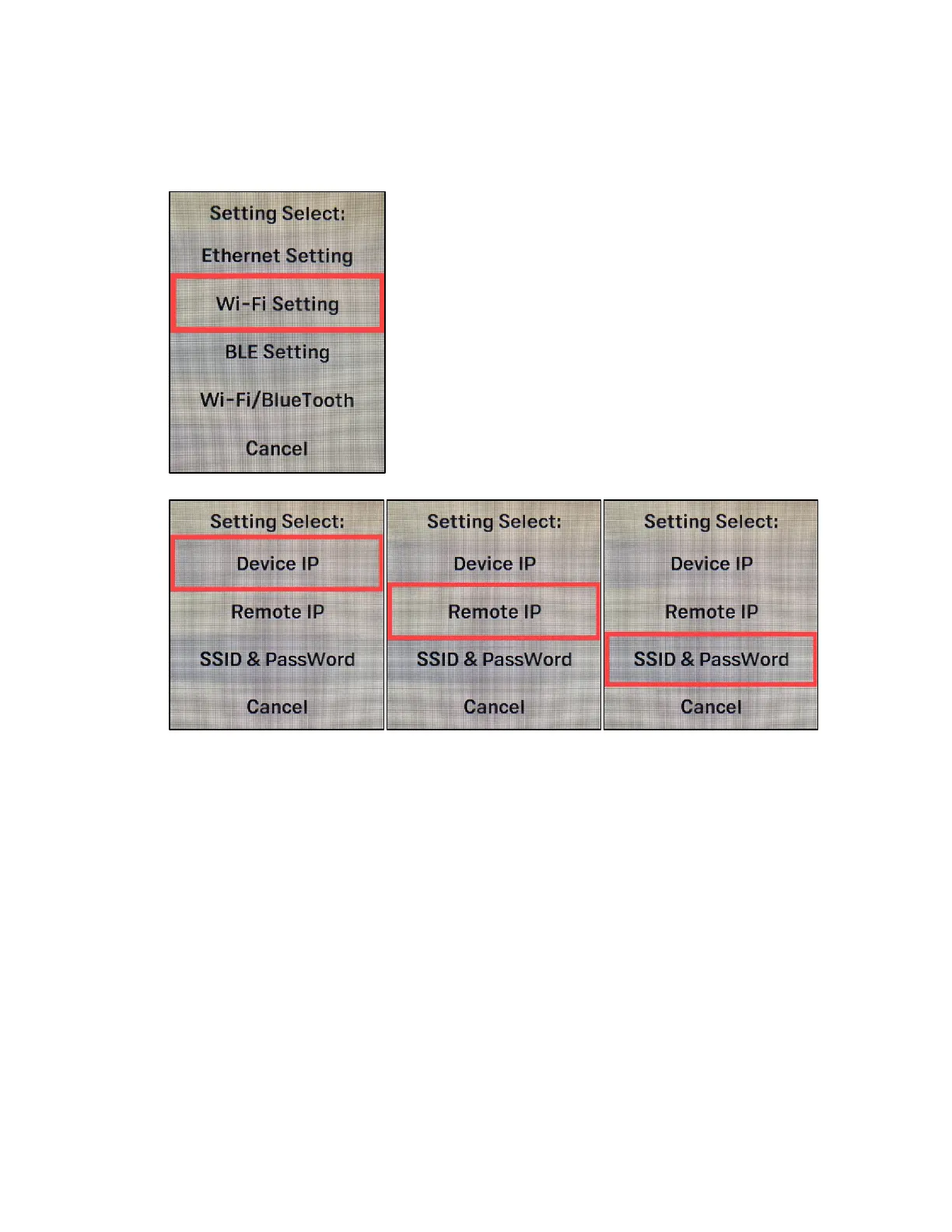
Enter the main m
enu and select
Wi
-
Fi Settin
gs
.
2.
Select
D
e
vic
e
IP
,
Remote IP,
or
SSID & Password
as needed.
24
26
Table of Contents
Main Page
Default Chapter
5
Table of Contents
5
1 Overview
6
Integration Location
6
Integration Options
6
Encryption
6
2 Features
7
Agency Approvals and Compliances
8
3 Specifications
9
4 Communications
10
Audio Support
10
5 Cable
11
6 Basic Operation
12
VP6800 Card Interfaces
12
Leds and LCD Status Indicators
13
Device State and UI
13
Tamper and Failed Self-Check Indicators
14
Other Status Messages
15
7 Installation
16
Parts List for Development
16
VP6800 Mounting Guidelines and Installation
17
Connecting Cable and Power
18
Bluetooth Connection
20
8 Vp6800 Configuration Settings
21
Configuring Ethernet Settings
22
Setting the Device IP
23
Setting the Remote IP
23
Configuring Wi-Fi Settings
25
Setting the Device IP
26
Setting the Remote IP
26
Setting the SSID and Password
27
Configuring BLE Settings
28
Selecting Wi-Fi or Bluetooth
29
9 Security Guide
30
10 Decommissioning Pci-Certified Devices
31
11 Troubleshooting
31
12 Hour Device Reboot
31
13 Firmware Reference
31
14 Software Development Support
31
15 Updating Vp6800 Firmware
32
16 Appendix A: Power over Ethernet Splitter
35
ID TECH POE Splitter
35
17 Appendix B: Supported Micro Sd Cards
35
Related product manuals
IDTECH ViVOpay VP3600
8 pages
IDTECH ViVOpay VP3300BT
17 pages
IDTECH vivopay kiosk iii
24 pages
IDTECH NEO2
153 pages



 To Next Page