ID TECH VP6800 User Manual
Page | 33
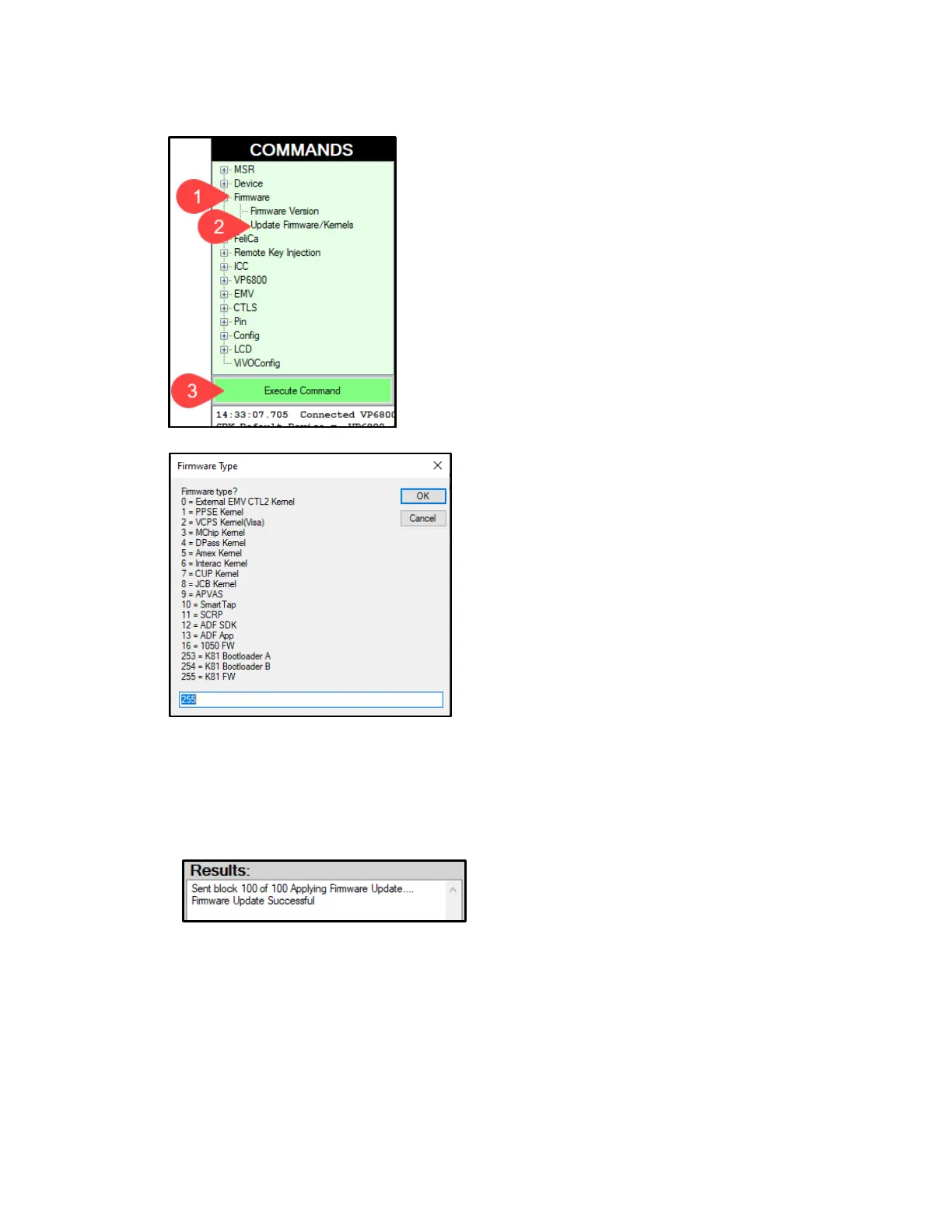
4. Under Firmware, select Update Device Firmware, then click Execute Command.
5. In the Firmware Type dialog, enter 255 for K81 FW and click OK.
6. In the File Explorer window, navigate to the directory where you saved the K81 firmware
update, select the FW file that starts with NEO_II_vp6800_... and click Open.
7. The VP6800 reboots and enters the bootloader, at which point the USDK Demo app begins
updating the device’s K81 firmware.
8. When the K81 firmware update completes, the VP6800 reboots again and the USDK Demo
app prints Firmware Update Successful in the Results panel.
9. Next, to update the RT1050 Firmware select Firmware, select Update Device Firmware,
then click Execute Command again.



 To Next Page