27
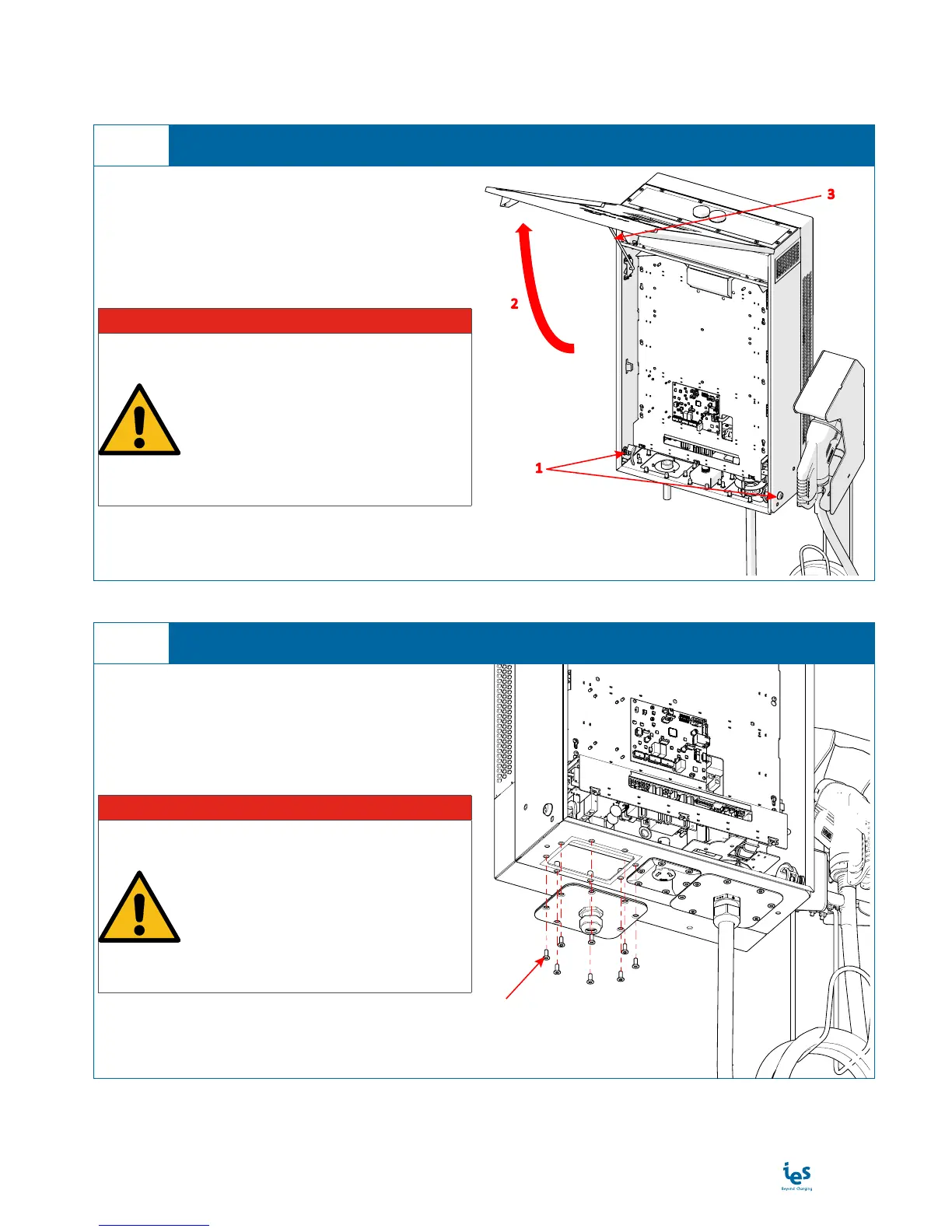
1. Remove the screws (8) holding input plate with
the cable gland - position 1
I DANGER
HAZARD OF ELECTRIC SHOCK, EX-
PLOSION, OR ARC FLASH
• Be sure the supply power is off
before starting installation
• Make sure nobody can switch on
power during installation
Failure to follow these instructions will
result in death or serious injury.
1
Remove Input plate with cable gland
3
1. Unlock the door (2 keylocks) - position 1
2. Open the door - position 2
3. Stand the door in up position - position 3
I DANGER
HAZARD OF ELECTRIC SHOCK, EX-
PLOSION, OR ARC FLASH
• Be sure the supply power is off
before starting installation
• Make sure nobody can switch on
power during installation
Failure to follow these instructions will
result in death or serious injury.
1
2
3
Open the door
2


 To Next Page