34
8. Commissioning
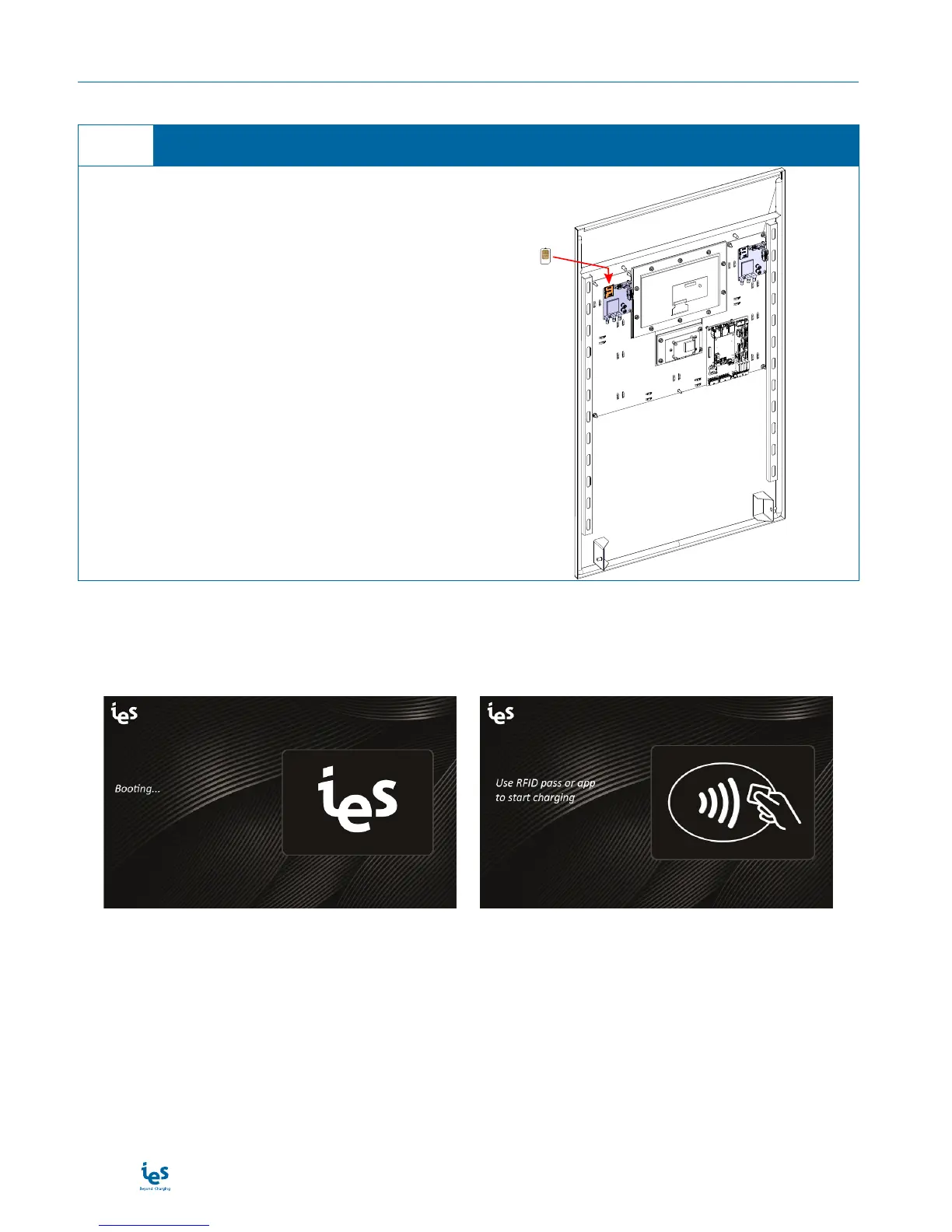
SIM card
1. On internal door panel, you can place your SIM
card in the empty slot on modem board.
Note: Use the modem board connected to 3G MONO-
SIM on OCCP board
Customer SIM card installation
1
First booting
During the first power up of the charging station, the display show the following messages:
→
During the booting, If the display does not turn on, please see the maintenance manual.
After booting, check on backend server if the charging station is connected. If the charging station is not con-
nected to the backend server, please see the maintenance manual.


 To Next Page