22
9.3.2 Settings for quantity monitoring using the preset meter
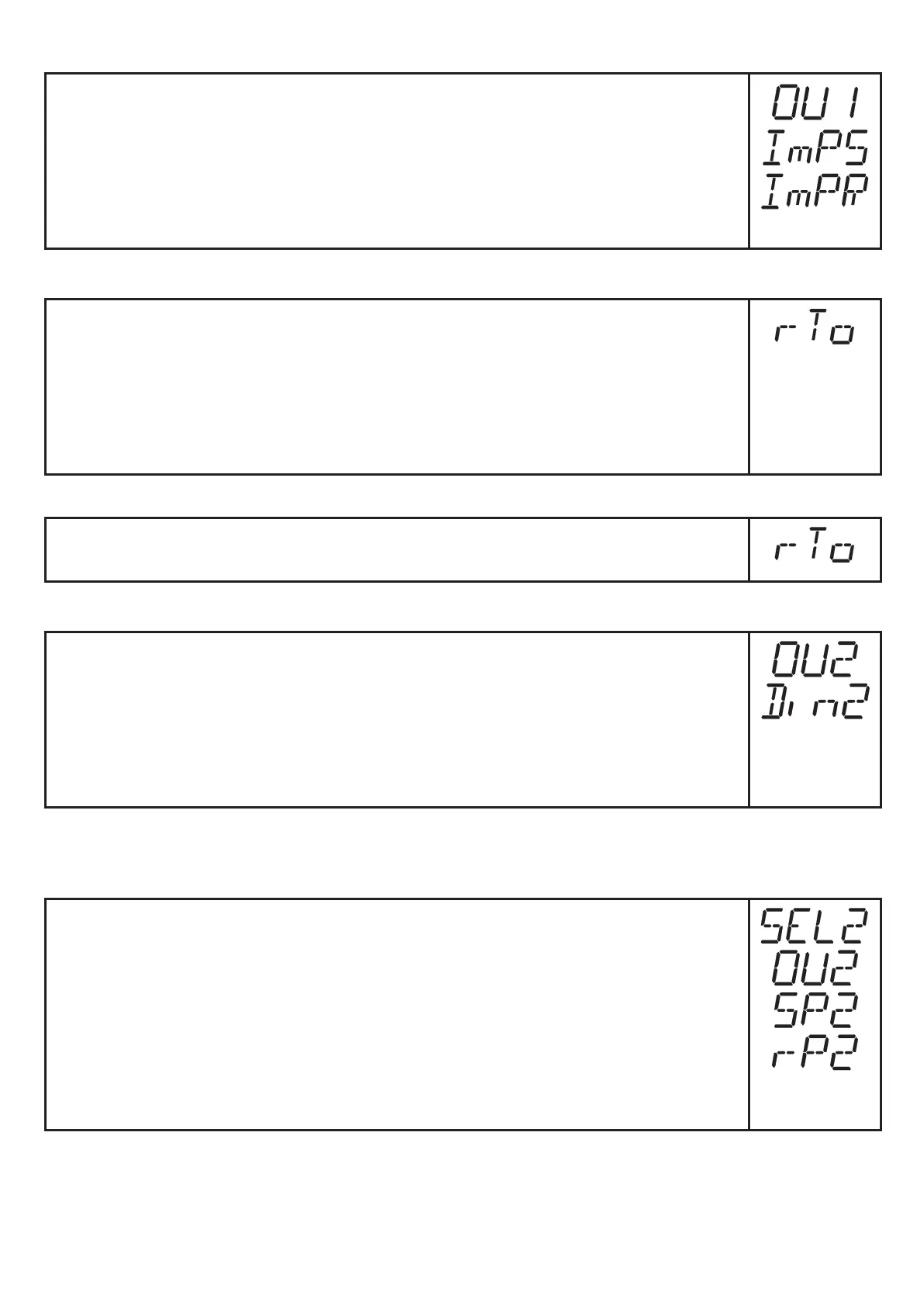
► Select [OU1] and set [ImP]�
► Select [ImPS] and set the volumetric flow quantity at which output 1
switches(→9.7).
► Select [ImPR] and set [no]: pulse repetition is not active� The output
switches ON if the value set in [ImPS] is reached� It remains switched
until the meter is reset�
9.3.3 Settings for meter reset controlled by the program
► Select [rTO] and continue with a) or b)�
a) Reset the meter manually: press [Set] until [rES�T] is displayed�
Press [Mode/Enter] briefly�
b) Enter the value for time-controlled reset: Press [Set] until the re-
quested value is displayed (intervals from 1 hour to 8 weeks)�
► Press [Mode/Enter] briefly�
9.3.4 Switch off the meter reset
► Select [rTO] and set [OFF]� The meter is only reset after overflow
(= factory setting)�
9.3.5 Settings for meter reset by an external signal
► Select [OU2] and then [InD]�
► Select [Din2] and set the reset signal:
- [Hi] = reset for high signal,
- [Lo] = reset for low signal,
- [+EDG] = reset for rising edge,
- [-EDG] = reset for falling edge�
9.4 Settings for temperature monitoring
9.4.1 Settings for limit value monitoring with OUT2
► Select [SEL2] and set [TEMP]�
► Select [OU2] and set the switching function:
- [Hno] = hysteresis function/normally open,
- [Hnc] = hysteresis function/normally closed,
- [Fno] = window function/normally open,
- [Fnc] = window function/normally closed�
► Select [SP2] and set the value at which the output switches�
► Select [rP2] and set the value at which the output switches back�







 To Next Page