24
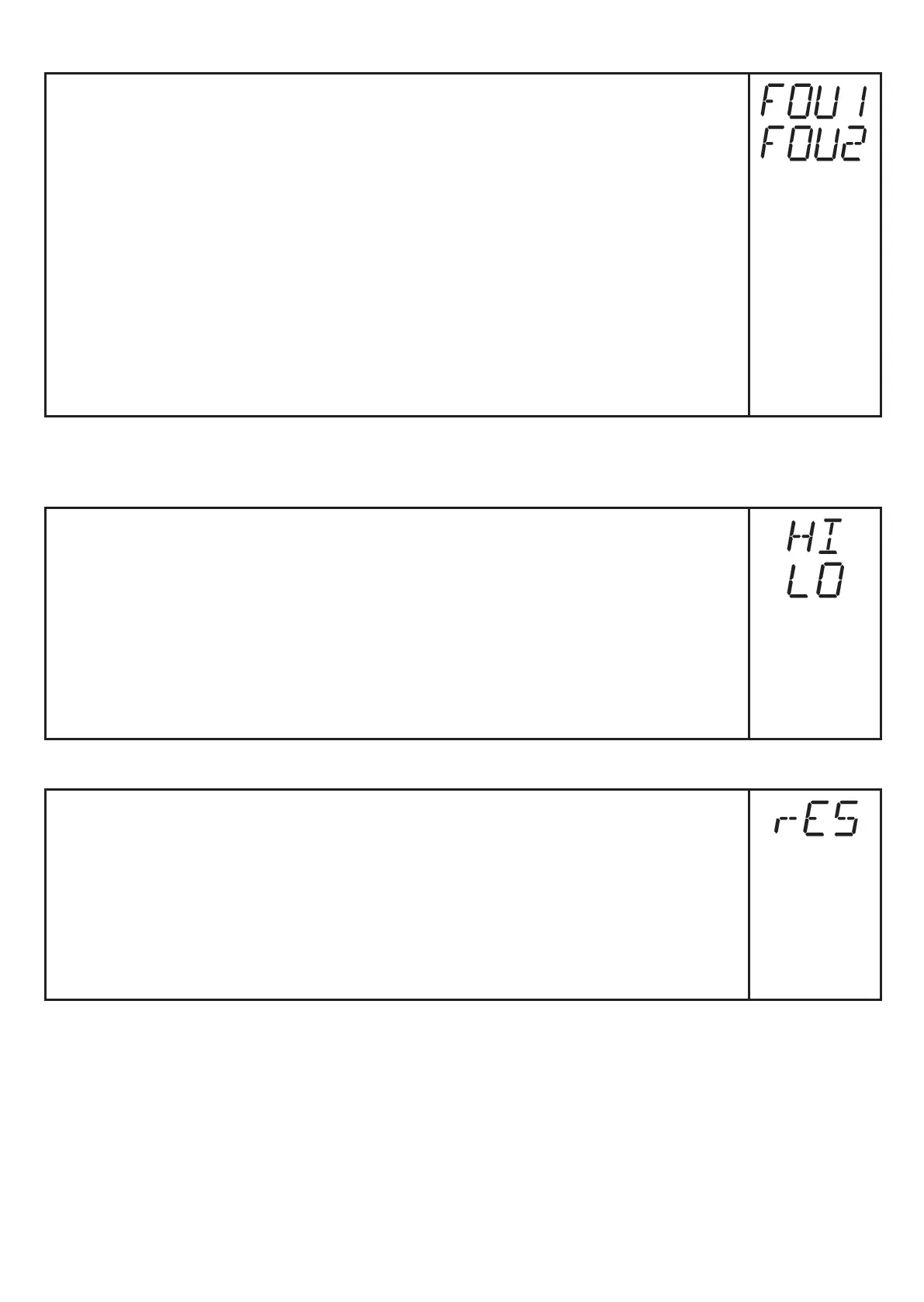
9.5.6 Setting the error behaviour of OUT1 / OUT2
► Select [FOU1] and determine the value:
- [On] = output 1 switches ON in case of an error�
- [OFF] = output 1 switches OFF in case of an error�
- [OU] = output 1 switches irrespective of the error as defined with the
parameters�
► Select [FOU2] and determine the value:
- [On] = output 2 switches ON in case of an error, the analogue signal
goes to the upper end stop value�
- [OFF] = output 2 switches OFF in case of an error, the analogue signal
goes to the lower end stop value�
- [OU] = output 2 switches irrespective of the error as defined with the
parameters� The analogue signal corresponds to the measured value�
9.6 Service functions
9.6.1 Reading the min./max. values for volumetric flow
► Select [HI] or [LO] and press [Set] briefly�
[HI] = maximum value, [LO] = minimum value�
Delete memory:
► Select [HI] or [LO]�
► Press [Set] and keep it pressed until [----] is displayed�
► Press [Mode/Enter] briefly�
It makes sense to delete the memories as soon as the unit works under
normal operating conditions for the first time�
9.6.2 Reset all parameters to the factory setting
► Select [rES], then press [Set] and keep it pressed until [----] is dis-
played�
► Press [Mode/Enter] briefly�
Thefactorysettingislistedattheendoftheinstructions(→13Factory
setting)�
It makes sense to write your own settings in this table before executing the
function�







 To Next Page