12
J
K
L
M
N
O
P
R
S
•
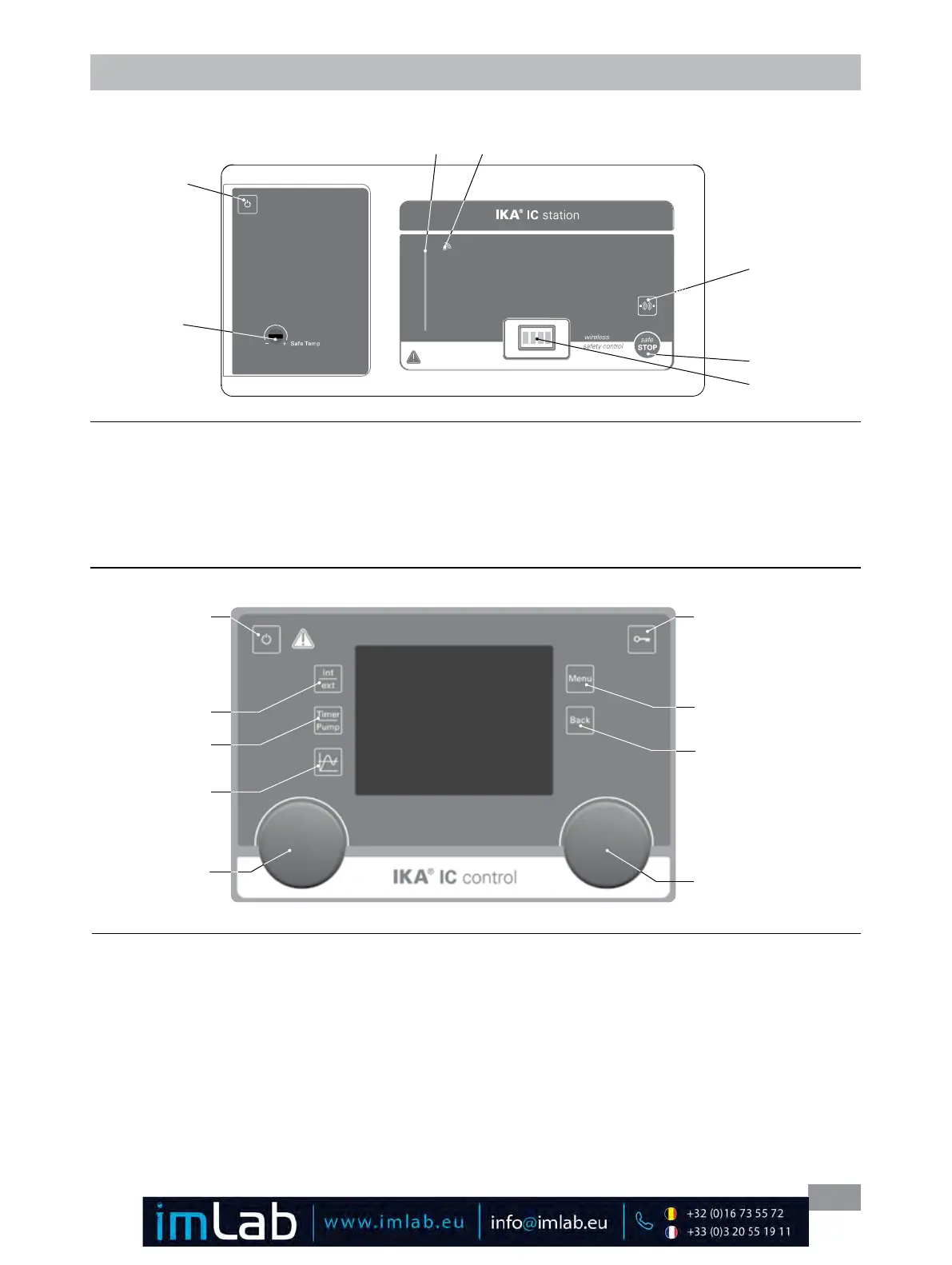
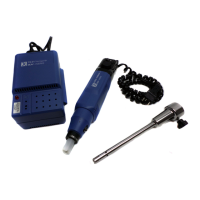
Wireless Controller (WiCo):
Fig. 16
Operator panel and display
•
station (IC station/HBC station):
A
B
D
E
F
C
G
Item Designation Function
A ON/OFF button: Switch on/off the station.
B Adjustable safety circuit: Adjust the safety temperature limit with delivered screwdriver�
C "safe STOP" button: Safe stop the working of the circulator in emergency�
D LED bar: Display different status of the circulator with different color�
E Bluetooth
®
searching button: Search the Wireless Controller (WiCo) when the Bluetooth
®
is active�
F Bluetooth
®
LED: Bluetooth
®
indicator�
G Contacts: Communicate and charge the WiCo.
Fig. 15
Item Designation Function
J Rotating/pressing knob: Navigation, selecting and changing the settings in the menu
Set the pump speed value
Start/Stop the pump function
K Rotating/pressing knob: Set the temperature value
Start/Stop the heating function
L ON/OFF button: Switch the WiCo on and off
M "Menu" button: Press it once: main menu is displayed
Press it a second time: back to the working screen
N "Back" button: Return to the previous menu level
O Key button: Lock/Unlock the knobs and keys
P "int/ext" button: Switch between the internal and external temperature display and control
R "Timer/Pump" button: Switch between the timer and pump display
S Graph button: Display time/temperature graph








 To Next Page