14
Useful information
The station is controlled via a Wireless Controller (WiCo)�
If the WiCo is mounted on the station, data is exchanged
between the station and WiCo via the contacts (G)� The
screen of the WiCo displays the home icon �
The WiCo is equipped with a USB socket (Universal Serial
Bus) with which the WiCo can be connected with station,
the USB icon appears on the screen�
If the WiCo is not connected with the
station
via a USB
cable, the data exchange between the station and the
WiCo via Bluetooth
®
� In this case, the Bluetooth
®
icon
is displayed �
Depending on the structure of the building, the Wireless
Controller can be operated at a distance up to 15 m from
the station, using the Bluetooth
®
connection�
The WiCo could be either installed on the
station
or put
on a safe place where is accessed easily by the user during
operation�
If the
WiCo
is mounted on the station, the battery is
charged through the contacts (G)�
The battery could also be charged via the USB socket on
the Wireless Controller (See “Charging the Battery
Pack RB 1 (rechargeable battery)“ in “Preparations“
section)�
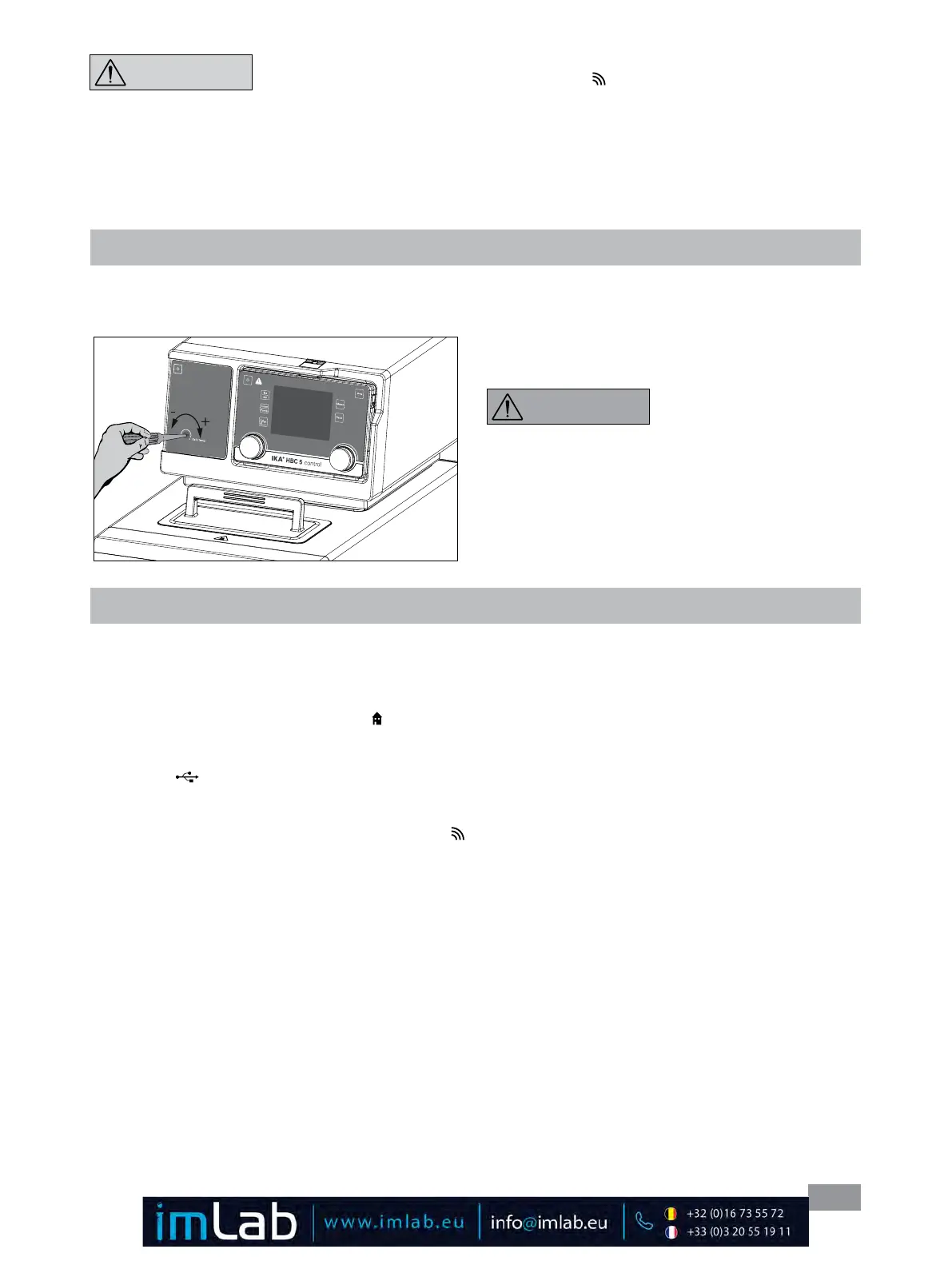
Setting the safety temperature
Adjust the safety temperature with screwdriver included
with the device�
The safety temperature setting will appear on the display�
Factory setting: maximum value
Adjustment range: 0 – 260 °C
Note: The safe temperature
limit must always be set to at
least 25 ºC lower than the flash
point of the fluid used�
In an emergency, the device
functions can be turned off
by pressing the "safe STOP"
button (C) at the front of the station� The LED bar (D)
changed from green color into red color�
A message appears in the display indicates that the station
was forced off� To restart, press the "ON/OFF" (A) or the
mains switch (2) off and on�
If the Bluetooth
®
function of the WiCois activated, the
Bluetooth
®
icon appears on the screen and the user can
search the WiCo by pressing the searching key (E)� Then,
a beep is heard�
NOTICE
Fig. 21
WARNING








 To Next Page