9
control
Fig. 11
Pay attention to the fluid level
information on the display:
— Low level
— High level
(see "Fluid level" in section " Working with Wireless
Controller (WiCo)")�
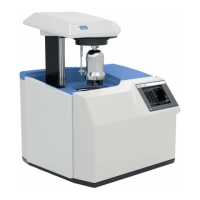
- To drain the fluid from the bath, connect a hose to the drain
port and turn the drain valve in counter clockwise direction
with a straight screwdriver�
Drain valve
Drain port
Fig. 10
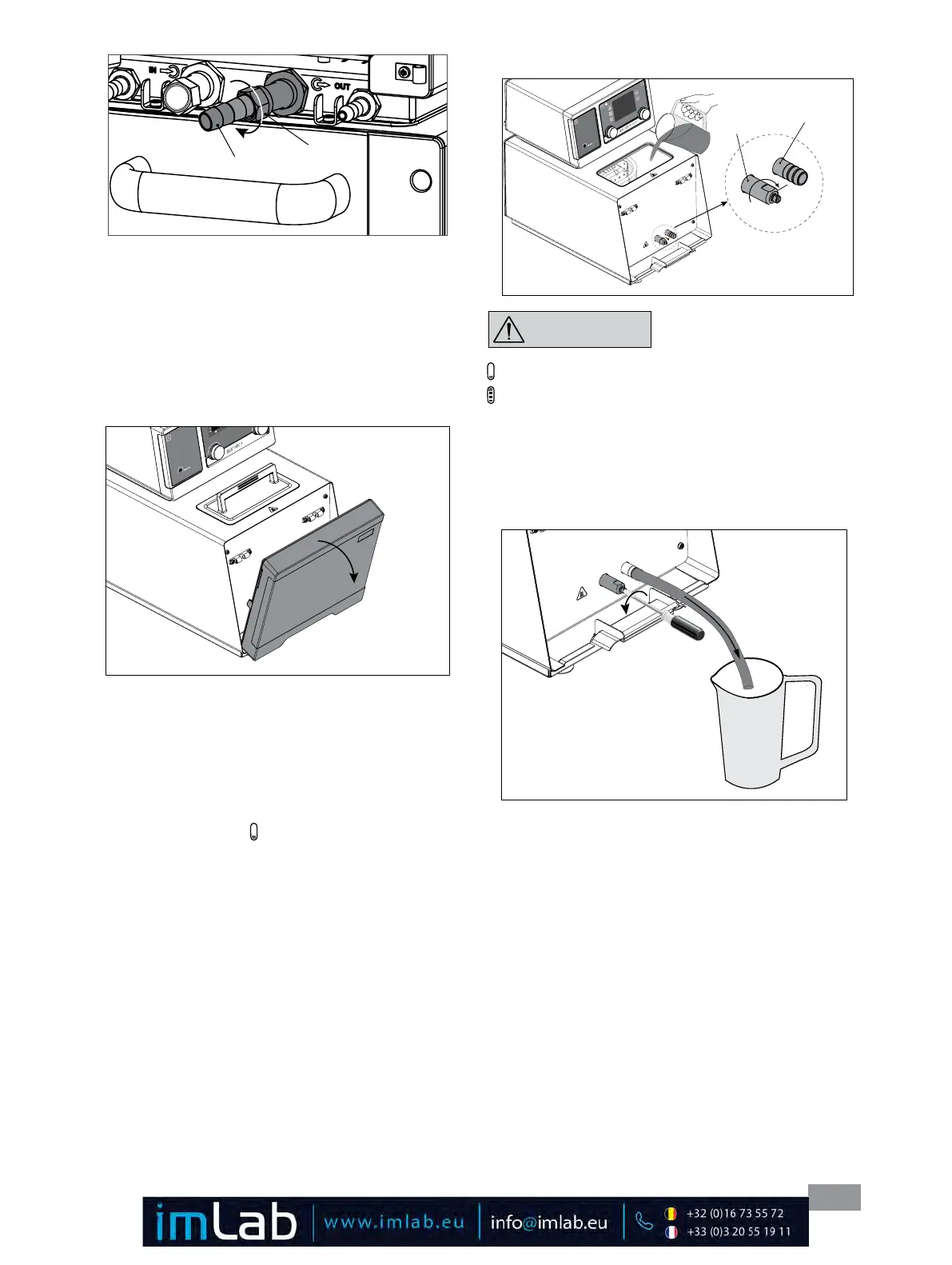
Note: Please note the permissible temperature range of
hoses� For hot fluids we recommend the IKA LT 5.20
hoses� When the external system is not necessary, please
seal the pump connectors IN and OUT with the existing
union nuts and stoppers�
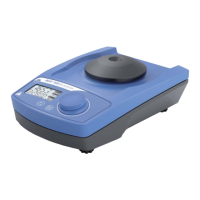
• Filling and draining:
- Before filling the fluid into the bath, open the front
cover as indicated in following figure�
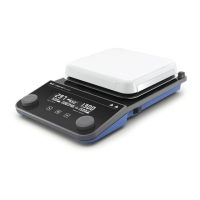
- Check and make sure that the drain valve is closed (the
stop position in clockwise direction, see Fig. 11)�
Note:
Please note information in chapter “Commis-
sioning”�
- Connect the mains plug and turn on the device with
mains switch (2)�
- The low level icon ( ) appears on the display of the
Wireless Controller (WiCo)�
Hose olive
Union nut
Fig. 9
- Open the lid (15) and fill fluid to the bath�
Stop position
Fig. 12
NOTICE








 To Next Page