16
• Menu navigation and structure:
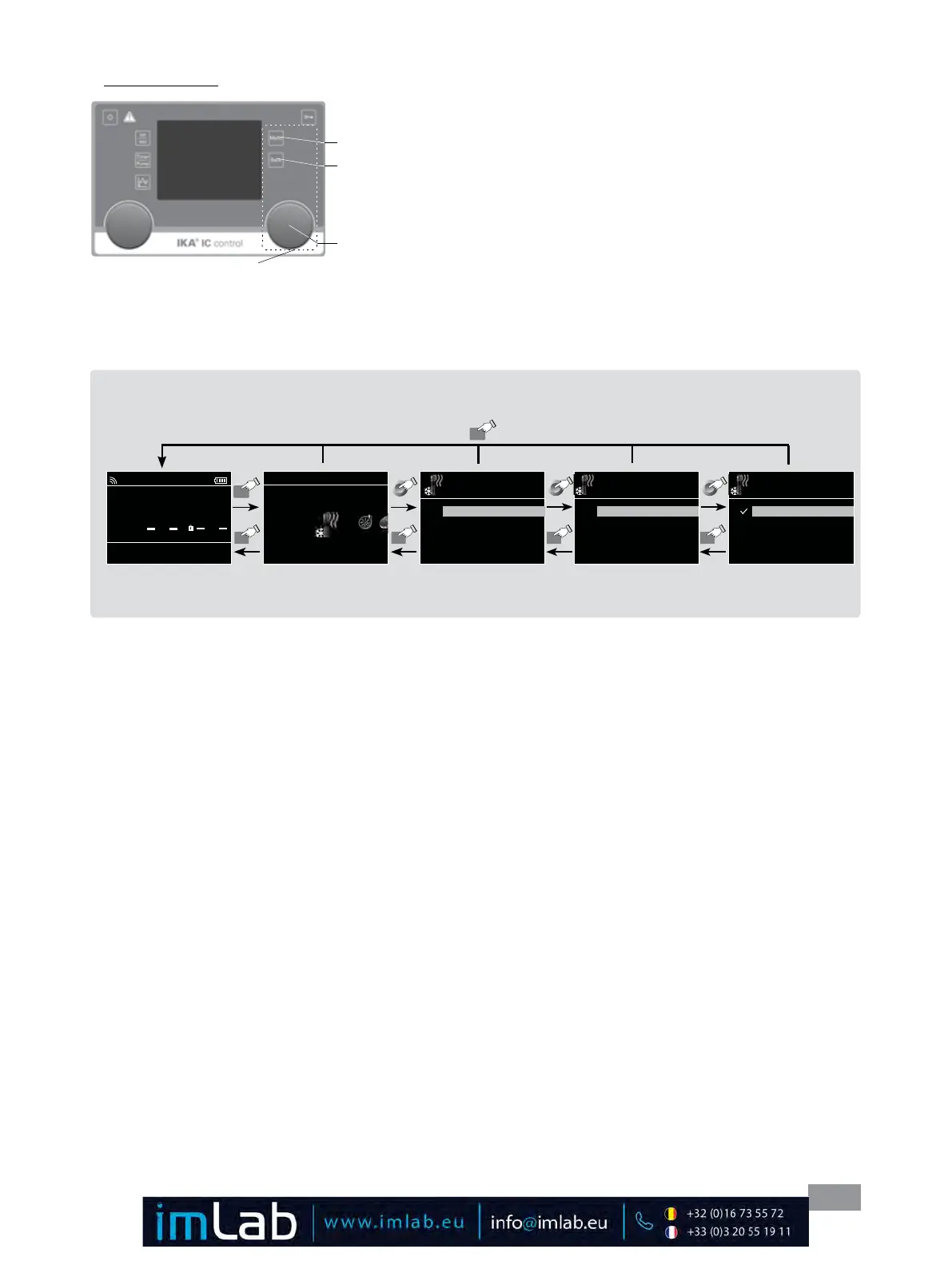
Menu navigation:
Press the "Menu" key (M)�
Select the menu by
turning the right rotating/pressing knob (J) to the right
or left�
Open the menu item by pressing the right rotating/pressing knob (J)�
Turn the rotating/pressing knob (J) to select the desired menu option and edit
the values or settings�
Press the rotating/pressing knob (J) to get into sub menu items to active/inac-
tive to switch settings or to confirm settings ("OK")�
Press the "Back" button (N) to a setting or cancel to return to the previous
menu�
Press the "Menu" button (M) to return directly to the working screen�
Control elements for
menu navigation
J
M
N
Note: If you press the “Menu“ key (M), the system skips directly back to the working screen�
If you press the “Back“ key (N), the system skips back to the previous screen�
Menu
Menu navigation: Press the “Menu“ key (M) and rotate rotating/pressing knob (J)
Press the ”Back” key (N) or the ”Menu” key (M)
A
0.00
int °C
ext °C
int 0.00 1000
set °C Pump rpm
Safe Temp °C
TEMPERING
Heating
Control
Limits
Temperature Sensor
> Heating
Control
Control Mode
Control Parameters
Fluids
> Heating > Control
Control Mode
Internal (int)
External (ext)
Menu
BackBack
BackBack
MENU
Fig. 24
Fig. 25
Note: When the tempering or pump functions are active, the menu is locked� On the display, the active menu option is
highlighted in yellow� The active status of a menu item is marked with a check (√)�








 To Next Page