48
i
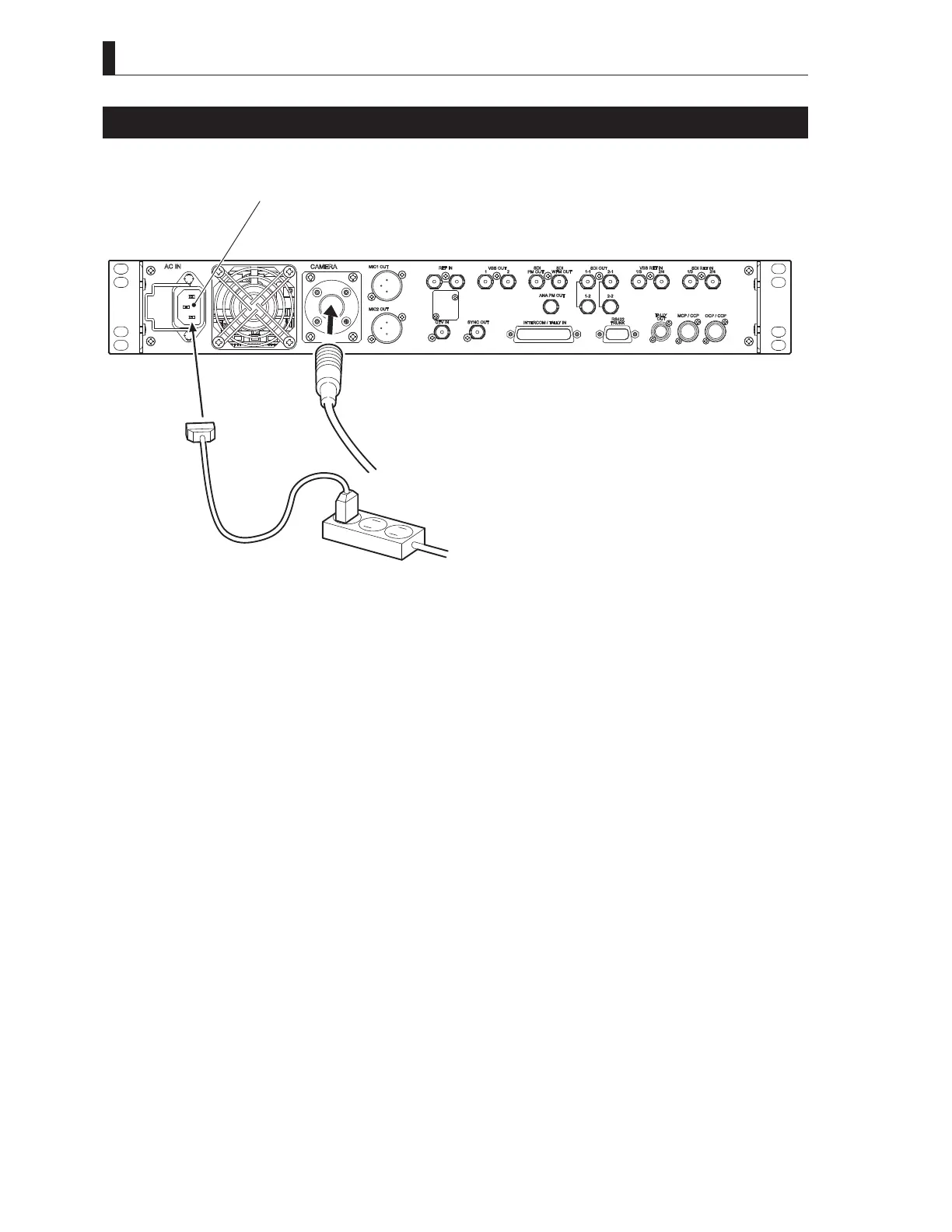
Power Supply from BS
Explains how to supply power from the BSF-55.
F er a e
T e amera
BSF- rear e
C INPUT e r
C a e
P er e
1
Make sure the BSF-55 MAIN POWER switch is OFF.
2
Connect the AC cable to the AC INPUT connector on the rear of BSF-55.
3
Insert the AC plug into the power outlet.
4
Connect the BSF-55 and the camera via a fiber cable.
This completes the procedure for connecting power from the BSF-55 to the camera.
7KHUHDUHWZRPHWKRGVRIVXSSO\LQJSRZHUWRWKHFDPHUDLQWKLVVWDWH
- When operating the camera power source from the BS.
- When operating the camera power source from OCP (remote control).



 To Next Page