77
5
iii
Screen Detail Enhancement (DTL)
7KHUHDUHWZR'7/IXQFWLRQVDYDLODEOHIRUVHOHFWLRQE\WKH3)XQFWLRQVZLWFKVNLQ'7/DQGVRIW'7/
Term:
Skin DTL
Skin DTL function suppresses the amount of the edge signals in the skin colored area, while maintaining the DTL setting for the
entire picture. To achieve the best effect, it is important to ensure that the skin DTL function does not affect the clothing and colors
appearing immediately next to the skin colors.
Term:
Soft DTL
In a scene where there is large luminance change, the DTL edge can become high producing an unnatural appearance. The Soft DTL
function acts as a limiter on the maximum white and black edge from the detail system, and can be used to prevent harsh edges.
7KHUHDUHWZRZD\VWRDFWLYDWHWKHVNLQ'7/DQGVRIW'7/IXQFWLRQVDOORFDWLQJWKHIXQFWLRQWRWKH3)81&VZLWFKRUDFWLYDWLQJ
from the remote controller.
■
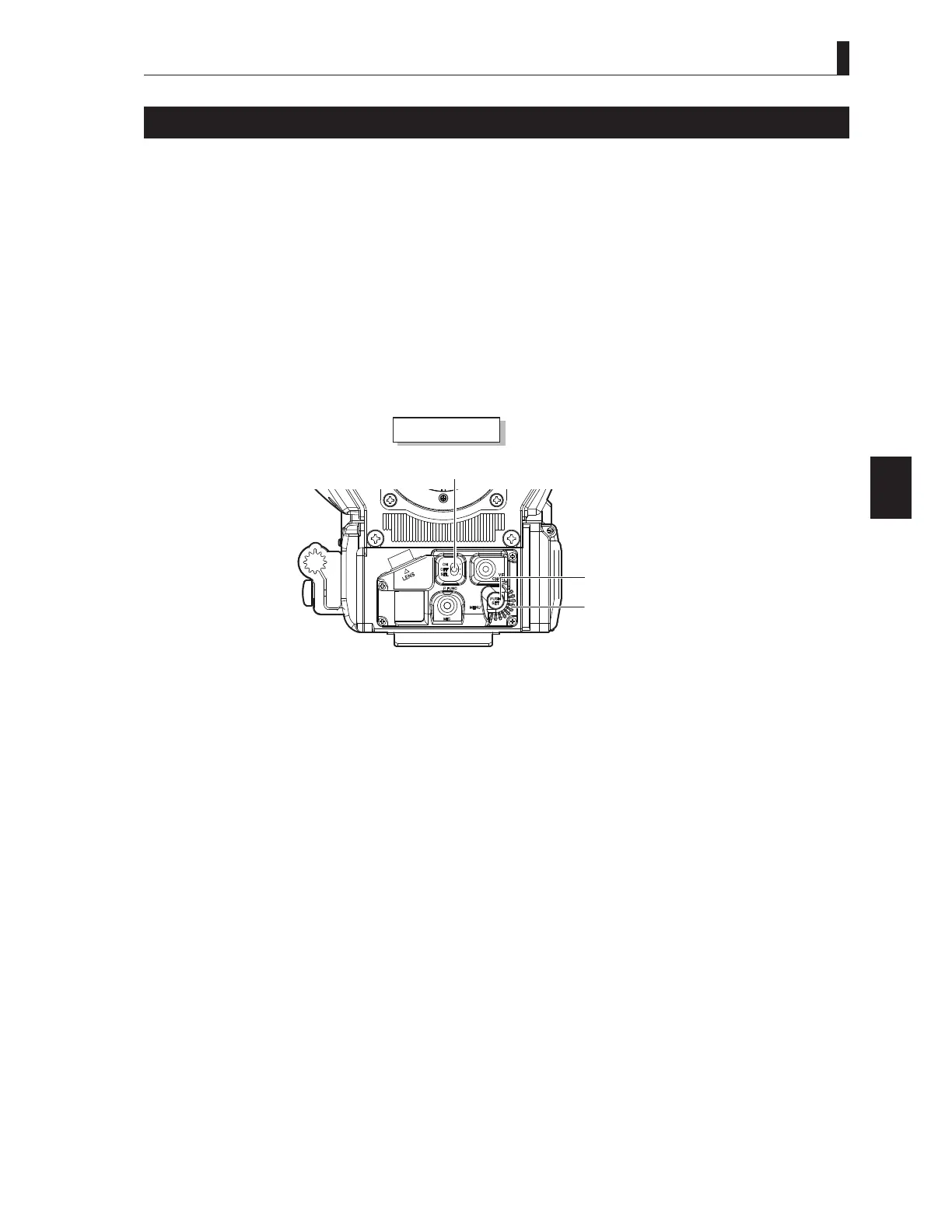
Allocating the Function to the P.FUNC Switch
Camera r e
ar e
P FUNC
ST
Set the P.FUNC switch on the front of the camera to ON.
Reference:
$OORFDWHWKHVNLQ'7/RUVRIW'7/IXQFWLRQWRWKH3)81&VZLWFKLQDGYDQFH5HIHUWR
"5.1 Settings by Switches [Allocating
Functions to the P.FUNC Switch]" (P76)
for how to allocate the function.
■
Activating from the Remote Controller
Reference:
For details on how to operate the various remote controllers, refer to the instruction manuals attached to the remote controllers.



 To Next Page