51
3
i
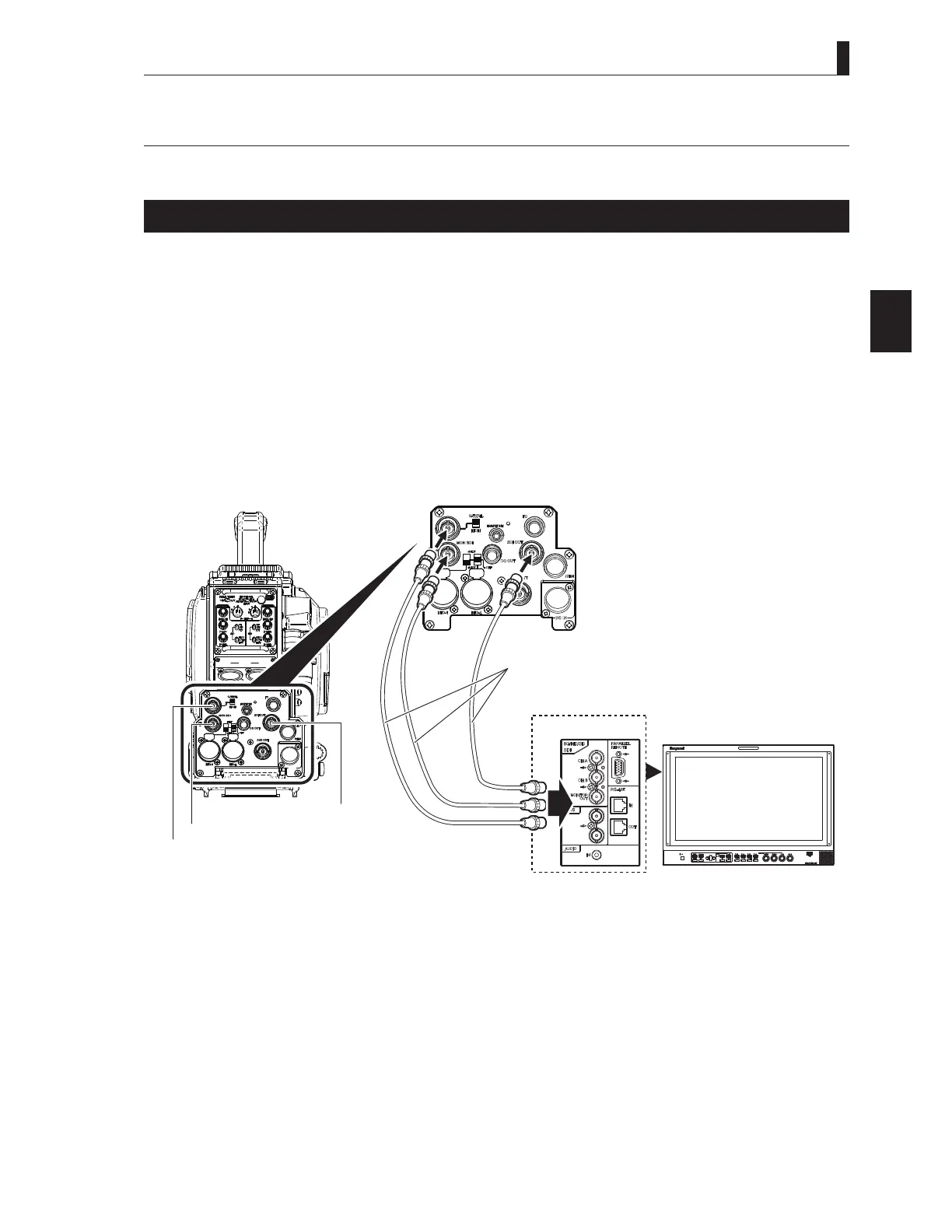
3.4 Monitor Connection
This section explains how to connect the HDK-73 to monitors.
Connecting Camera and Monitor
There are three connectors on the rear of the camera to output various video signals. The type of video signal output from each
connector is different. Be sure to connect to a correct connector via a coaxial cable in accordance with the monitor to be used.
479*/021287FRQQHFWRU 6HOHFWLRQEHWZHHQ479*/DQG021287LVPDGHE\WKH479*/0212876(/(&7
switch.
,I479*/LVVHOHFWHGWKLVFRQQHFWRURXWSXWVWKH4792879%6VLJQDOZKHQWKHFDPHUD
LVFRQQHFWHGWRWKH%6RULWLQSXWVDQH[WHUQDOV\QFKURQL]DWLRQVLJQDO*(1/2&.ZKHQWKH
camera is used stand-alone.
When MON is selected, this becomes the monitor output of the camera images, and the same
LPDJHVLJQDOVDUHRXWSXWDVWKHYLHZ¿QGHU
6',287FRQQHFWRU2XWSXWVWKHGLJLWDOVHULDOYLGHRVLJQDO$SSOLFDEOHWRWKH+'6',VLJQDOQRWDSSOLFDEOHWRWKH
SD-SDI signal).
0216',FRQQHFWRU2XWSXWVWKHGLJLWDOVHULDOYLGHRVLJQDO$SSOLFDEOHWRWKH+'6',VLJQDOQRWDSSOLFDEOHWRWKH
SD-SDI signal).
INCOMINCOM
12
Ca a a e
MON OUT er
-T MON OUT er
H S I OUT er
rear e



 To Next Page