67
4
Auto Black Balance
$XWREODFNEDODQFHFDQEHDFWLYDWHGIURPWKHFDPHUD2&3RU0&37KLVVHFWLRQH[SODLQVKRZWRDFWLYDWHIURPWKHFDPHUD
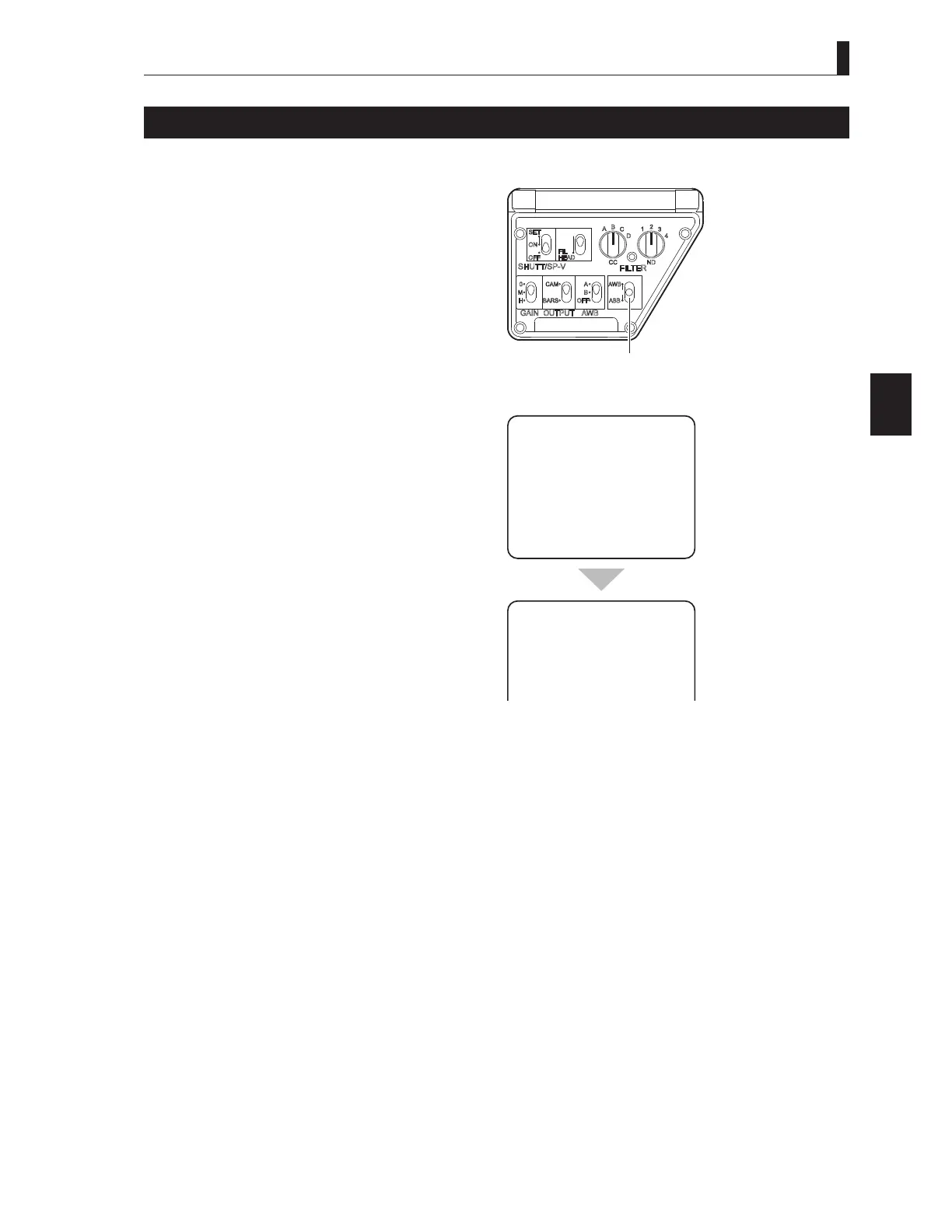
Set the AWB/ABB switch to ABB.
The lens iris is automatically closed, and auto black
balance is now activated.
2 Check the result.
8SRQFRPSOHWLRQRIDXWREODFNEDODQFH2.RU1*
DSSHDUVRQWKHYLHZ¿QGHUVFUHHQ
CAUTION:
%HVXUHWRVHWWKH5*%%/$&.DQG0$67(5
3('(67$/FRQWURONQREVRQWKH2&3WRWKHFHQWHU
position before activating the auto black balance from
the camera. If the control knobs are not at the center
position, the control range may be biased.
Note:
To activate the auto black balance from an OCP, press
WKH$%%EXWWRQRQWKHSDQHO
7RDFWLYDWHLWIURPDQ0&3SUHVVWKH$%%EXWWRQ
on the LCD or on the panel, depending on the MCP
model..
① Set the B/ BB switch
to BB.
ABB
BLK SET
ABB
O K



 To Next Page