75
5
iii
Switching the GAIN
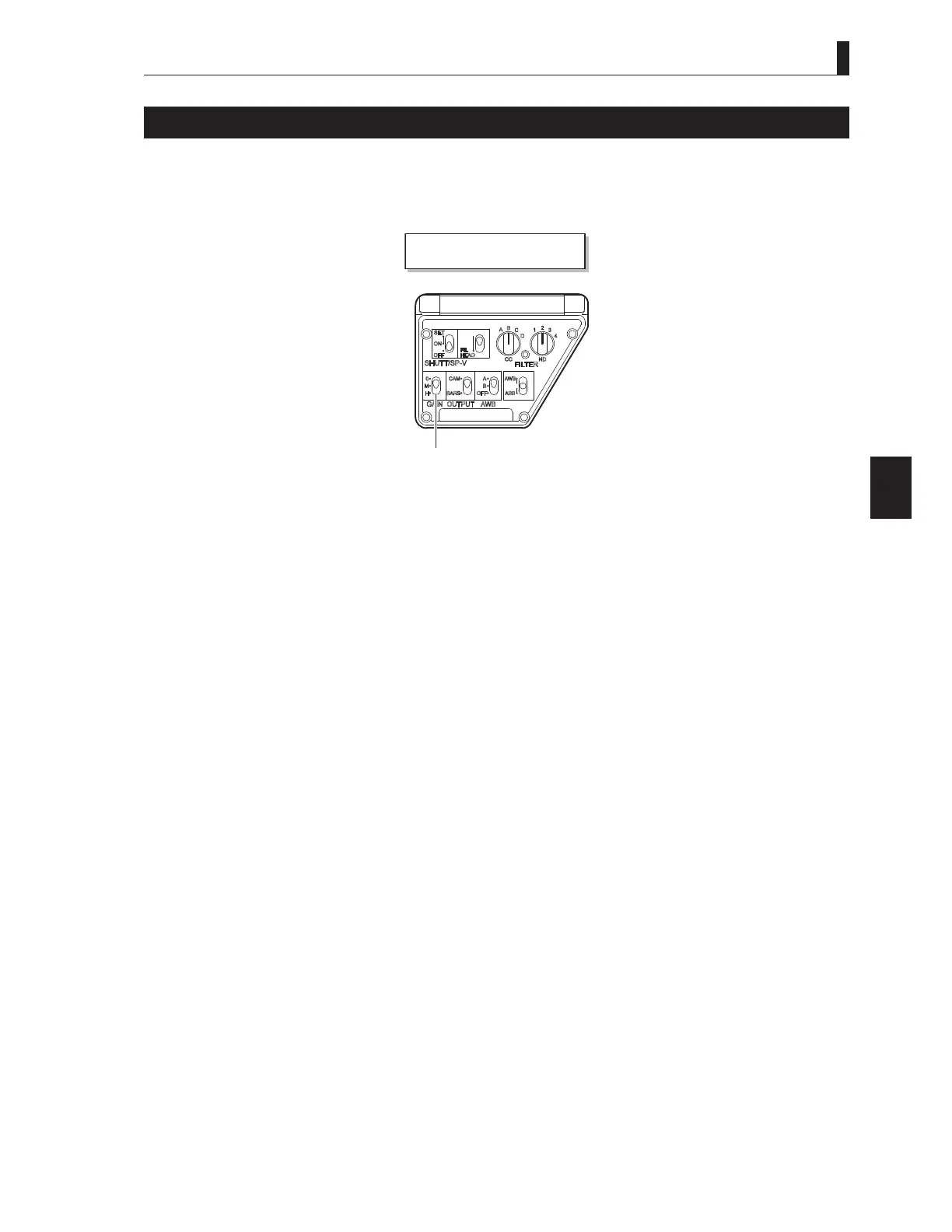
When using the camera under the conditions such as evening,, night time, or indoor use, the gain (sensitivity) of the camera needs
to be adjusted to suit the brightness of the subject. The gain can be adjusted on the camera or from the remote controller.
■
Adjusting the Gain on the Camera
Camera r e
S r ae
Use the GAIN SELECT switch on the right side of the camera to switch the setting according to the shooting
conditions.
Note:
$OORFDWHJDLQYDOXHVWRWKH*$,16(/(&7VZLWFKLQDGYDQFH5HIHUWR
"5.2 Settings from the Menu [Menu Configuration
and content]" (P81)
for how to allocate gain values.
■
Adjusting the Gain from the Remote Controller
Note:
When a remote controller is connected, the operation of the remote controller has priority over the operation switches on the camera
(when SEMI REMOTE MODE is set to "OFF").
Reference:
For details on how to operate the various remote controllers, refer to the instruction manuals attached to the remote controllers.
Use the GAIN (dB) on the remote controller to switch the setting according to the conditions.



 To Next Page