63
4
i
4.5 Output Signal Check
$IWHUWXUQLQJ21WKHSRZHUHQVXUHWKDWVLJQDOVDUHFRUUHFWO\RXWSXWRQWKH30DQG:)0,IWKHVLJQDOVDUHQRWRXWSXWIRUVRPH
reason, check the following before concluding that there is a failure.
$UHWKHFDEOHVSURSHUO\FRQQHFWHG"
$UHWKHVZLWFKHVFRUUHFWO\VHW"
,VWKHEUHDNHUWKURZQ"
,VWKH32:(5VZLWFKVHWWR21"
Reference:
Refer to
"3. INSTALLATION and CONNECTION" (P31)
for connection of peripheral equipment.
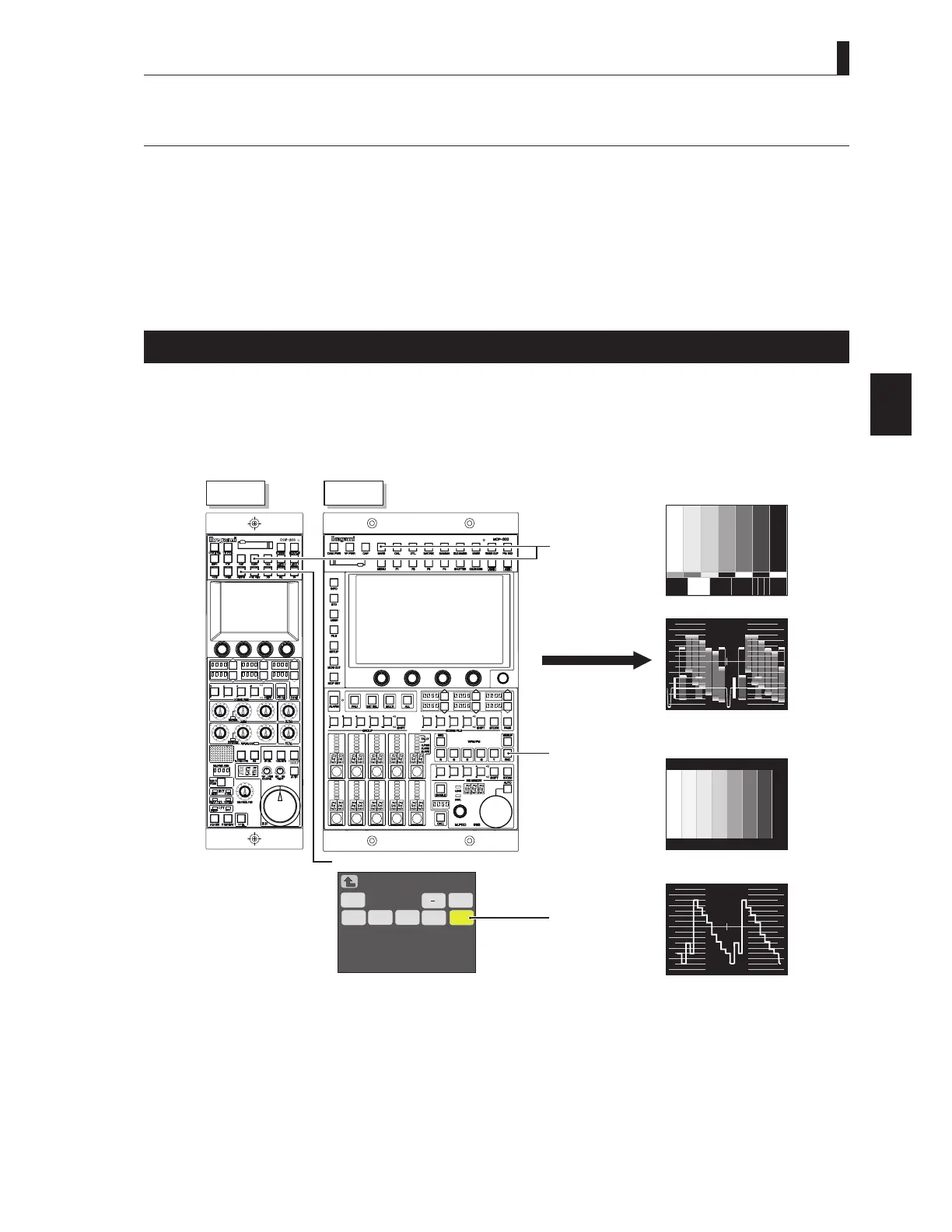
Color-Bar Signal Check
Set the BARS button on the OCP or MCP to ON.
Ensure that a normal color-bar signal is output.
To output color-bar signals to the monitor system, operate the MONITOR SELECT button.
2
WFM/PM
E
−
B
E
1
8
-
1
8
-
ST
PM
WFM
HT
PM
MCP
OCP
MONITO
S CT
NC
NC
BS
ON
WFM PM Se 1 )
C ae



 To Next Page