EasyManua.ls Logo

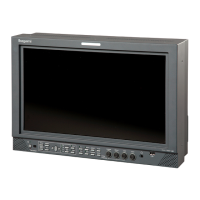
Ikegami MLW-3225C - User Manual

Ikegami MLW-3225C
36 pages
Print Icon
To Next Page IconTo Next Page
Loading...
INSTRUCTION MANUAL
Full HD 32-inch Double-screen Multi-format LCD Color Monitor
Model MLW-3225C
Ikegami Tsushinki Co., Ltd.

Questions and Answers

  • C
    Christian PotterAug 16, 2025
    How to fix Ikegami MLW-3225C when no image appears?
    • V
      Valerie MyersAug 16, 2025
      If no image is showing on your Ikegami monitor, ensure the AC power cord is securely plugged in and the unit's power switch is turned on. Also, verify the input signal and confirm that the input is correctly selected. Finally, check if the signal is supported according to the applicable signals chart.
  • E
    Erica FullerAug 19, 2025
    What to do if images on Ikegami Monitor are improper?
    • N
      Nicholas CastilloAug 19, 2025
      If images on your Ikegami monitor appear improper, first check that the input is connected to the correct input terminal and that the video signal cable is tightly connected. Also, ensure the signal is listed in the applicable signals chart and that the signal is connected to the input side, not the output side.
  • D
    David AlvarezAug 22, 2025
    Why are images too dark on my Ikegami Monitor?
    • J
      Jennifer PetersonAug 22, 2025
      If the images on your Ikegami monitor are too dark, verify that the video signal level is correct and that the brightness and contrast controls are not set to minimum. Also, check the backlight level on the User Setting Screen and the R. Gain, G. Gain, or B. Gain levels on the Color Setting Screen, especially with RGB or component inputs.
  • D
    deniseperkinsAug 25, 2025
    How to adjust screen size on Ikegami MLW-3225C Monitor?
    • K
      Kristina WrightAug 26, 2025
      To adjust the screen size on your Ikegami monitor, first, check if the signal is listed in the applicable signals chart. Then, on the Display Setting screen, set the AUTO function. If the desired setting is still not achieved, manually adjust the H.Position, V.Position, H.Size, V.Size, and Clock settings.
  • R
    russellshawnAug 27, 2025
    How to fix distorted images on Ikegami MLW-3225C Monitor?
    • J
      jeremypotterAug 27, 2025
      If the images on your Ikegami monitor are distorted, check that the external sync signal is connected with the input signal. Also, verify that the Clock setting on the Display Setting Screen is properly configured.
  • N
    Natasha CalhounAug 30, 2025
    How to fix dislocated images on Ikegami MLW-3225C?
    • M
      Michael MortonAug 30, 2025
      If the images on your Ikegami monitor are dislocated, first check to see if the signal is listed in the applicable signals chart. Then, on the Display Setting screen, set the AUTO function. If the desired setting cannot be obtained, adjust H.Position, V.Position, H.Size, V.Size, and Clock.
  • K
    Kathleen BoydSep 1, 2025
    What to do if colors are not as specified on Ikegami MLW-3225C Monitor?
    • P
      Peter SmithSep 1, 2025
      If the colors on your Ikegami monitor are not as expected, verify that the brightness and contrast levels are properly set. Also, check the chroma and hue levels on the Image Setting Screen, ensure the color temperature is correctly selected and preset, and check the R. Gain, G. Gain, and B. Gain levels on the Color Setting Screen.
  • P
    Paul BrooksSep 4, 2025
    How to fix vertical stripes on Ikegami MLW-3225C?
    • H
      hgordonSep 4, 2025
      To resolve vertical stripes on your Ikegami monitor, readjust the Smooth settings on the Image Setting Screen. Additionally, readjust the Clock and Phase settings on the Display Setting Screen.
  • S
    Sara ThompsonSep 7, 2025
    Why highlighted images are not accentuated on Ikegami Monitor?
    • S
      susanandradeSep 7, 2025
      If highlighted images are not accentuated on your Ikegami monitor, ensure that the input signal is connected to the IN side and not the OUT side. Check that the contrast control is not at maximum with high-level input signals. If using S-Video, and multiple units are connected, ensure all monitors are powered on.
  • B
    Betty MartinSep 10, 2025
    What to do if images are too weak on Ikegami Monitor?
    • J
      jennifer76Sep 10, 2025
      If the images on your Ikegami monitor appear too weak, check if the brightness level is set too high. Also, verify the R. Gain, G. Gain, or B. Gain levels on the Color Setting Screen, particularly with RGB or component inputs.

Summary

Safety and Precautions

General Safety Instructions

General guidelines for safe handling, operation, and avoiding damage to the monitor.

Power Supply and Usage Safety

Details safe practices for power connection, usage environment, and location.

Maintenance and Repair Safety

Provides guidance on safe cleaning, servicing, and professional repair procedures.

Operating Precautions

Lists critical measures to ensure safe and proper operation of the monitor.

Power Connection Warnings

Important warnings and guidance regarding the monitor's power connection types and safety.

Operation

Troubleshooting

Common Display Issues

Addresses problems like no image, improper display, brightness, color, and contrast issues.

Specifications

Ikegami MLW-3225C Specifications

General IconGeneral
Screen Size32 inches
Contrast Ratio1400:1
Viewing Angle178°/178°
Aspect Ratio16:9
Resolution1920 x 1080
Panel TypeLCD
Input ConnectorsHDMI

Related product manuals