SWIFT K11-EN, Rev.A 19
4.6 Optical fiber cutting
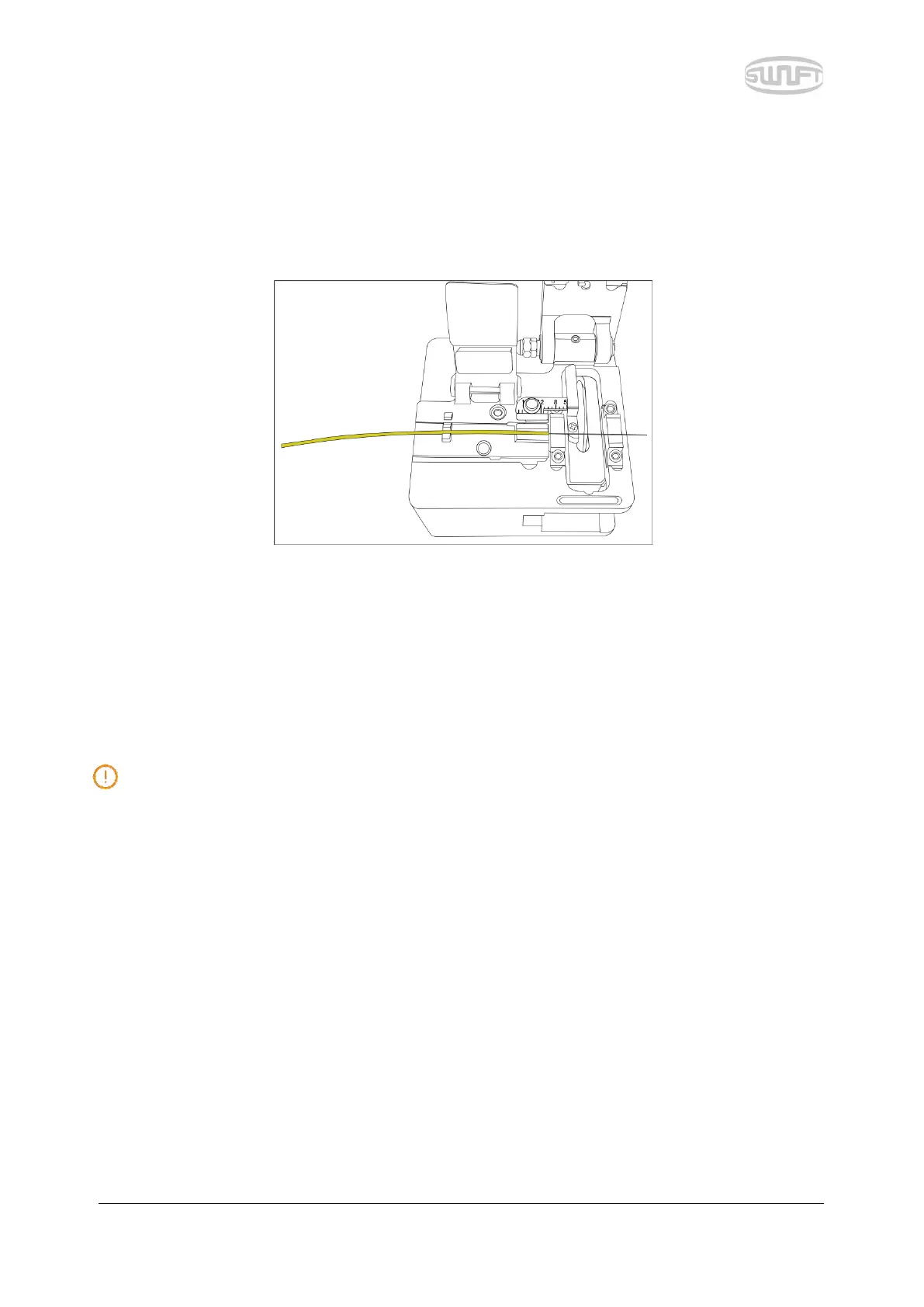
i. Install the optical fiber on cutter as shown in the figure below and check optical fiber’s
state and cutting length. When optical fiber is not properly installed, problems may be
incurred on cutting procedure.
ii. Push the cutting lever down and the optical fiber is being cut.
iii. Lift the cutting lever and take the optical fiber out.
iv. Remove the cut pieces of optical fiber and dispose in a proper container.
For the detailed use of cutter, refer to the instructions for cutter use.


 To Next Page