SWIFT K11-EN, Rev.A 37
6.1 Splice
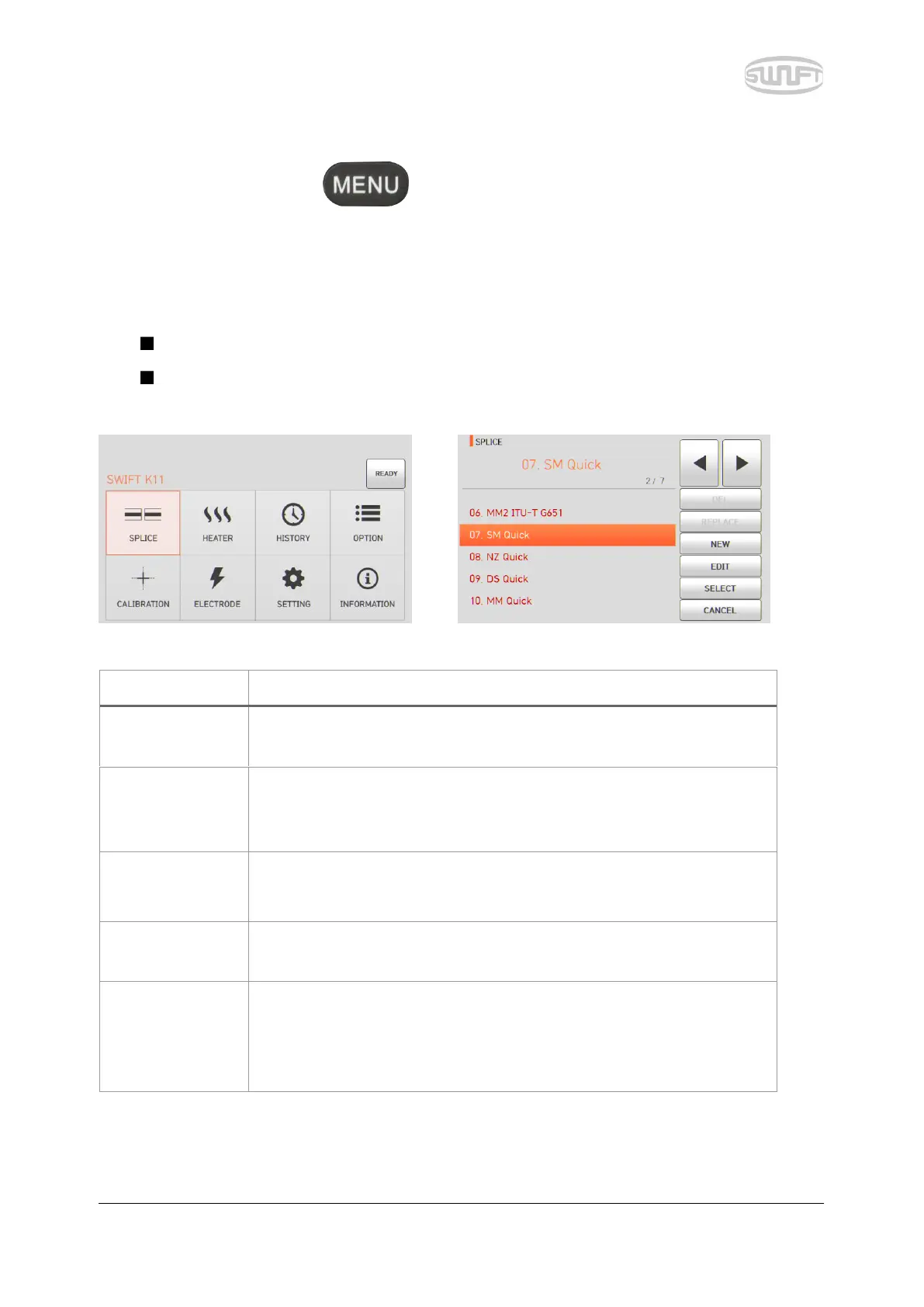
To import splice mode, press and select “Sealing” menu by touch. It displays a screen
to select splice mode as follows. The selecting screen is equipped with various splice modes to
facilitate a user’s easy selection and use of splice mode. In addition, splice mode can be expanded
and saved up to 300 units. These splice modes are classified into general mode and user mode.
General splice mode: No. 1~32
User splice mode: No. 33~300
[Outline of splice mode]
It is a mode for basic SM optical fiber. MFD of single mode optical
fiber is about 9~10um at 1310nm wavelength.
It is a mode for NZDS optical fiber. MFD of NZDS optical fiber is about
9~10um at 1550nm wavelength. WDM optical fiber can also be
spliced on this mode.
It is a mode for DS optical fiber. MFD of DS optical fiber is
about 7~9um at 1550nm wavelength.
It is a mode for MM optical fiber. Core diameter of MM optical fiber
is about 50~62.5um.
Other splice modes are saved on database of Swift K11. New splice
modes are currently being updated. Therefore, we recommend that
users keep upgrading the equipment regularly by contacting
Ilsintech.



 To Next Page