SWIFT K11-EN, Rev.A 38
6.1.1 Deletion
First, select a splice mode by touch. And then press “DEL” icon and the selected mode is deleted.
General modes no. 1~32 cannot be deleted.
6.1.2 Replacement
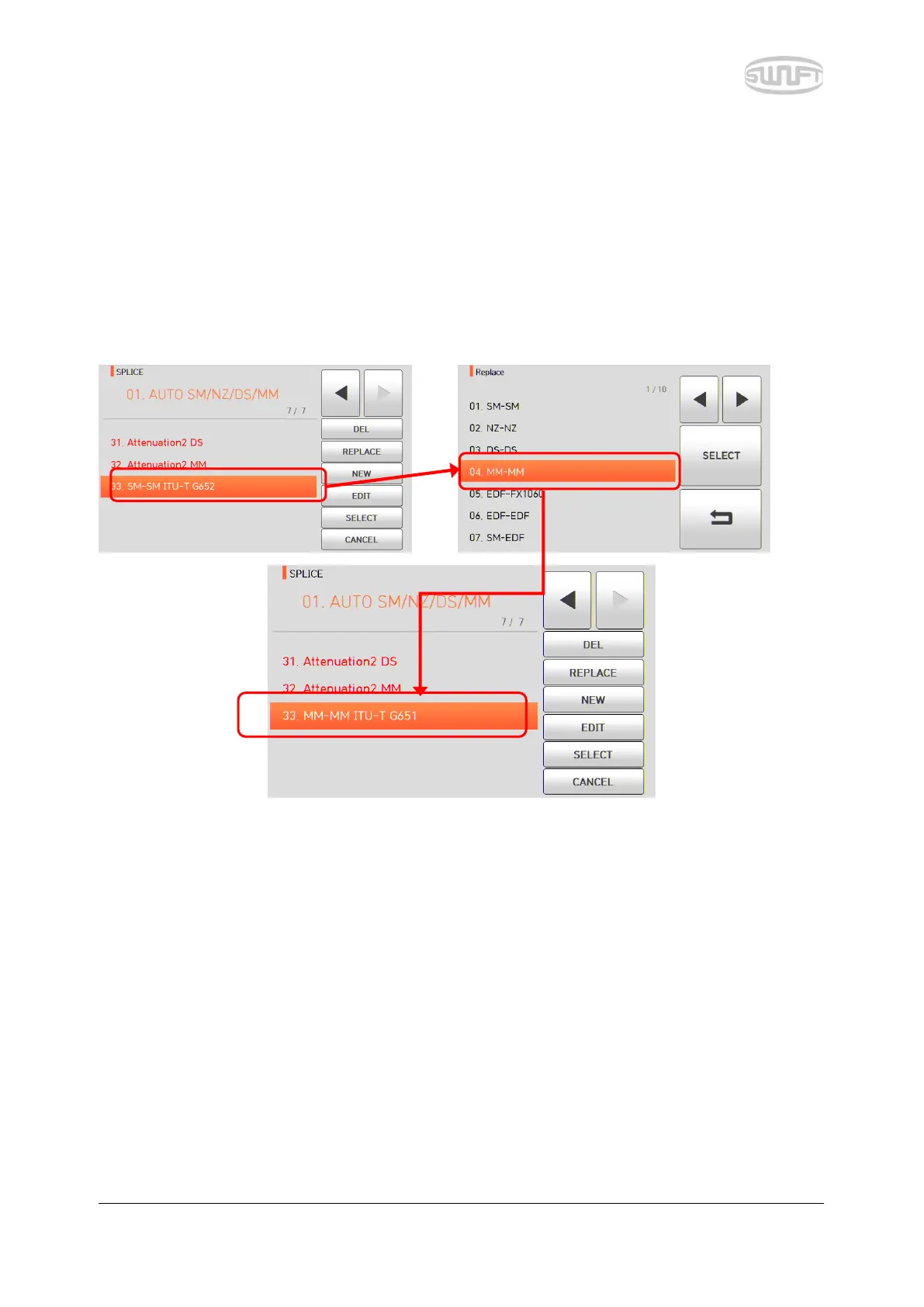
Select a splice mode to replace by touch and press it, and splice modes saved on the database are
displayed on the screen. Select a splice mode to replace and touch “REPLACE”, and the mode is
replaced with the new mode.
General modes no. 1~32 cannot be replaced.


 To Next Page