SWIFT K11-EN, Rev.A 22
4.9 K11 Sleeve-Heater part
Sleeve heating part of K11 realizes reinforcement of single optical fiber subject to sealing splice.
State of sealing splice on optical fiber should be appropriate.
Optical fiber that sleeve tube is inserted to heater should be appropriately arrayed and installed.
Heater cover should be closed upon sealing.
Φ250 ㎛, Φ 900 ㎛, Φ 2.0 ㎜~ Φ 3.0 ㎜
i. Choose the heater mode after the confirmation of the length for the sleeve tube when
placing a sleeve tube on a heater.
ii. Place the spliced point in the middle of the sleeve tube first. Then, checking out the
heating part on the heater and place the sleeve tube on right position.
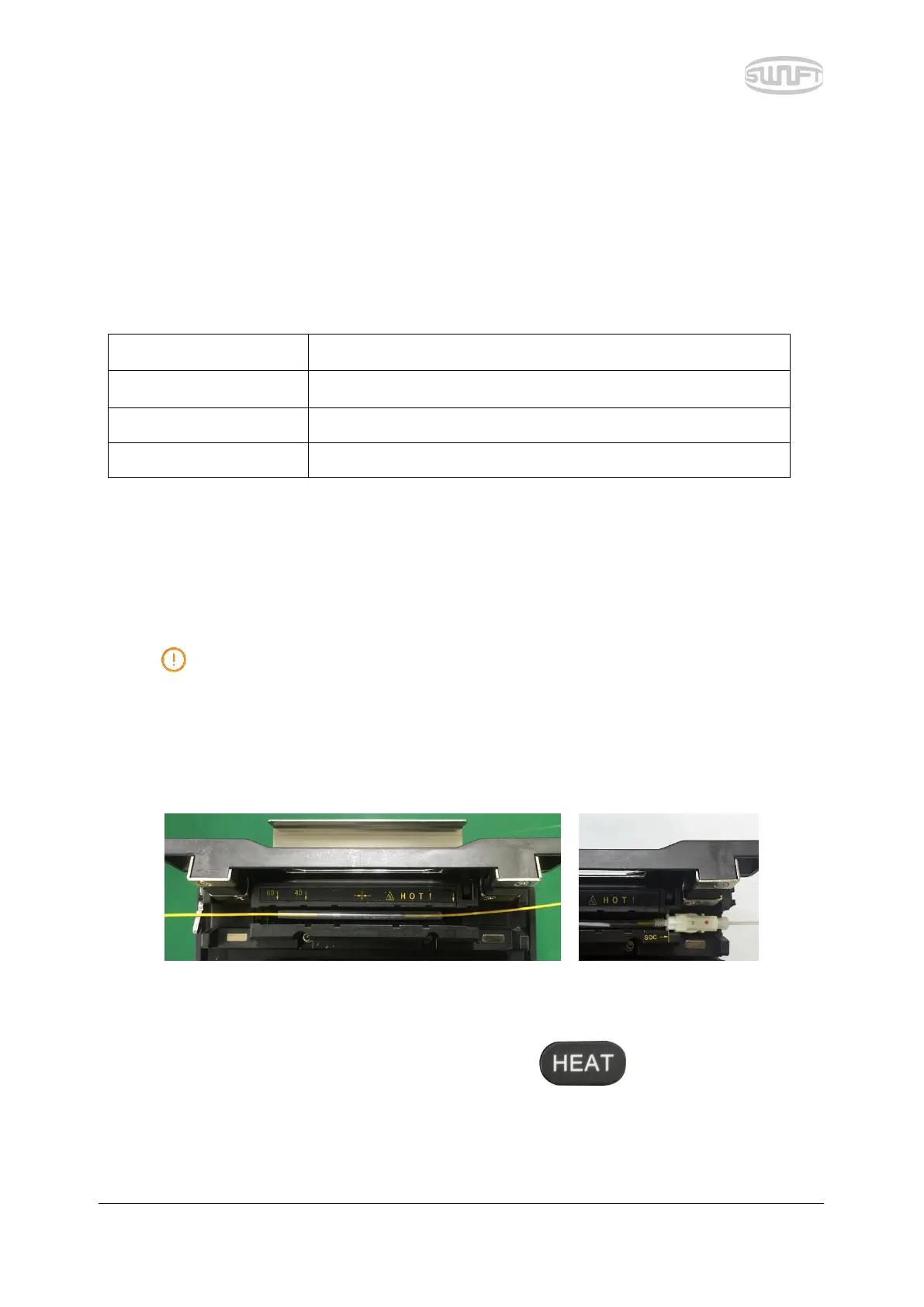
Choosing improper mode of the heater for a sleeve tube may not shrink the sleeve
tube properly. Especially, SOC (Splice-On-Connector) should be placed on the right side
edge of the heater in order to line up the right end of the sleeve tube to the right side
edge of the heater as shown on the picture below (Right picture). If SOC is placed in the
middle or on the left side, sleeve tube of the SOC does NOT shrink.
[Optical Fiber] [SoC Connector]
iii. After placing the optical fiber on the heater, press button to start the heater.
(Operation time: about 20 seconds)



 To Next Page