SWIFT K11-EN, Rev.A 44
6.2 Heater
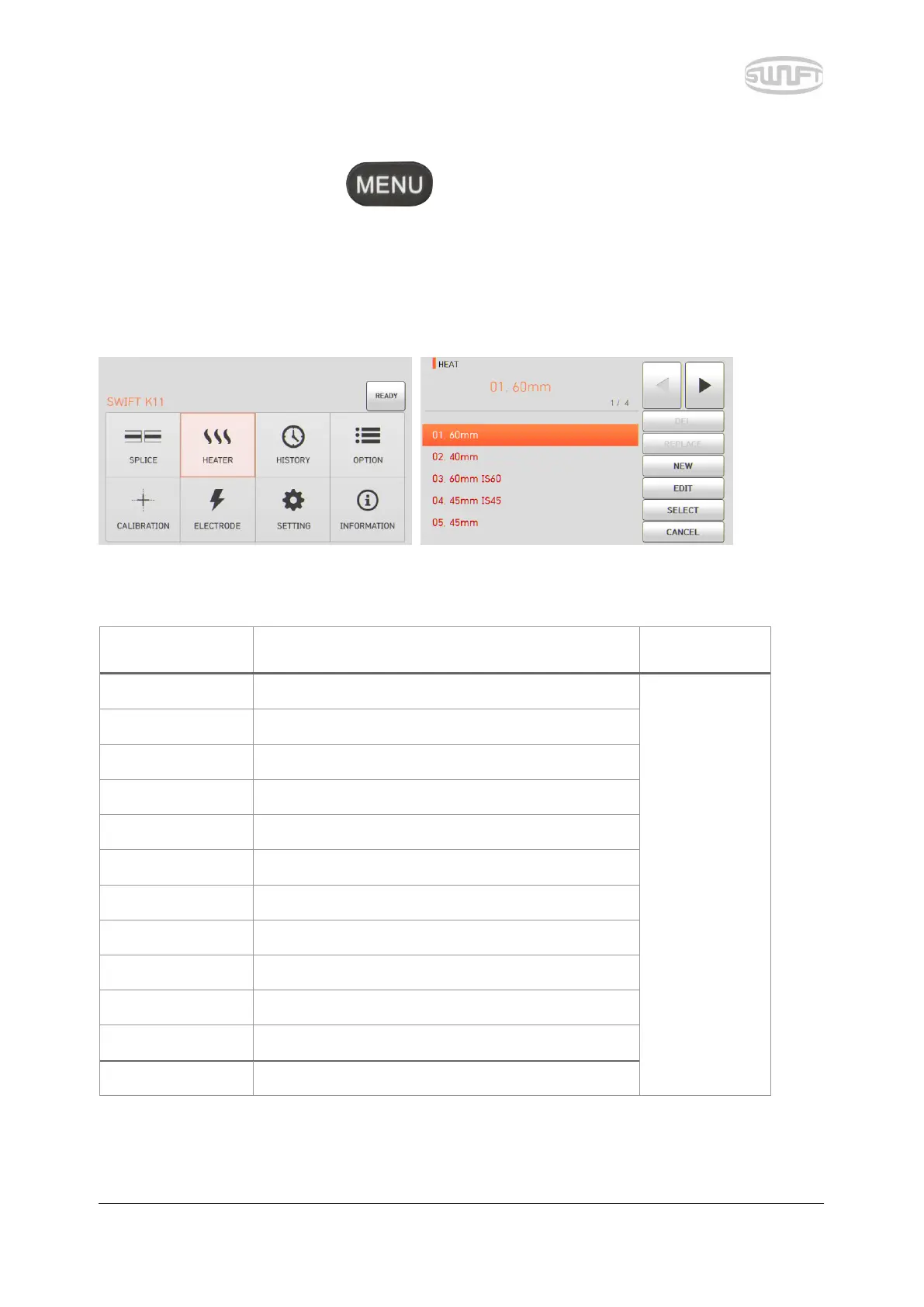
To import heater mode, press and then select “Heater” menu by touching it. It
displays a screen to select heater mode as follows. The selecting screen is equipped with various
heater modes to facilitate a user’s easy selection and use of heater mode. In addition, heater mode
can be expanded and saved up to 100 units. Heater mode no. 1~12 cannot be deleted, edited or
replaced either.
[Outline of heater mode]
Standard 60mm micro sleeve
Sleeve type,
mode title 1
and mode title
2 cannot be
edited.
Standard 40mm micro sleeve
22mm sleeve for SOC(SC-0.9mm)
45mm sleeve for2.0mm optical cable
45mm sleeve for3.0mm optical cable
32mm sleeve for SOC(SC-3.0mm)
25mm sleeve for SOC(LC-0.9 and 2.0mm)
28mm sleeve for SOC(ST-0.9mm)
36mm sleeve for SOC(ST-3.0mm)
Choose the right mode for each sleeve tube type and SOC. Otherwise sleeve tubes do NOT shrink
properly.


 To Next Page