SWIFT K11-EN, Rev.A 30
6. Menu
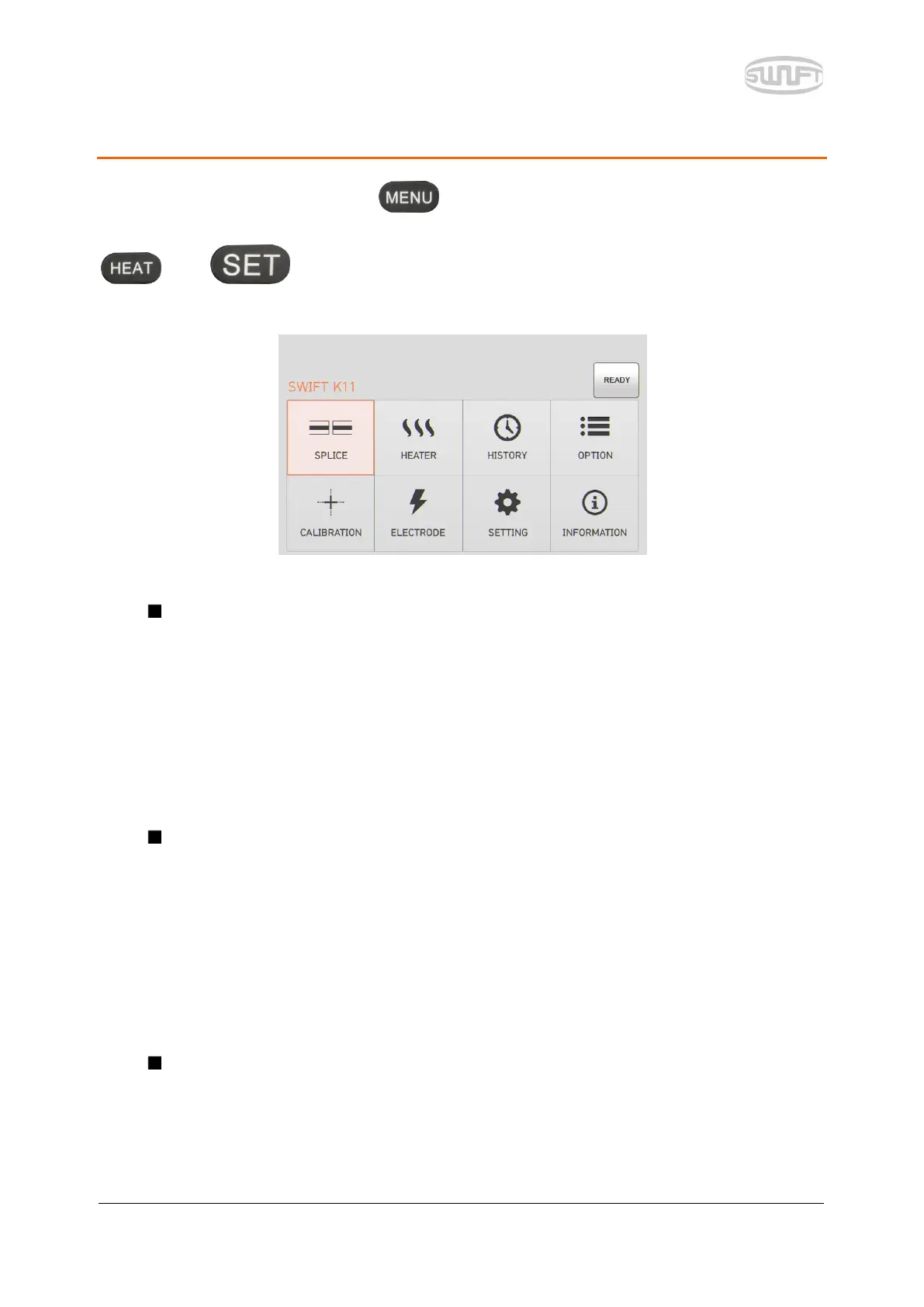
Main menu has 8 submenus. Press or touch the “MENU” icon on the screen to load
main menu. The main menu screen is as follows. You can select right and left by pressing
and buttons.
Sealing
Delete: It deletes splice mode.
Replace: It selects and replaces a certain splice mode within database.
Add: It selects and adds a certain splice mode within database.
Edit: It edits set values of splice mode.
Select: It selects a splice mode to run.
Close: It closes menu window.
Heater
Delete: It deletes heater mode.
Replace: It selects and replaces a certain heater mode within database.
Add: It selects and adds a certain heater mode within database.
Edit: It edits set values of heater mode.
Select: It selects a heater mode to run.
Close: It closes menu window.
Splice result
Splice result display: It displays splice result and image.
Delete splice result: It deletes all data.


 To Next Page