13
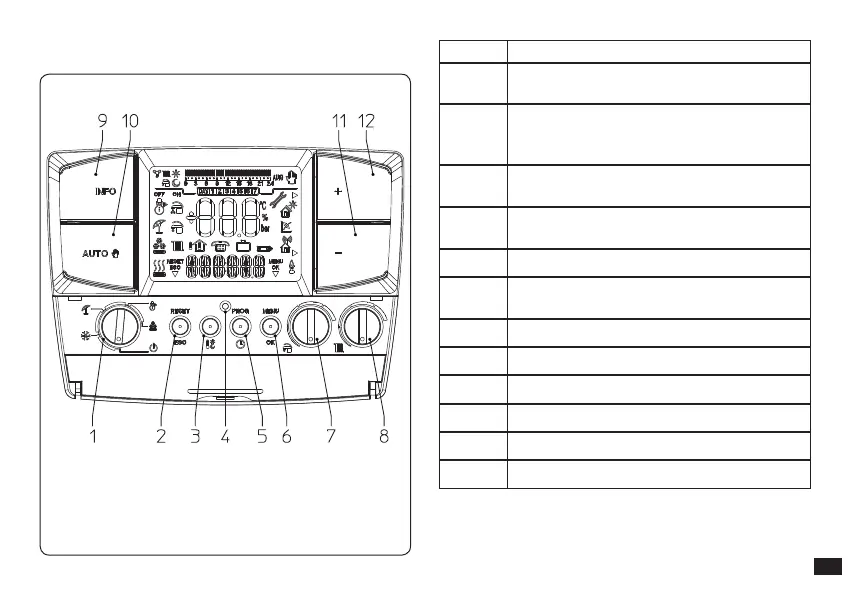
2.4 CAR
V2
description.
Fig. 2-2
Ref. Description
1
Main selector: O, Stand-by/anti-freeze,
Summer, Winter, Cooling
2
“Reset” boiler anomalies/“Esc” button to
exit parameter or return to previous menu
(programming mode)
3
Comfort and economy room temperature
setting button
4
Reset button to restart the CAR
V2
in the
event of an anomaly
5 Access button to adjust time, day and timer
6
Access button to the programming/
parameter conrmation menu
7 Domestic hot water temperature selector
8 Heating temperature selector
9 Information buttons
10 Manual and automatic mode button
11 Temperature decrease button
12 Temperature increase button



 To Next Page